


I can't import/sync my Chrome bookmarks to Firefox

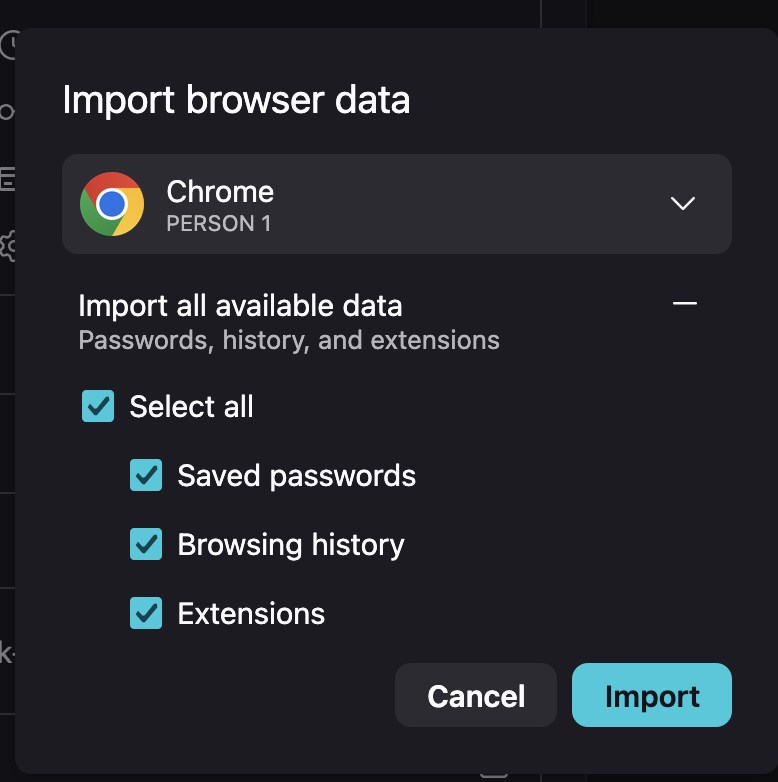
I recently downloaded Firefox and was trying to import all of my Chrome data, including my bookmarks. For some reason when I go to import my browser data, there isn't even a option to import bookmarks. One of my other chrome accounts has the option to import bookmarks (a old work account I no longer use anymore), but my personal account just doesn't have it. Am I missing a step in this process or is there something I need to do on chrome to make my bookmarks accessible to Firefox? I really don't want to go in a manually add all my bookmarks..
Gekose oplossing
Can you export the bookmarks from Chrome manually? The HTML format should import in Firefox cleanly.
All Replies (6)
Did you see/read this?
https://support.mozilla.org/en-US/kb/import-bookmarks-google-chrome
Gewysig op deur amoun
Yes, I did see that article. The problem is in the import wizard there isn't a option to import my bookmarks (as seen in my screenshot) and when I do directly to the Library window to import it takes me back to the import wizard. For some reason my bookmarks aren't part of the available data so I cannot select it.
Gekose oplossing
Can you export the bookmarks from Chrome manually? The HTML format should import in Firefox cleanly.
Sadly I don't use a Mac so hopefully someone else could check the exact steps.
Ah, you're already on Golden Gate, right? Seems there's some encryption/data access wrinkles for the newly protected browser profile paths: bugzilla.mozilla.org/2068462
AH! Yes the HTML way worked! I actually am not on Golden Gate yet because I've been a little lazy in updating my laptop (I'm still on Sequoia). But I'm glad I was able to get them through the HTML way!