


Why does FireFox VPN not start automatically when I start FireFox?

I've enabled the FireFox VPN in my browser, but it's annoying because I have to turn on the VPN every time I start FireFox! Why does the VPN not start automatically? I've searched all the options, but there doesn't seem to be one to fix this problem.
All Replies (2)
Hello
Is it your question
These similar discussions https://connect.mozilla.org/t5/ideas/firefox-vpn-automatic-start-setting-option/idi-p/128199
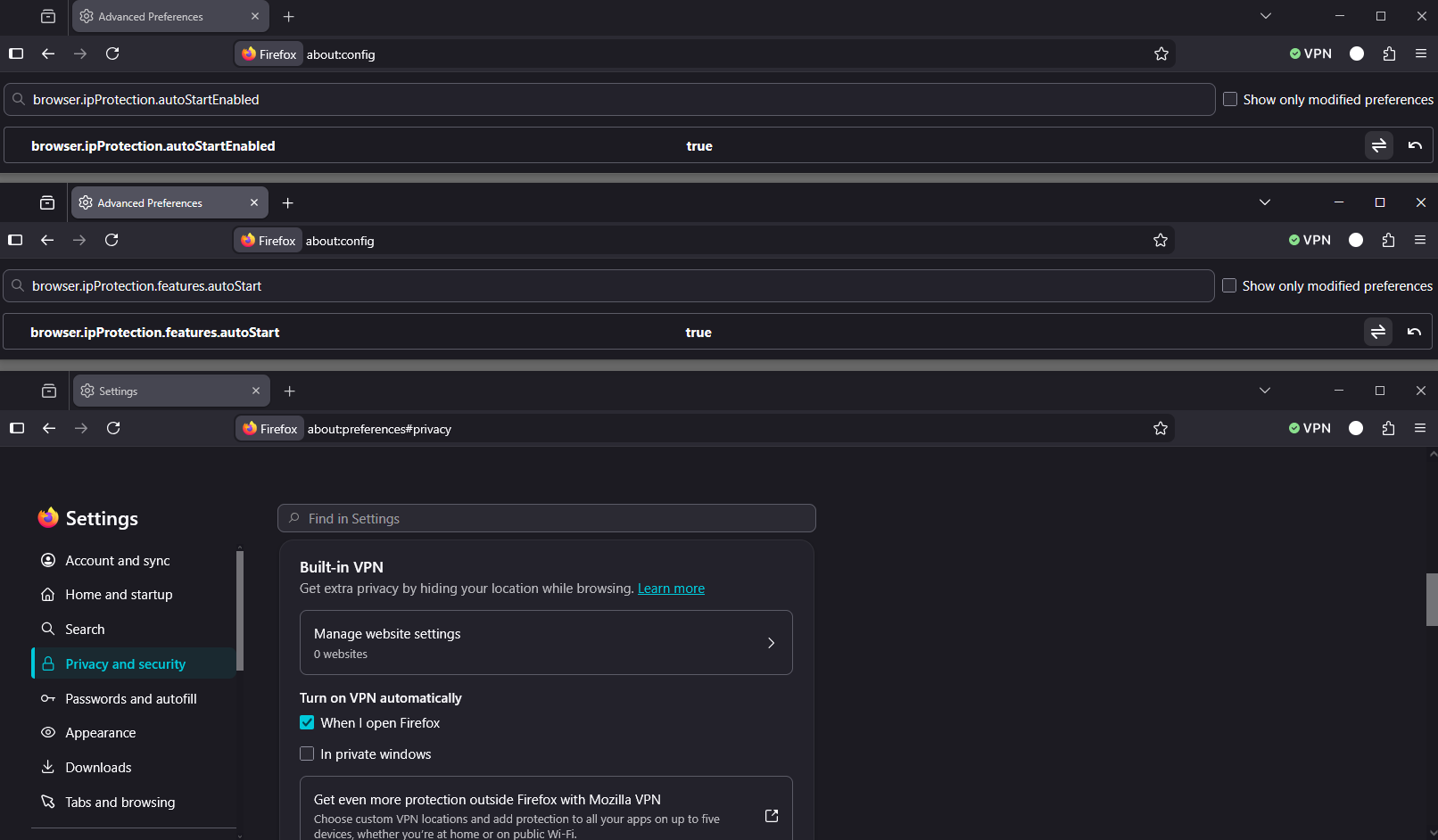
If you wish to try 1 - Go to configuration editor https://support.mozilla.org/en-US/kb/about-config-editor-firefox 2 - Enter a search term browser.ipProtection.autoStartEnabled You can double-click on the preference to set the value to true 3 - Enter a search term browser.ipProtection.features.autoStart You can double-click on the preference to set the value to true Restart Firefox
Turn on VPN automatically When I open Firefox For illustration https://www.youtube.com/watch?v=QC-bFoxY2y4
I've enabled the FireFox VPN in my browser, but it's annoying because I have to turn on the VPN every time I start FireFox! Why does the VPN not start automatically? I've searched all the options, but there doesn't seem to be one to fix this problem.
Mozilla refers to it as built-in VPN as Firefox VPN implies it is a standalone app like Mozilla's subscription based Mozilla VPN app is.
Also an issue with keeping the built-in VPN running all the time is that starting Sept 1st on there will be a 50-GB data usage limit each month again like it was since Fx 149.0. https://support.mozilla.org/en-US/kb/built-in-vpn