


Windows 10 reached EOS (end of support) on October 14, 2025. If you are on Windows 10, see this article.

Search Support

Avoid support scams. We will never ask you to call or text a phone number or share personal information. Please report suspicious activity using the “Report Abuse” option.

Learn More
Open

Take screenshot > Save full page cuts off certain parts

Agent virtuel replied
tabacc2020

Hi, Check out the attached screenshot. This is the image FF saves when a user does the following action on any page: Take screenshot > Save full page

I have almost 20 such screenshots where the Google AI answers are overlapping and certain areas of the screenshot are overlapping and cut off (in the attached screenshot, the Step-by-Step points number 2 and 3 for Fluffy Breakfast Pancakes is cut off). Really annoying. I would appreciate the concerned team taking a look and a fix for this.

To recreate: Ask Google AI anything (this is the Google AI that you get to from the google.com homepage by clicking the AI Mode button) and make sure the answer require some scrolling. Then right-click and Take Screenshot > Save full page. Overlapping/cut off screenshot is saved. Thanks
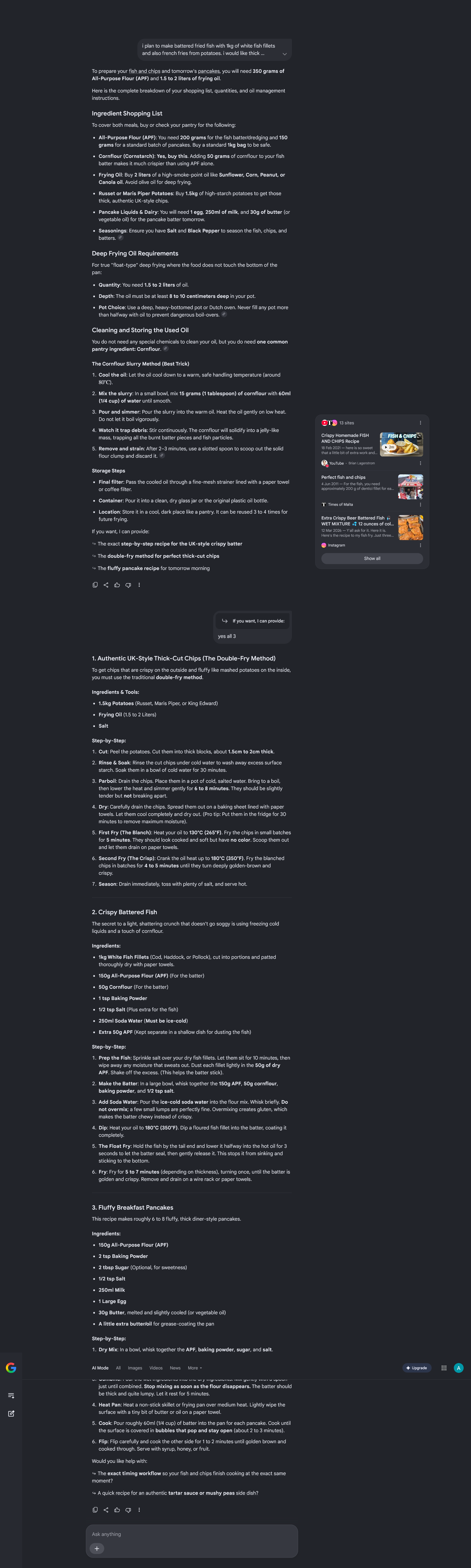
Hi, Check out the attached screenshot. This is the image FF saves when a user does the following action on any page: Take screenshot > Save full page I have almost 20 such screenshots where the Google AI answers are overlapping and certain areas of the screenshot are overlapping and cut off (in the attached screenshot, the Step-by-Step points number 2 and 3 for Fluffy Breakfast Pancakes is cut off). Really annoying. I would appreciate the concerned team taking a look and a fix for this. To recreate: Ask Google AI anything (this is the Google AI that you get to from the google.com homepage by clicking the AI Mode button) and make sure the answer require some scrolling. Then right-click and Take Screenshot > Save full page. Overlapping/cut off screenshot is saved. Thanks
Aangehegde skermkiekies

All Replies (2)

That's how the site is laid out: support.mozilla.org/questions/1594895

If you have any ideas how to circumvent the sites' rendering, there might be existing bug on file that you can follow and pitch in perhaps.

Bonjour

Le Poème de PI https://www.youtube.com/watch?v=3_U5Hg_X_z0

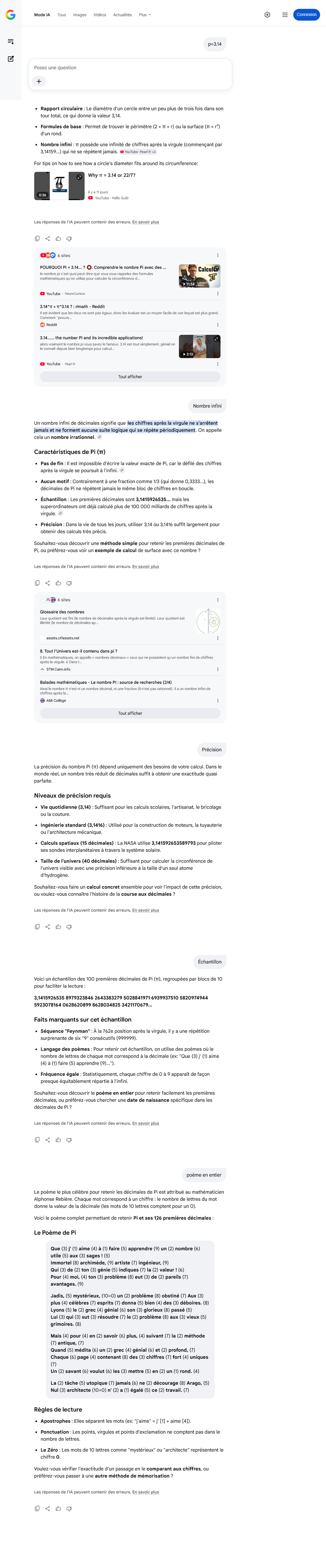
Screenshot with Take a screenshot of the entire page
Vra 'n vraag

You must log in to your account to reply to posts. Please start a new question, if you do not have an account yet.