


Join us to show up for other Firefox users 🦊. Earn fun badges and Mozilla swag vouchers! Find out more: https://mzl.la/askafox150

Windows 10 reached EOS (end of support) on October 14, 2025. If you are on Windows 10, see this article.

Search Support

Avoid support scams. We will never ask you to call or text a phone number or share personal information. Please report suspicious activity using the “Report Abuse” option.

Learn More

Hierdie gesprek is in die argief. Vra asseblief 'n nuwe vraag as jy hulp nodig het.

Jumbled up words are displaying on websites

  • 1 antwoord
  • 0 hierdie probleem
  • 175 views
  • Laaste antwoord deur cor-el
  • In die argief

Hi there, recently whenever I visit a website or search on google or another search engine jumbled up words are displaying. The words contain letters which are jumbled up so it is impossible to understand what the word says. I have attached a screenshot explaining my issue better. If you see in the screenshot the jumbled up words are shown in bold.

Please could you help fix this issue?

Kind regards,

Luke
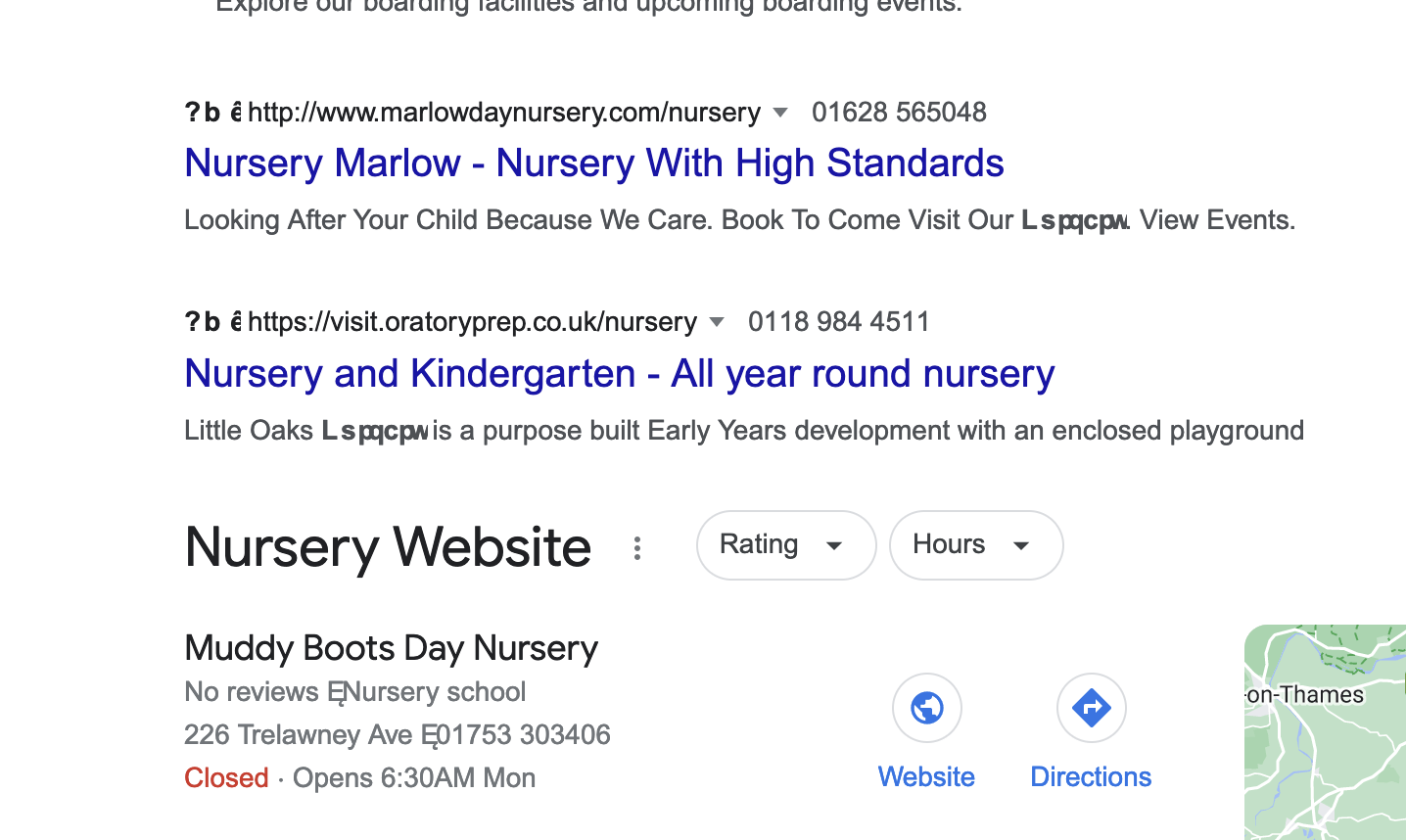
Hi there, recently whenever I visit a website or search on google or another search engine jumbled up words are displaying. The words contain letters which are jumbled up so it is impossible to understand what the word says. I have attached a screenshot explaining my issue better. If you see in the screenshot the jumbled up words are shown in bold. Please could you help fix this issue? Kind regards, Luke
Aangehegde skermkiekies

All Replies (1)

You can check in Font Book for font issues like corrupted and duplicate fonts.

You can right-click and select "Inspect" to open the built-in Inspector with this element selected.

You can check in the Rules tab in the right panel in the Inspector what font-family is used for selected text. You can check in the Fonts tab in the right panel in the Inspector what font is actually used because Firefox might be using a different font than specified by the website.