


why does firefox hide login and password fields now?

Since the last update, firefox wipes out the input fields on logins. In addition previous logins to mozilla support no longer work.
All Replies (7)
richosr3 said
Since the last update, firefox wipes out the input fields on logins. In addition previous logins to mozilla support no longer work.

Start Firefox in Safe Mode to check if one of the extensions ("3-bar" menu button or Tools -> Add-ons -> Extensions) or if hardware acceleration is is causing the problem.
- switch to the DEFAULT theme: "3-bar" menu button or Tools -> Add-ons -> Themes
- do NOT click the "Refresh Firefox" button on the Safe Mode start window
- https://support.mozilla.org/en-US/kb/troubleshoot-firefox-issues-using-safe-mode
- https://support.mozilla.org/en-US/kb/troubleshoot-extensions-themes-to-fix-problems
Do you see the mouse pointer changing if you move around the area where these fields should be?
You can also try to use the Inspector to see if these fields are really hidden.
You can right-click and select "Inspect Element" to open the builtin Inspector with this element selected. Maybe do a search for input
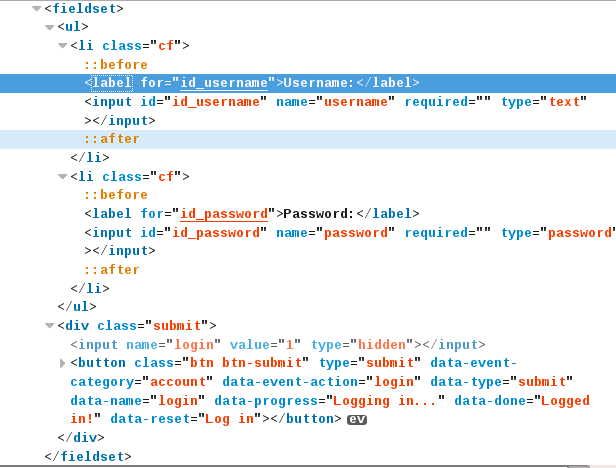
Disabling hardware acceleration fixed it.
Why it only happened where a saved login was involved seems to indicate there is an issue with saved logins? Or perhaps is is something to do with the new shaded fields on entering user details?
Why that should affect that is beyond me, doesn't seem logical.
Posted new image to show login boxes now.
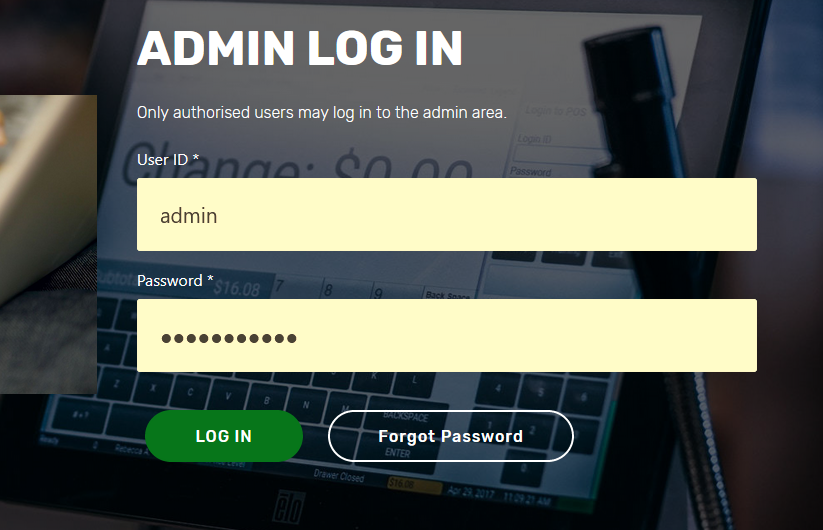
The troubleshooting information shows a rather old date for the graphics display driver: driverDate: 6-1-2016, so maybe that is causing it.
See the "Help -> Troubleshooting Information" (about:support) page.
WHERE did the support.mozilla.org LOGIN page go???
Suddenly Chrome is looking like a VIABLE browser and Firefox is worse than IE.
Bill Mayhew said
WHERE did the support.mozilla.org LOGIN page go??? Suddenly Chrome is looking like a VIABLE browser and Firefox is worse than IE.
Hello Bill,
Please see the replies in your own thread :