


In settings popups are blocked but on groceries.morrisons.com I am getting popups

I have checked and in settings popups are blocked but on groceries.morrisons.com I am still getting popups. Why is this and how can I stop it?
All Replies (3)
Do you possibly mean these page overlays of theirs?
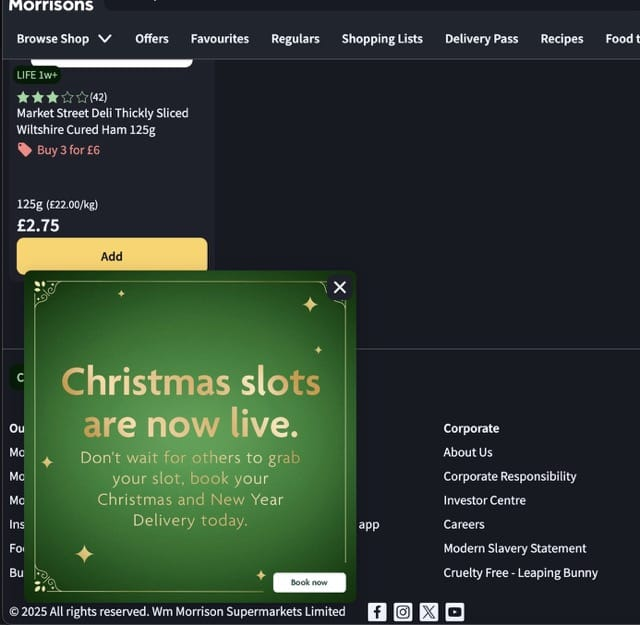
Yes it's a popup. How do I stop it?
This is part of the page content, not a "pop up window" that Firefox would have any visibility into, to block such elements, It also doesn't come from third parties as a form of advertising that could be identified and blocked. (To the browser this is no different than any image or form; there's no telling what kind of annoyance it is or that it might be unwanted by consumers.)
I'll leave to others if there's any reliable advice for e.g. an addon that would be able to filter such content, either based on known patterns, or to let target user–entered elements (that would be reliable for all subsequent offers, not just one–off).