


Thread's broken sorting makes it completely unusable.

Whoever designed the Threads feature apparently never used an email program.
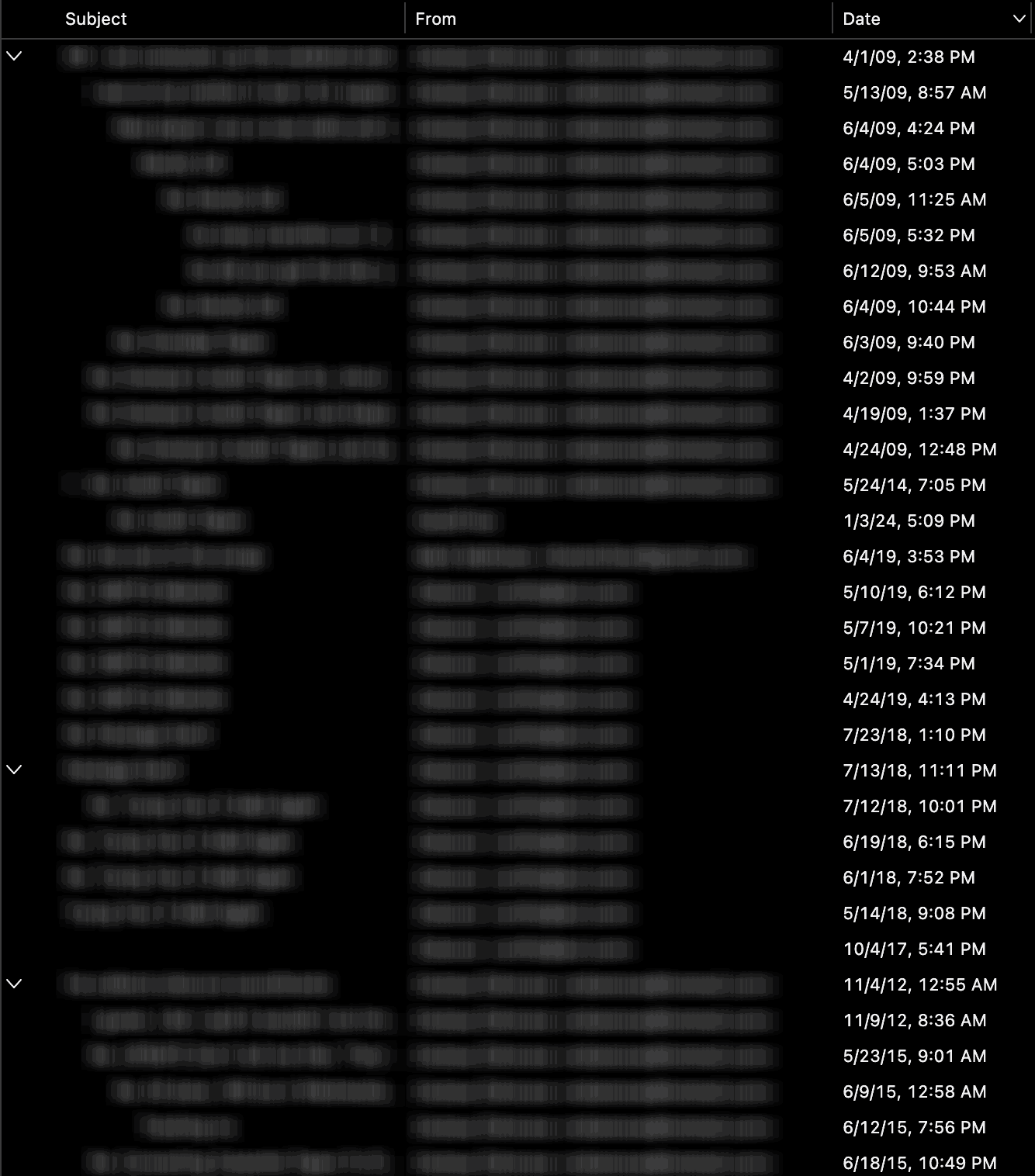
• The topmost 'main' message in a thread isn't the newest one, it's the oldest. How the hell does that make sense? • Even if you condense the thread, it still shows the oldest one • As a result, if you sort and look at the date column, it looks completely out of order. I thought it was a bug at first until I realized what was happening. • Replies keep getting indented instead of staying at the same width, which makes long thread subjects impossible to see because they get cropped off and it's just a bunch of blank space. • There's no option to change any of it.
As a result, it's completely worthless to use. Please no talking about editing customization files users won't do or extensions that try to partially bandaid the situation that shouldn't have to.
How could this be botched so badly? Just copy Outlook's conversations view, which is light years ahead of this and does it right. Seemingly there was zero user & QA testing when this was getting developed.
Where can a report be filed so this can get fixed and useable?
Okulungisiwe ngu GodzFire
All Replies (3)
First, this is a peer=to=peer forum. We are volunteers who assist, not designers or coders. If you click settings>appearance you can turn threading off. Thank you.
Hi godzfire3+mozilla
I'll attempt to explain things.
re :• The topmost 'main' message in a thread isn't the newest one, it's the oldest. How the hell does that make sense?
A thread is a conversation. A Conversation starts with an initial email, so naturally it will be the oldest. As people add/reply to a conversation those threads are appended in the order sent. If you were reading this 'conversation' written on a piece of paper, you would naturally read from top to bottom as it would make little sense reading any other way.
re : As a result, if you sort and look at the date column, it looks completely out of order. I thought it was a bug at first until I realized what was happening.
It does depend upon what you selected as the 'Sort by' settings. But let's assume it was Date, Descending, Threaded
The reason for the sort appearing in that order, is to indicate there are hidden threads which effect the order of the display. So a thread that was started eg: a month ago may appear second in list because it contains an email received today or yesterday. So helping to alert you where a recently received email may be found. If that thread contained unread mail, it would also be underlined to draw your attention to it and display a blue dot in the column 'sort by read status'.
But I do see how an initial response could think what's going on!
re: • Replies keep getting indented instead of staying at the same width, which makes long thread subjects impossible to see because they get cropped off and it's just a bunch of blank space.
It's unusual to have a lot of responses to a single point of conversation, but not uncommon in certain situations. Sometimes this can occur when people keep responding to a conversation even when they have changed the topic. I'm sure you ave known people choose to Reply because tjhey were too lazy to initial a new unrelated email. The 'Reply' was used as a shortcut so they did not need to enter header information. Not all responses within a single conversation
Not all parts of a conversation are always contiguous. This can occur when several people participate in a 'conversation'. Some people respond to some comments, but not all. So the tree develops various branching. The use of indentation helps to ascertain various branches of conversation and separates it from other threads in other conversations.
Useful when needing to view a particular thread uncluttered by other threads.
- Right click on a collapsed thread and select 'Open' > 'Open message in conversation' will open all in a separate tab and it will include anything you sent as well.
re :You literally just had to copy Outlook's conversations view, which is light years ahead of this and does it right
Ah well. what is the point of Thunderbird copying eg: Outlook (which has a huge budget) when people want something different to Outlook. You also have to appreciate that Outlook are not partial to offering their code to other organisations for free unlike Thunderbird. Office 365 is a paid for product and generates a lot of cash specifically to employ a lot of people to handle design and code.
Since you mention 'like outlook' - does it look better for you when using 'Cards View' ?
Over the years, plenty of people have asked to do all sorts of things when it comes to threading. Some want it all reversed, but it's not in the pipeline. I do not think you asking for the same thing will do anything. Some want it changed because they think it's not possible to locate unread emails. The quickest method is to use the Quick Filter - use the envelop icon - sort by unread. It would require a lot of time, effort, money and people, something which Outlook has plenty of but Thunderbird does not.
I'm glad to see that you've removed your personal attack from this posting. Future personal attacks will not be tolerated.
Asked and answered at https://www.reddit.com/r/Thunderbird/comments/1tyhp1l/whoever_designedimplemented_threads_should_be/. So I am closing this question.