


I get the " Firefox no longer supported" even after I installed the ESR version.

I downloaded the Firefox ESR for my High Siera OS, but I still get the message that Firefox is no longer supported, Why??? Just let me know what I need to do so I can use the browser without worry.
I have a MacPro 2012, updated to the max. I'm retired, and by budget does not allow for a new computer.
Thanks. Doina Paraschiv
All Replies (4)
Hello
Maybe, if you wish to try User Agent Switcher https://addons.mozilla.org/firefox/addon/uaswitcher
macOS High Sierrais the old EOL macOS 10.13.6
Firefox 116.0 and later including the current Fx 151.0.2 and Fx 140.11.0esr requires macOS 10.15 (ten.fifteen) or later to run.
The most current version you can run is Fx 115.36.0esr which is based on the old Firefox 115.0 Release but with security/stability fixes since. https://support.mozilla.org/en-US/kb/firefox-users-macos-1012-1013-1014-moving-to-extended-support
The site you are seeing the message on is likely saying the Firefox 115 itself is no longer supported and not Firefox in general.
To complement
These similar discussions
https://support.mozilla.org/en-US/questions/1574028
Firefox support for Windows 7, 8 and 8.1 https://support.mozilla.org/en-US/kb/firefox-users-windows-7-8-and-81-moving-extended-support
Below, a test
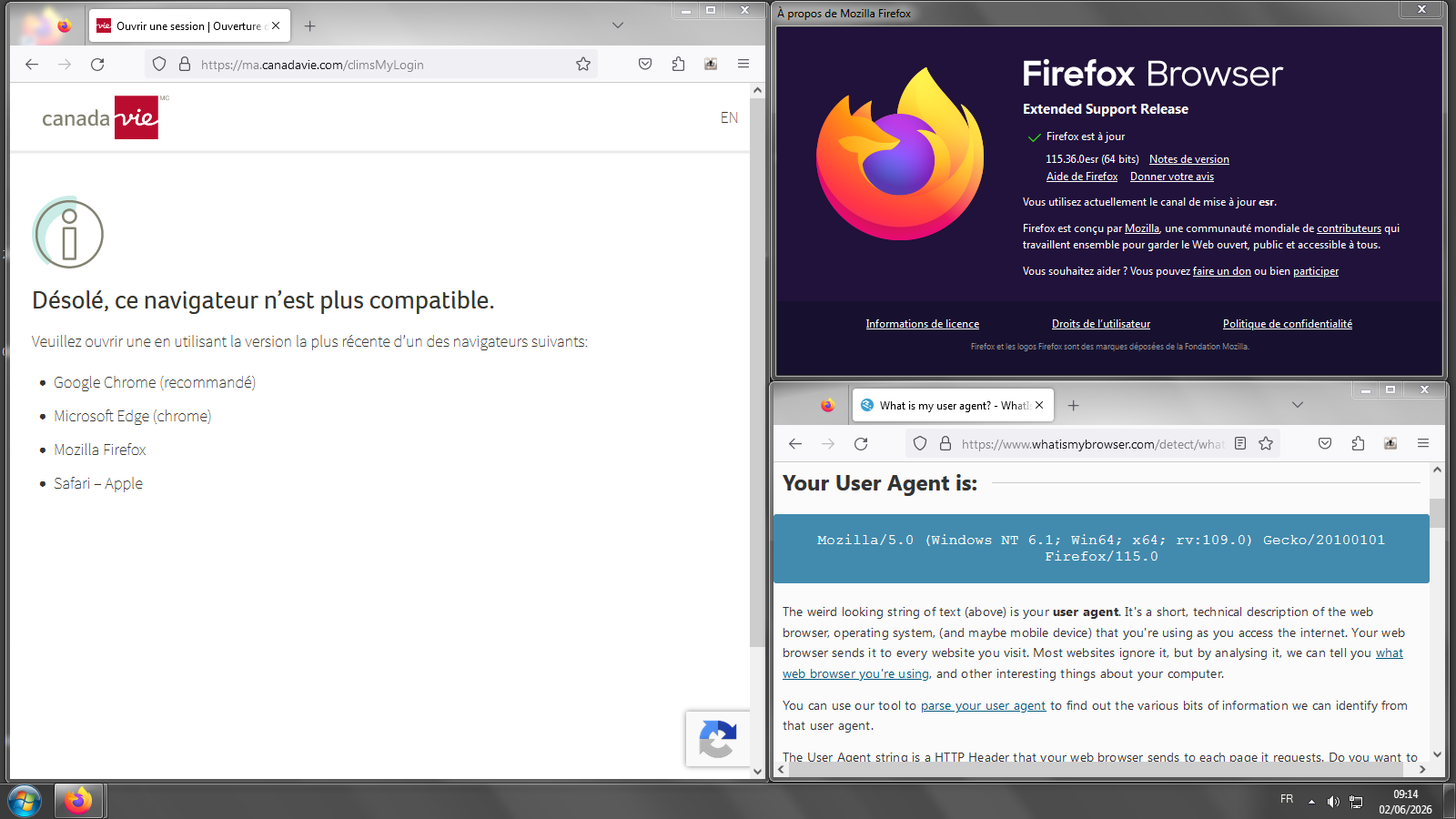
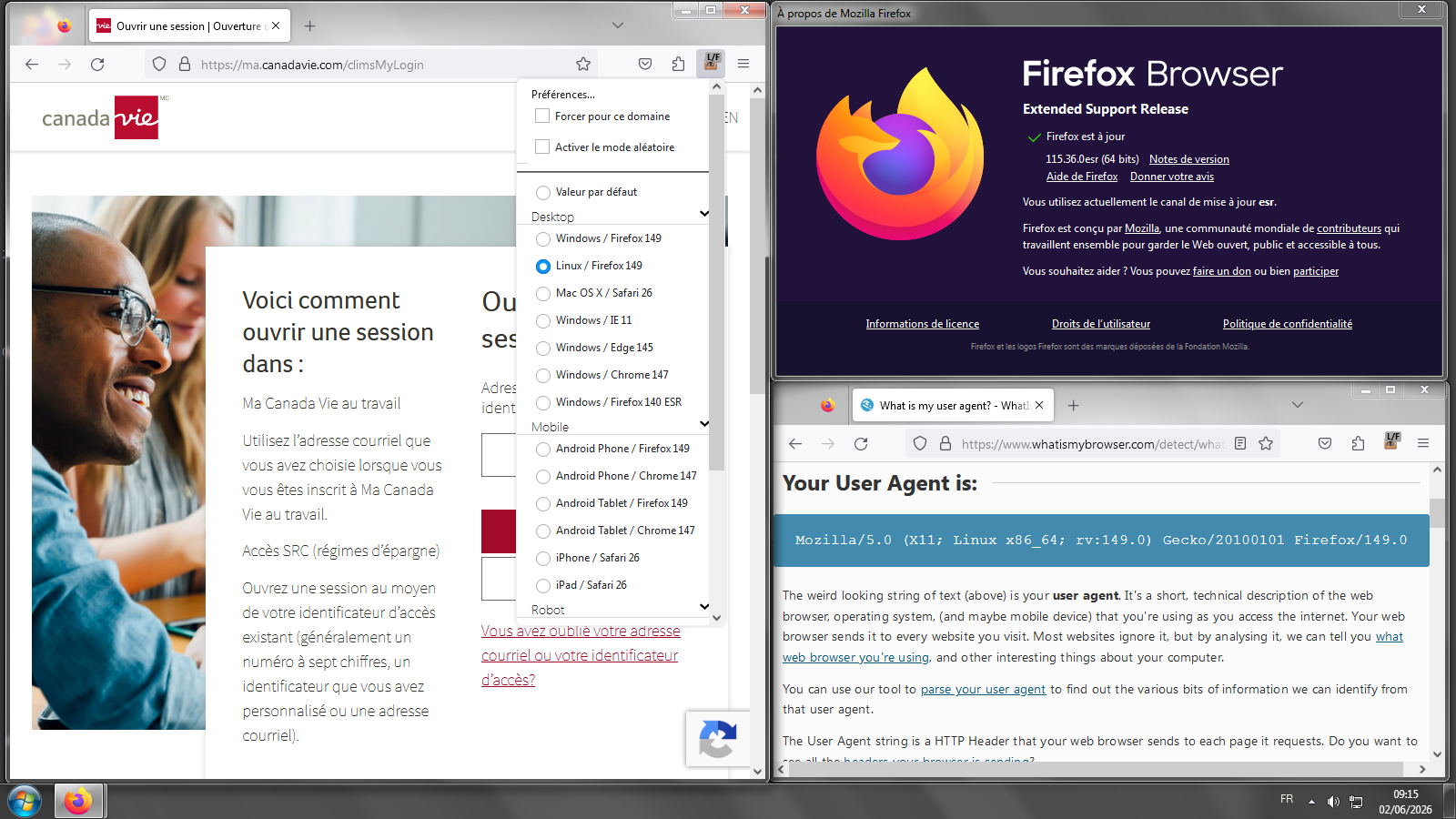
You can use the 115 ESR without worry, it's getting security updates and is still supported by Mozilla even on that older end–of–life version of macOS.
That does not mean however that some sites you visit deem that macOS as safe or modern enough — and that's the kind of issues you might be seeing. Please post which sites you see errors on, or search the older questions here for some sites that might already be tracked.
In general, there are "tricks" linked above that might help concealing your real browser and system versions, that however does not guarantee whatever protections those site operators use would let you use their services anyway.