


Windows 10 reached EOS (end of support) on October 14, 2025. If you are on Windows 10, see this article.

Search Support

Avoid support scams. We will never ask you to call or text a phone number or share personal information. Please report suspicious activity using the “Report Abuse” option.

Learn More

Getting error message WEBGL not jsupported on my machine

  • Akukho zimpendulo
  • 0 zinale nkinga
  • Open

When trying to view a Fusion 360 model or a Sketchup 3D model, I get a message that WEBGL is not supported by my device. It has always worked in the past and still works under Opera and Chrome.

With all the background auto updates, it's hard to determine what changes have been made to my PC prior to it stopped working.

After searching for solutions and going through the checklist:- 1. My video (NVIDIA GeForce RTX 3080 Ti) drivers are up to date, 2. "Use hardware acceleration when available" is checked in Firefox. 3. "WEBGL.disabled" is set to false.

Is there some other tweak in Firefox that I'm missing? I'm assuming it's a Firefox issue/bug as it works in other browsers... just tested Edge... worked OK.

I'm running Windows 11 on a fairly high end PC which I believe is up to date. Last checked 12 hours ago.

Any suggestions would be appreciated... however, please consider that I'm just a dumb user and not a techo.
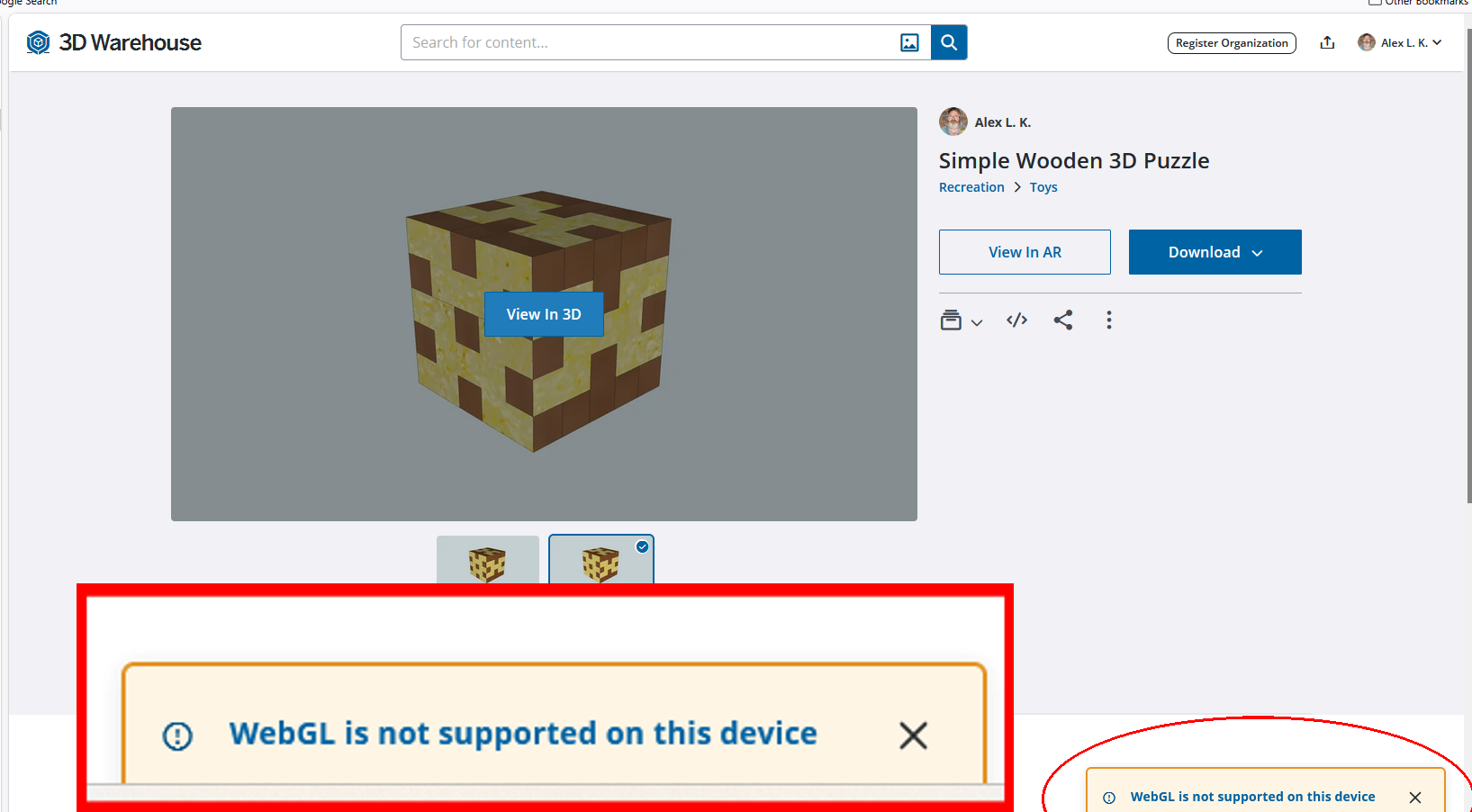
When trying to view a Fusion 360 model or a Sketchup 3D model, I get a message that WEBGL is not supported by my device. It has always worked in the past and still works under Opera and Chrome. With all the background auto updates, it's hard to determine what changes have been made to my PC prior to it stopped working. After searching for solutions and going through the checklist:- 1. My video (NVIDIA GeForce RTX 3080 Ti) drivers are up to date, 2. "Use hardware acceleration when available" is checked in Firefox. 3. "WEBGL.disabled" is set to false. Is there some other tweak in Firefox that I'm missing? I'm assuming it's a Firefox issue/bug as it works in other browsers... just tested Edge... worked OK. I'm running Windows 11 on a fairly high end PC which I believe is up to date. Last checked 12 hours ago. Any suggestions would be appreciated... however, please consider that I'm just a dumb user and not a techo.
Ama-screenshot ananyekiwe

You must log in to your account to reply to posts. Please start a new question, if you do not have an account yet.