


How Do You Find Thunderbird Themes?

I have trouble with the lack of clear outlines in Thunderbird.
In particular:
1. the lack of a line between the message header and the message body makes it harder to find the right spot to scroll messages
2. the lack of a line between the nav-sidebar and each section in settings means I *cannot* scroll settings without getting migraines from the @#$%% nav-sidebar. I have to tab several times and then page down.
I can't enable a high-contrast theme within Thunderbird. I can enable it at system level, but it breaks many other apps, and it breaks my cursor and highlight color settings, and I have to recreate those settings each time.
I can search for "contrast," or "outline," under themes, for example: https://addons.thunderbird.net/en-US/thunderbird/search/?q=outline&cat=themes&appver=148.0&platform=WINNT
I can't tell which themes are supposed to fix what; I tried 4 of the resulting themes, some added other outlines, but none added the needed outlines I listed above.
All Replies (5)

There are lines or different colors between various sections of the interface, including the message list and message page, and in Settings, as you can see in the attached images. There are also scroll bars, so you should be able to scroll no matter what.
You're right, as of last year, you can't set a high-contrast theme within Thunderbird, but it does respect the system setting in that regard.
There is an unofficial hack to modify the interface with the use of a userchrome.css file. It's beyond the scope of this forum, but there are discussions of it around the Internet. Incorrect use of it can break the interface (but it's easy to revert) and future updates may break its effectiveness.
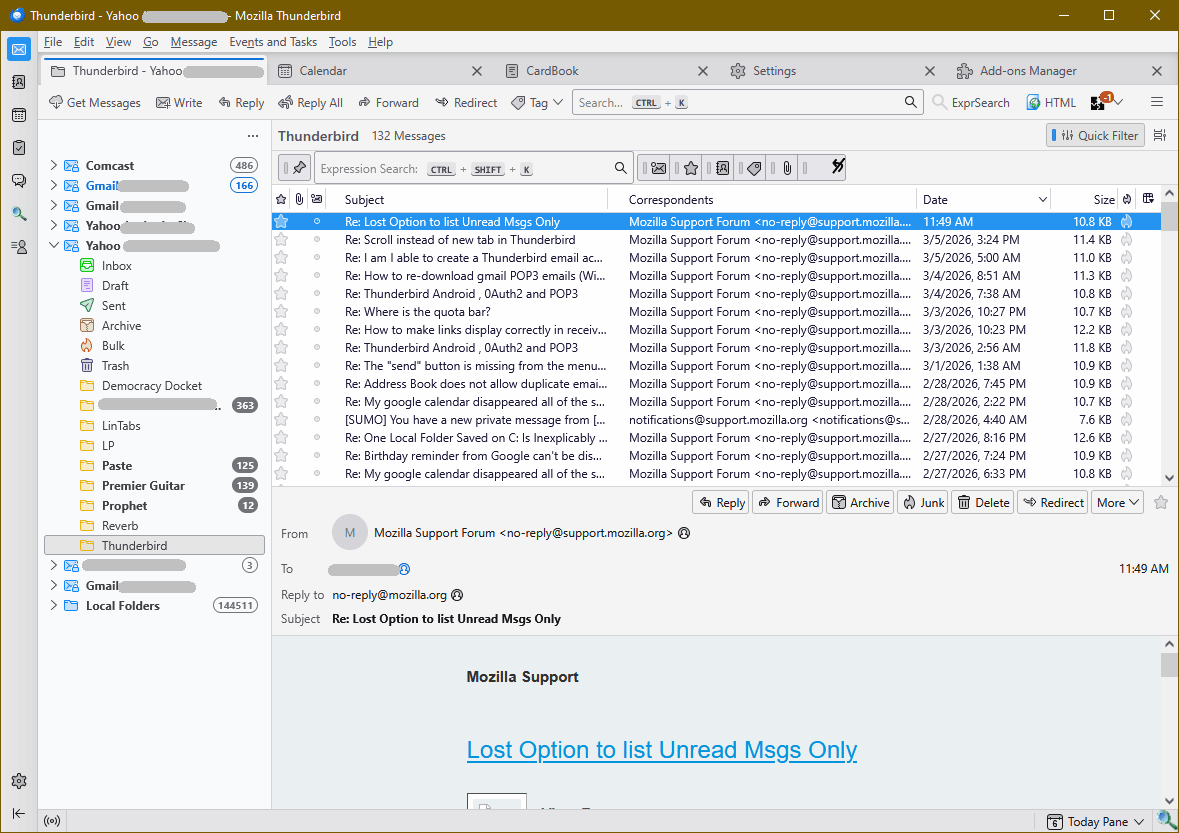
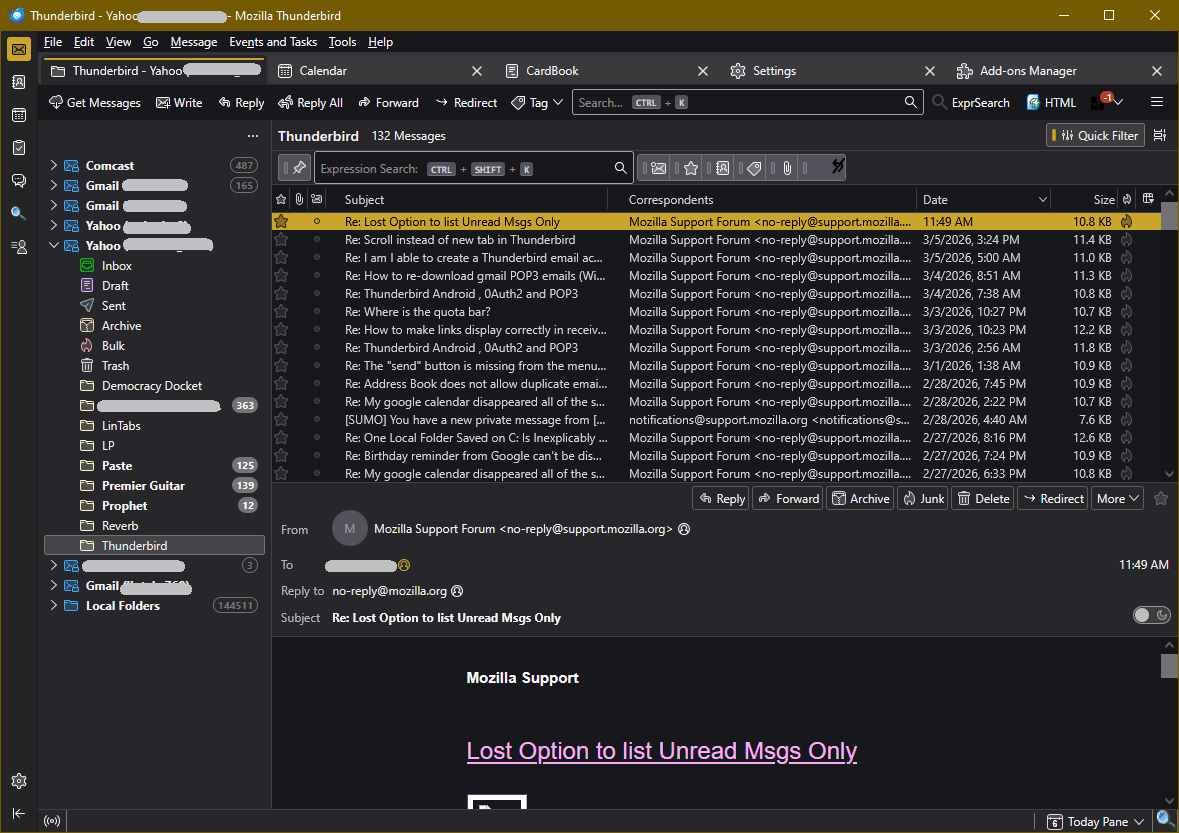
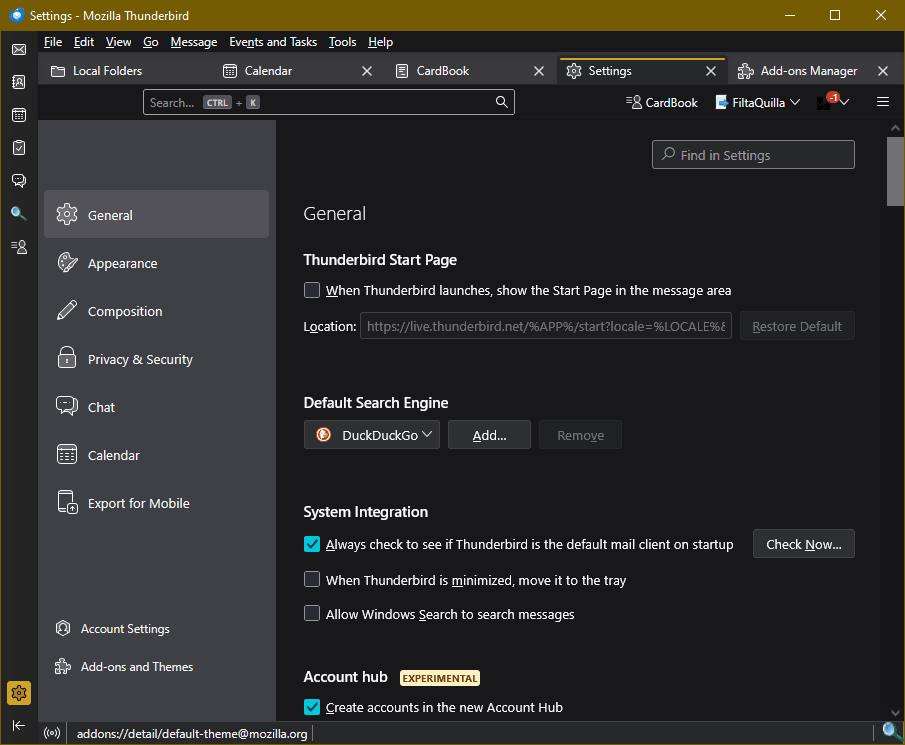
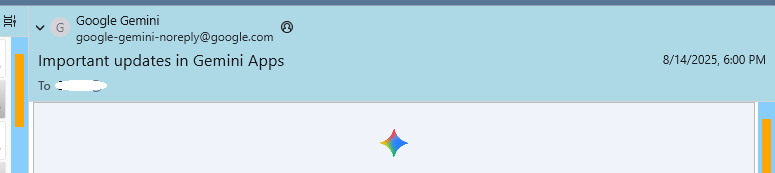
A userChrome.css file is useful for making specific interface changes. For example, your first issue can be addressed (I think) by assigning a background colour to the header pane (see picture). For other elements, post a screenshot that exactly points out the desired changes.
Many themes can be found on this forum:
https://www.reddit.com/r/Thunderbird/comments/1qc4uv0/happy_new_year_and_happy_new_theme/
I also have trouble using scrollbars, and a lot of trouble with parallax effects.
I want nice bold outlines everywhere, especially here, between message headers and messages, here, around scrollbars, and *especially* here, between the navigation sidebar and the conents of the settings page. I can't put the whole system into high-contrast mode because it breaks some apps, and it doesn't fix this bug.
I use my own css to include some extra space between columns.



To set the background colour of the header pane, add this to userChrome.css:
.message-header-container {
background-color: lightblue !important;
}
To set colors of the scrollbars, add this to userChrome.css and userContent.css:
:root {
    scrollbar-color: orange #87CEFA !important;
}
As for the Settings tab, I can only find this for userContent.css:
@-moz-document regexp("about.*") {
   body {
        background-color: lightblue  ;
   }
}
https://www.elevenforum.com/t/thunderbird-115-css-customization.16320/post-647931
Please post what you need, that isn't possible via OS settings and themes, at https://connect.mozilla.org/t5/ideas/idb-p/ideas/label-name/thunderbird.
Including whatever needs you might have previously "solved" using css that are beyond the current capabilities of Thunderbird and the OS.