


http not opening from EXTERNAL email

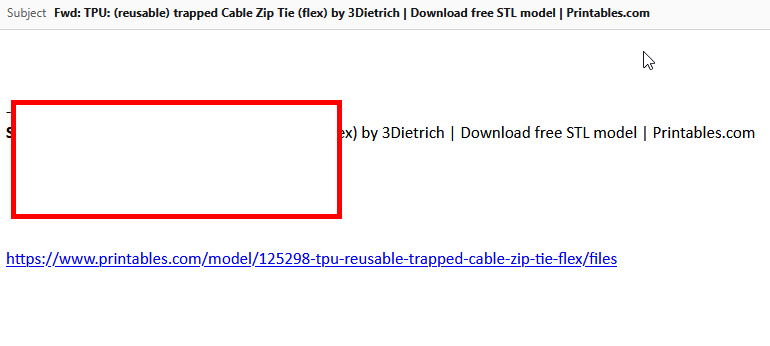
two images. first image, the email that I SENT TO MYSELF, from my android phone, captured a product link, sent the link to me, and opened it on my desktop (or even opened on teh phone) and the HTTP link does NOT indicate it can be open,and if i hover over it, it does not open either.
BUT, if I FORWARD that same email to me (opened on desktop, forwarded to my email, and opened on desktop), it ALLOWS me to open it. why are the links not working if i send myself an email from my phone (where i browse products, etc, and caputere the links)? any assistance appreciated, thanks

Isisombululo esikhethiwe
Your android phone is not "linkifying" the links. hence they arrive a just another line or two of text. When you forward a mail in Thunderbird, when you click send actually not before unless you save the message to drafts and then open it again, it does that "linkifying" pass and converts link into actual hyperlink so they can be clicked. So your issue lies on your phone. Thunderbird does not attempt to guess what in the body of an incoming email is supposed to be a link, it expects the sender correctly identified them.
Funda le mpendulo ngokuhambisana nalesi sihloko 👍 0All Replies (2)
Isisombululo Esikhethiwe
Your android phone is not "linkifying" the links. hence they arrive a just another line or two of text. When you forward a mail in Thunderbird, when you click send actually not before unless you save the message to drafts and then open it again, it does that "linkifying" pass and converts link into actual hyperlink so they can be clicked. So your issue lies on your phone. Thunderbird does not attempt to guess what in the body of an incoming email is supposed to be a link, it expects the sender correctly identified them.
thanks very much!! i had searchd for the thunderbird settings, and they were all ok, and the fact that other links worked was confusing.
SO, i took one of the received mails (from phone, on desktop), and then FORWARDED it to myself, with a link in it,and THAT link then showed up as a useable link. so at least i know the issue.
thank you very much for your assistance, and have a great day !