

Lolu chungechunge lwabekwa kunqolobane.
Uyacelwa ubuze umbuzo omusha uma udinga usizo.

Okugcinwe kunqolobane
TB 115 and Outlook accounts (oAuth) need authentication every startup
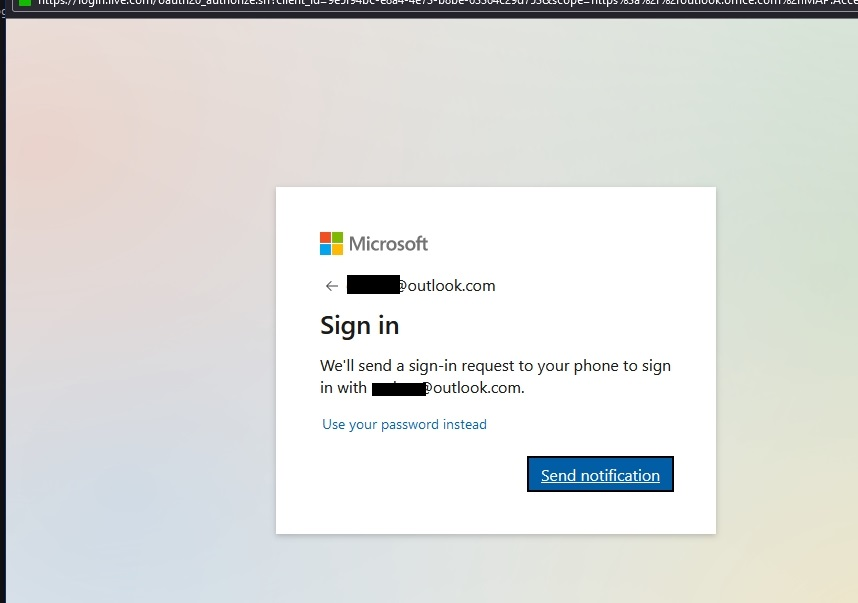
I have several Outlook.com e-mail addresses in TB 115. Every time I start TB, I get the popup window to send a notification to my Microsoft Authenticator mobile app and authenticate the access. I get the popup for each account I have.
This happened when i installed v115 over the previous version. I still get the authentication popups after deleting my profile and re-entering my accounts from scratch.
All of my outlook.com accounts are passwordless and no longer have an app password associated with them.
I have several Outlook.com e-mail addresses in TB 115. Every time I start TB, I get the popup window to send a notification to my Microsoft Authenticator mobile app and authenticate the access. I get the popup for each account I have.
This happened when i installed v115 over the previous version. I still get the authentication popups after deleting my profile and re-entering my accounts from scratch.
All of my outlook.com accounts are passwordless and no longer have an app password associated with them.
All Replies (1)
I suggest you create an app password in outlook.com and use that instead of the baggage heavy two factor authentication.