


why is my search bar red

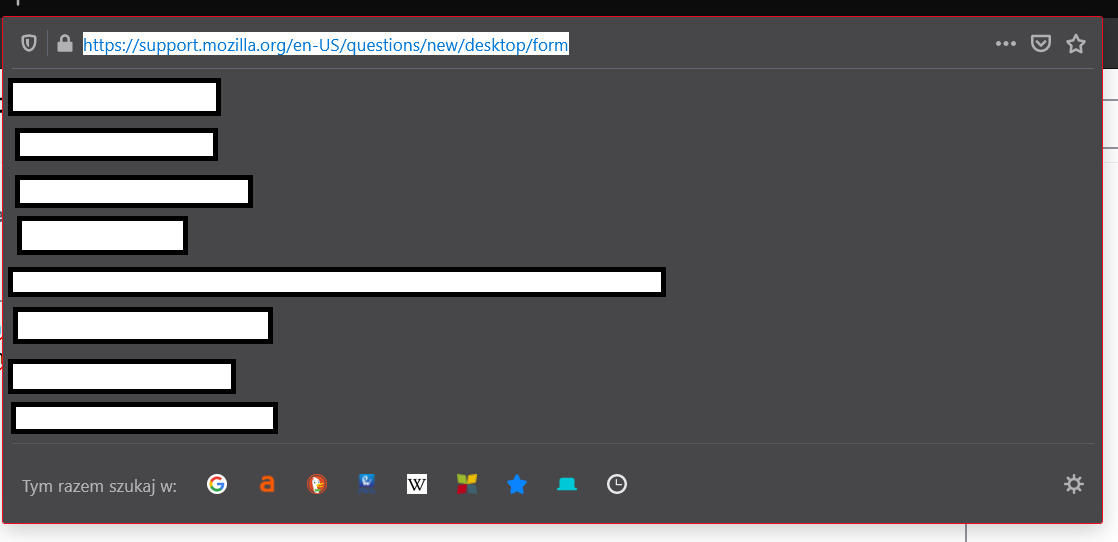
it started about 2 days ago, i have no idea how i opened this but somehow when i click on my search bar it has a red outline, its quite distracting and i would like to disable it. How do i do that? thanks in advance
Isisombululo esikhethiwe
This thread on Reddit mentioned changing themes to get rid of the red outline:
https://www.reddit.com/r/firefox/comments/mvelql/how_do_i_return_the_red_outline_on_my_search_box/
Funda le mpendulo ngokuhambisana nalesi sihloko 👍 1All Replies (3)
Hmm, I'm not seeing that here using the built-in themes:
- Default, Dark, and Light: blue border
- Alpenglow: purple border
Are you using an add-on theme, or could red be a color pulled from your Windows theme by the Default theme? What do you get if you try the Dark theme?
Isisombululo Esikhethiwe
This thread on Reddit mentioned changing themes to get rid of the red outline:
https://www.reddit.com/r/firefox/comments/mvelql/how_do_i_return_the_red_outline_on_my_search_box/
jscher2000 powiedział
This thread on Reddit mentioned changing themes to get rid of the red outline: https://www.reddit.com/r/firefox/comments/mvelql/how_do_i_return_the_red_outline_on_my_search_box/
that worked, interesting. After playing around with windows options it seems like the outline is using my system theme color (in this case, red)