


Windows 10 reached EOS (end of support) on October 14, 2025. If you are on Windows 10, see this article.

Search Support

Avoid support scams. We will never ask you to call or text a phone number or share personal information. Please report suspicious activity using the “Report Abuse” option.

Learn More

Lolu chungechunge lwabekwa kunqolobane. Uyacelwa ubuze umbuzo omusha uma udinga usizo.

Firefox MacOS : How to "unstick" Firefox from a space ?

  • 1 baphendule
  • 1 inale nkinga
  • 32 views
  • Igcine ukuphendulwa ngu Majin
  • Okugcinwe kunqolobane

Hello,

Whenever I try to open Firefox, it shows up rapidly on the current space but then disappears to move to the space where it has been closed the last time I used it.

For example : I have 3 spaces. I am on space 2 with Firefox open, I close it. I go back on space 1, open Firefox -> it will open on space 1 and then immediately the window will disappear to appear in the space 2. If I move Firefox to space 3, and close it (CMD+Q), the next time I'll launch it, the window will appear in space 3 no matter from which space I launch it.

Not my native language I hope I've been clear enough sorry.

And of course, when I right click Firefox on the dock, under Options, the value of "Assigned To" is "None". (already tried to assign it to a space then go back to none but it doesn't work).

This behaviour only concerns Firefox. All others apps behave like it should : open in the space I'm in.. If you have any idea..

My current macOS version is : macOS Catalina 10.15.4 Firefox version is : 75.0 Attached: a screenshot of my mission control settings (which are not the problem I think but just in case)

Thanks and have a nice day,

Amine
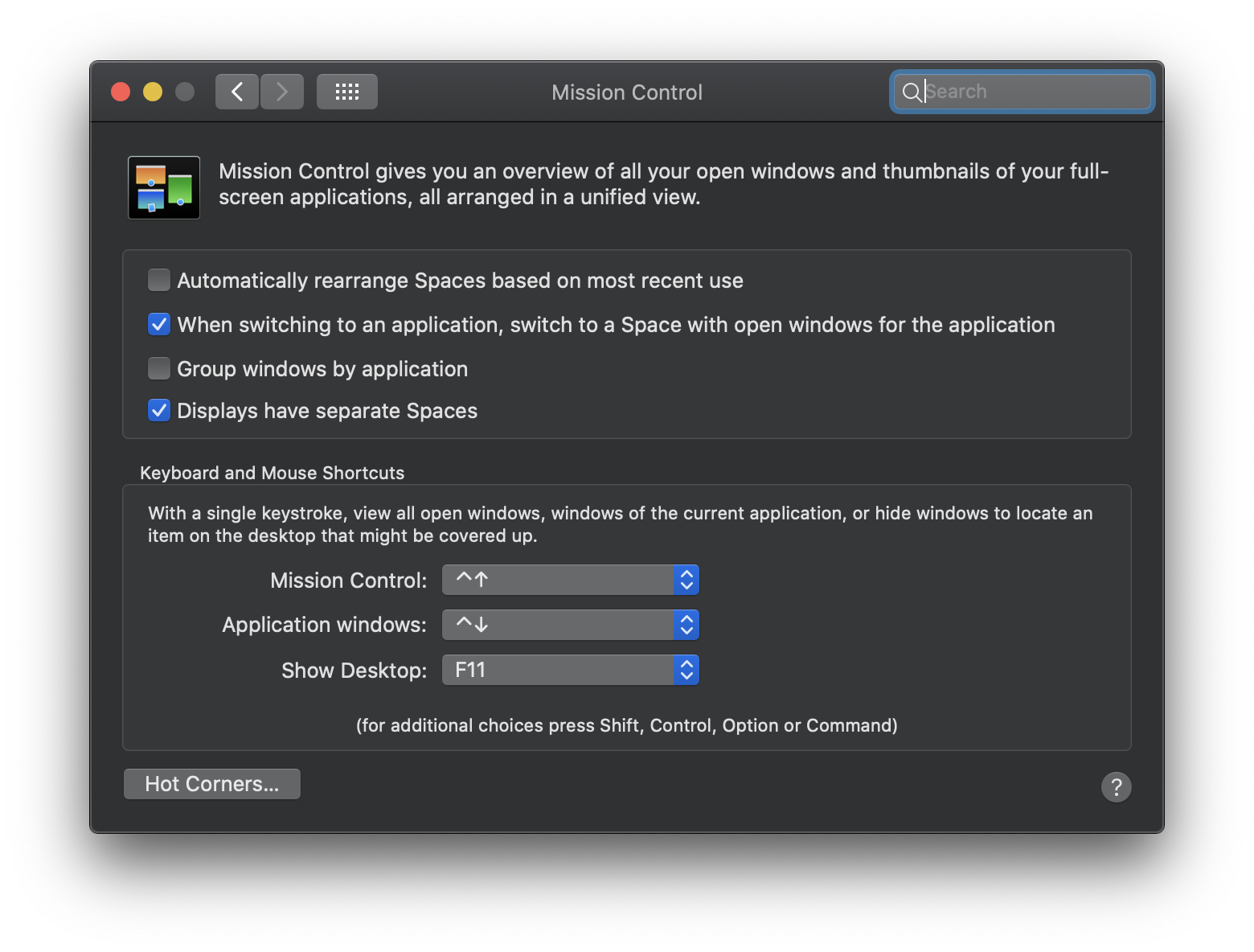
Hello, Whenever I try to open Firefox, it shows up rapidly on the current space but then disappears to move to the space where it has been closed the last time I used it. For example : I have 3 spaces. I am on space 2 with Firefox open, I close it. I go back on space 1, open Firefox -> it will open on space 1 and then immediately the window will disappear to appear in the space 2. If I move Firefox to space 3, and close it (CMD+Q), the next time I'll launch it, the window will appear in space 3 no matter from which space I launch it. Not my native language I hope I've been clear enough sorry. And of course, when I right click Firefox on the dock, under Options, the value of "Assigned To" is "None". (already tried to assign it to a space then go back to none but it doesn't work). This behaviour only concerns Firefox. All others apps behave like it should : open in the space I'm in.. If you have any idea.. My current macOS version is : macOS Catalina 10.15.4 Firefox version is : 75.0 Attached: a screenshot of my mission control settings (which are not the problem I think but just in case) Thanks and have a nice day, Amine
Ama-screenshot ananyekiwe

All Replies (1)

Well.. Even on StackExchange nobody has a solution. This is very disappointing.. It seems to be just a detail but this problem is very annoying.