


Cannot send messages

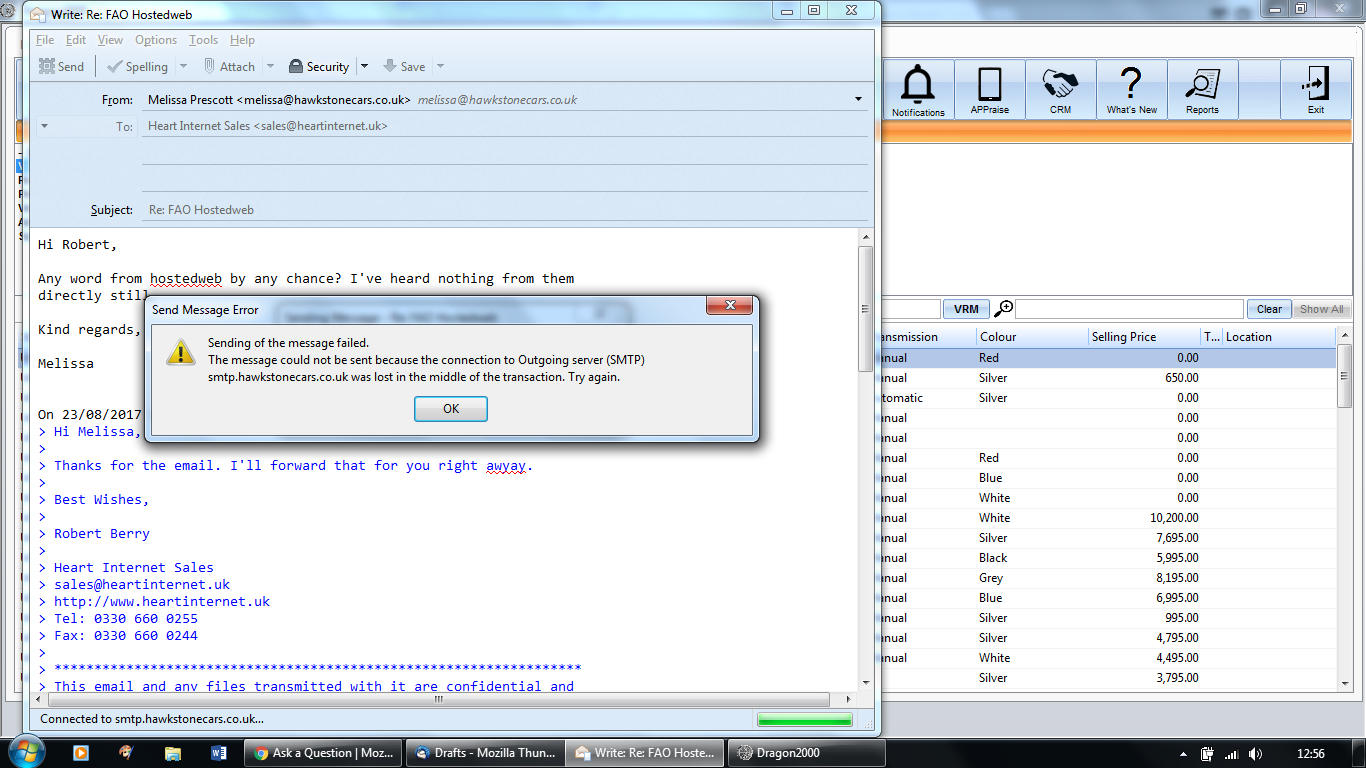
My email is driving me mad! I can receive emails no problem, but can I send them?? No. It just keeps timing out. Very annoying, I've been through every possible support forum and tried everything, I've increased the timeout time, I've checked the SMTP is all right, it is, I've deleted my account and the programme itself and reinstalled all to no avail. Very frustrating. Any help would be greatly appreciated!
Isisombululo esikhethiwe
The problem has now been solved, it was an issue regarding the outgoing server settings, the email host provider has sent me the correct details. Thank you to all contributors for all your help.
Funda le mpendulo ngokuhambisana nalesi sihloko 👍 0All Replies (6)
Thank you for replying! I've checked all the settings and they match what you've put above, I've also tried removing all the passwords and re-entering them on start up but emails still won't send! It's so frustrating!!
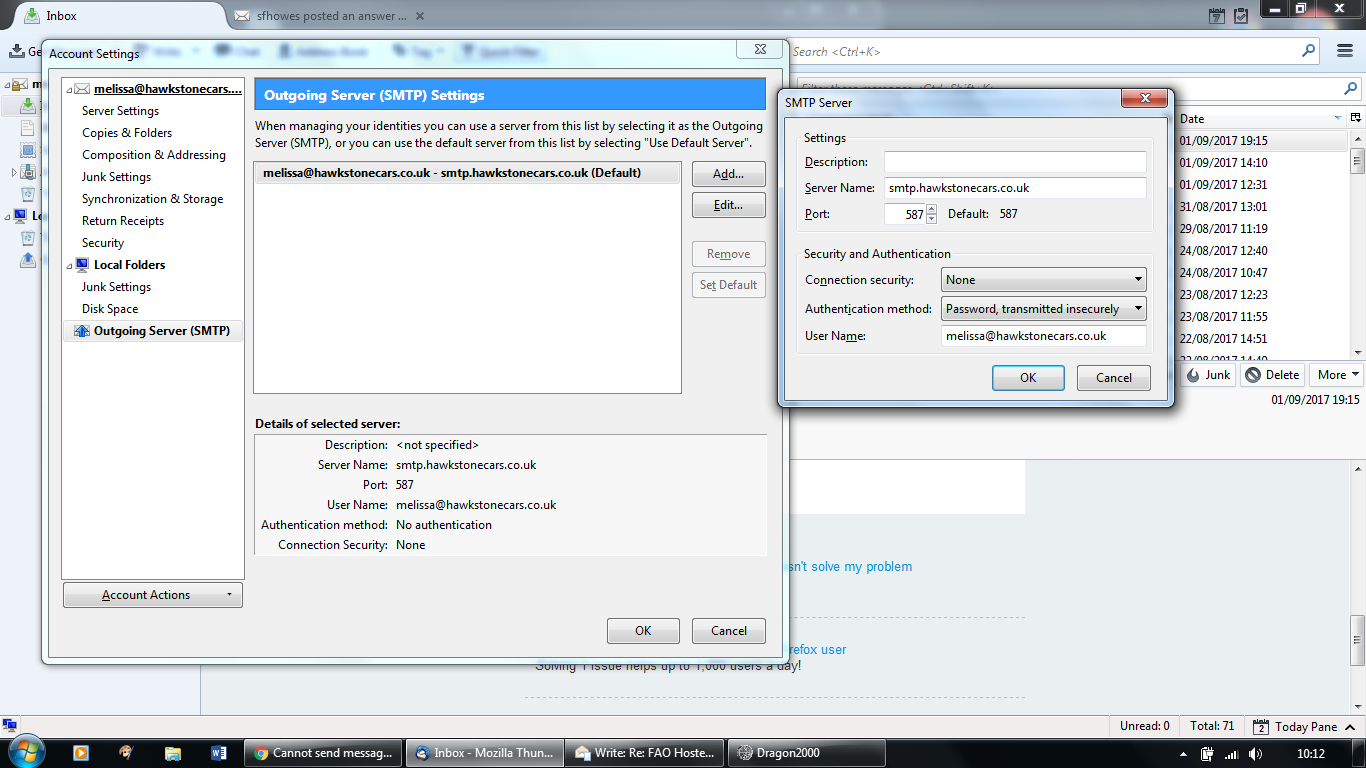
re : I've checked all the settings and they match what you've put above
You have not got the same as advised and as stated on website info. https://www.heartinternet.uk/support/article/how-do-i-set-up-a-mailbox-using-imap-on-my-device-or-mail-client.html
According to the image you posted, you have this: smtp.hawkstonecars.co.uk
but advise from both the website and sfhowes says use this: mail.hawkstonecars.co.uk
Suggest you modify your outgoing server settings.
Hi, Thanks for that, I'm useless with this type of thing. I've done that and am still getting the same error message as shown in the second image shared.
The loss of connection it not a timeout. Thunderbird actually reports timeouts as such.
My guess is you have an anti virus product scanning your mail and it is making a complete hash of it, although there are other reasons. That is a good one to check first.
Ah ok, that might be it. How to I stop it from making said hash? I've gt Microsoft Security Essentials on the laptop.. Thank you!
Isisombululo Esikhethiwe
The problem has now been solved, it was an issue regarding the outgoing server settings, the email host provider has sent me the correct details. Thank you to all contributors for all your help.