


How to add or remove the websites listed in the location bar

I tried to Clear a single item from the Location bar history by deleting the link listed in the in the location bar when I click on the arrow. It does not delete and I wonder how those links got there in the first place
所有回覆 (6)
Entries in the location bar drop down list with a yellow (blue on Mac) star at the right end are bookmarks.
You can easily remove such a bookmarked item that shows in the list if you open that url in a tab and click the yellow star in the location bar.
This will open the Edit This Bookmark dialog and you can click the Remove button to remove the bookmark.
That did not work, some of those links aren't even bookmarked.
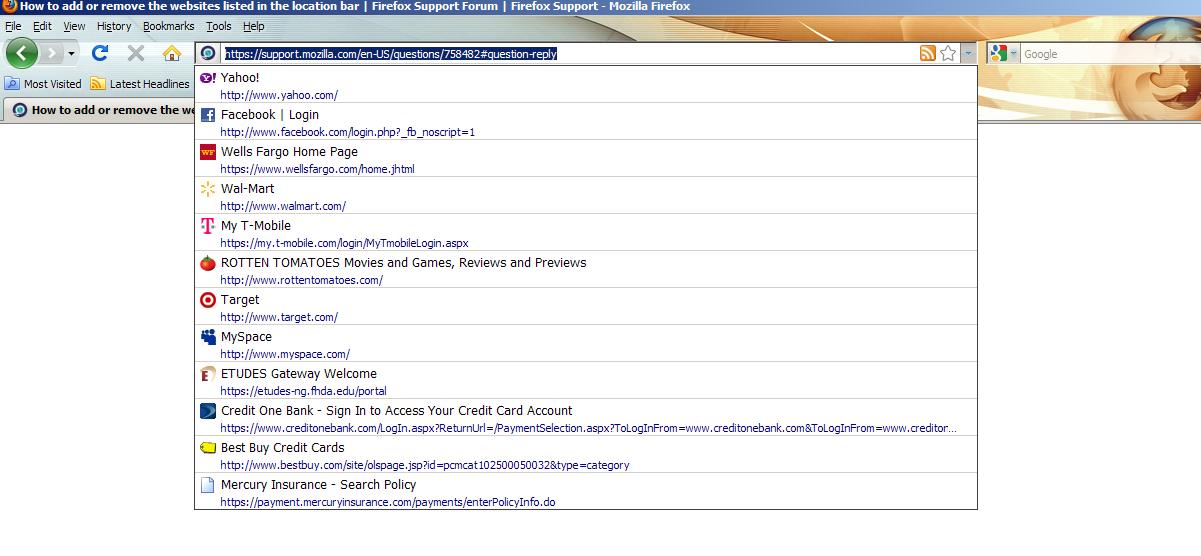
These sites are not your bookmarks, these are from your History. The bookmarks are marked with a star icon.
- Hit Ctrl+Shift+H
- Find the page what you wanna remove
- Click on it with your right mouse button
- Click on "Forget about this site" with your left mouse button
You can select multiple sites in the Library as you do it in Windows Explorer.
You can set the urlbar to doesn't show your History items at all. link
由 WonderCsabo 於 修改
I do have the same trouble. I can't delete single item from Location Bar History ( Firefox 3.6.13 on Mac 10.6.5) I do select the item in list, press Shift and Delete keys. The item is only temporary deleted...
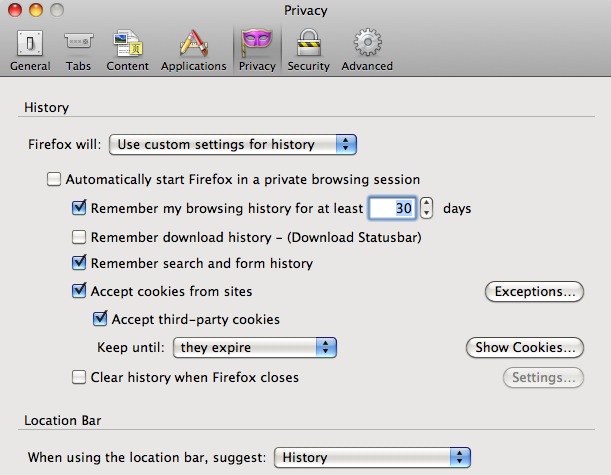
Do the sites in the drop down list that you can't remove have a blue star at the right end?
If they have then they are bookmarks and you either have to remove the bookmark or clear the history.
See also:
Step 1: Place your cursor over the address from your location bar drop down box.
Step 2: While the address is highlighted press the 'DEL' key on your keyboard.
Said link should now disappear from the list in your drop down box
由 nexusnrg 於 修改