


How to delete a saved card under my account?

My previous card that was linked to my account was cancelled due to fraudulent activity so I am removing it as a payment method from various services. Under Manage Payment Methods, I only see the option to add new cards/payment methods or edit them (i.e. change the expiration date, zip code, etc.). However, there doesn't seem to be an option to delete payment methods. How do I delete a saved card under my account?
所有回覆 (3)
Is this about your subscription for paid Mozilla services, or you're looking for a place in your browser settings regarding autofill data?
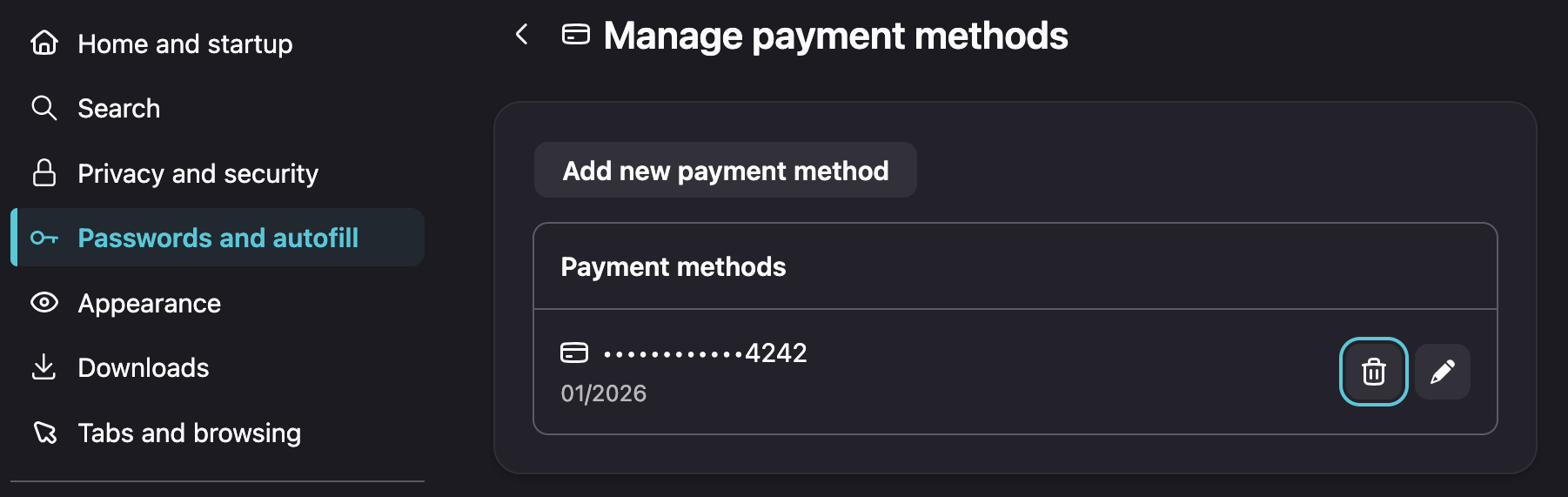
Card management in Settings has this "trash can" icon to remove entries:
This is about my subscription for paid Mozilla services (VPN in this case).
Basically you don't need to delete revoked cards, just add the new one to be used for the next renewal.
If you wish to make sure it's positively removed as a funding source from your account, reach out to the subscription folks by submitting your question directly within your Mozilla VPN app by going to Settings > Help > Contact Support to open a private ticket with them. They will assist you with payment questions, thanks.