


Open
How to block malicious websites

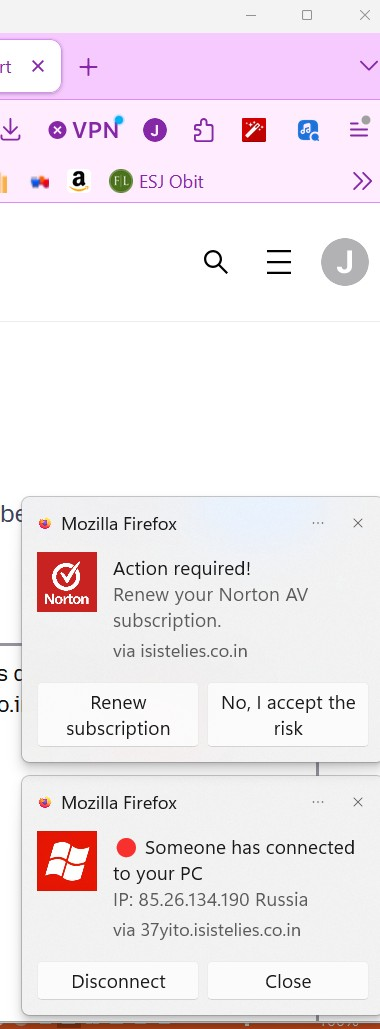
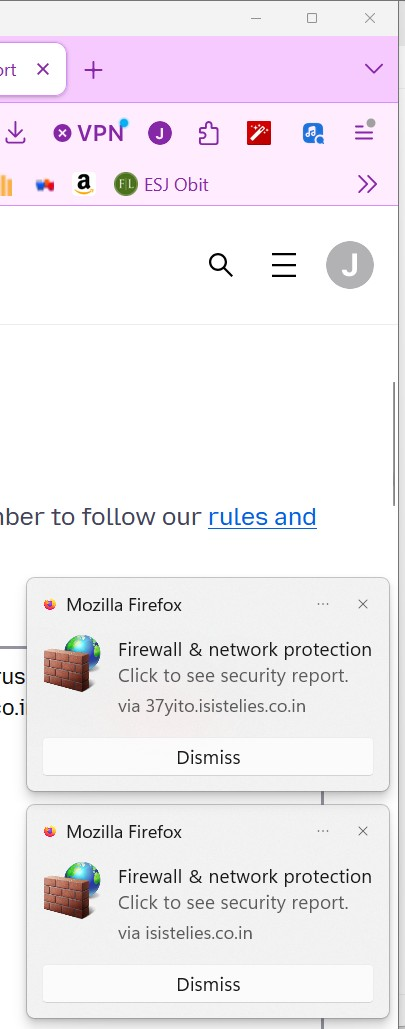
i keep getting annoying popups from this websites saying virus detected, system error, download this antivirus etc. These are their URLs: isistelies.co.in; 37yito.isistelies.co.in They won't stop popping up! How do I block them?
i keep getting annoying popups from this websites saying virus detected, system error, download this antivirus etc. These are their URLs: isistelies.co.in; 37yito.isistelies.co.in
They won't stop popping up! How do I block them?
所有回覆 (1)
i keep getting annoying popups from this websites saying virus detected, system error, download this antivirus etc.
The images show they are web push notifications from sites you have allowed to send you notifications. Instead of useful information some may send you fake antivirus renewals, fake virus/trojan alerts etc. You can revoke the notifications as shown in KB article link above.