


Updates are not following settings

Firefox is updating 2-4 x/month while in use and has to be restarted. But my setting is on "Check for updates, but choose when to install". The last update recorded is listed as February 2026. So what gives? Thanks
所有回覆 (9)
Hi,
What do you mean by "has to be restarted"? Do you get a message preventing you from continuing to browse until Firefox is restarted?
Also, could you please specify whether you installed Firefox from the Microsoft Store and which OS you are on (Windows 10 or Windows 11)?
Yes, I get a message preventing me from continuing to browse until Firefox is restarted. My version of Firefox was downloaded originally from the download website years ago. I am currently still running Windows 10 with the extended security updates.
That's weird... Summing up the thread Agent virtual shared, do you have more than one Firefox profile?
Generally, the behavior you described should only be applied to Nightly. But you are on release, so most likely you are facing a bug.
If you open Windows Task Scheduler (you can just search for it in the Start menu), will you see a Firefox Background Update entry?
Apart from the above, reinstalling Firefox may be the most obvious way to try to resolve the issue. Your data should be preserved, but you may want to create a backup just in case.
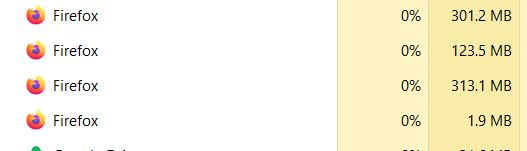
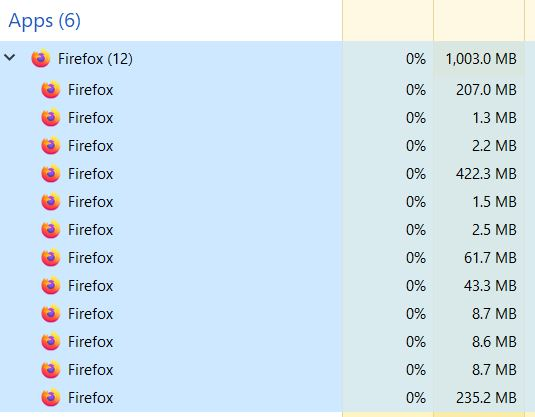
In the Task Manager I find 12 listed under "Apps", and 4 more under "Background Apps" (see pics). But nothing that says "Background Update"
tilley.lvl said
In the Task Manager I find 12 listed under "Apps", and 4 more under "Background Apps" (see pics). But nothing that says "Background Update"
I was referring to the Task Scheduler, not Task Manager. That's a different tool.
Yes> Firefox Background Update 308046B0AF4A39CB Set to run every 7 days at 01:15 AM, when the computer is never on.
That task is not supposed to be there with your settings...
You can try reenabling "Automatically install updates" and then returning back to your previous settings. Maybe this will help?
If not, reinstalling Firefox may be the simplest fix.
Thanks. OK, I'll try that. It's more annoying than anything else. Appreciate the help.