


I reached my 50G VPN limit, is this why videos on amazon prime don't play?

I can no longer watch videos on Amazon prime, those included and the ones I pay extra for through an added subscription to mgm+ since the last update. What is going on? Is it the VPN data limit thing? If so, how can I turn it off?
被選擇的解決方法
Got it, if it works on Chrome, you're right it's most probably a setting on your Firefox. Let's do the following:
- Please check if you have Enhanced Tracking Protection (ETP) enabled. You can do that by clicking the shield
 icon in the left part of the address bar.
- If ETP is enabled, try disabling it.
- If the problem is not fixed, try clearing Firefox cache.
- If it does not help, try clearing cookies and data for the website you experience troubles with (warning: you will be logged out on this website).
- If it also does not help, try running Firefox in Troubleshoot Mode. If the problem doesn't persist, please follow the steps from this article to troubleshoot further.
- If nothing from the above helps, try creating a new Firefox profile and check if the issue persists there. If it doesn't, you can start copying files from your old profile to the new one to identify which one causes the issue. See this article on what files to copy.
- If that also doesn't help, that's a compatibility issue. Let us know here and I can open a bug for you.
Does any of the above help? Looking forward to your update on how it goes!
從原來的回覆中察看解決方案 👍 0
所有回覆 (5)
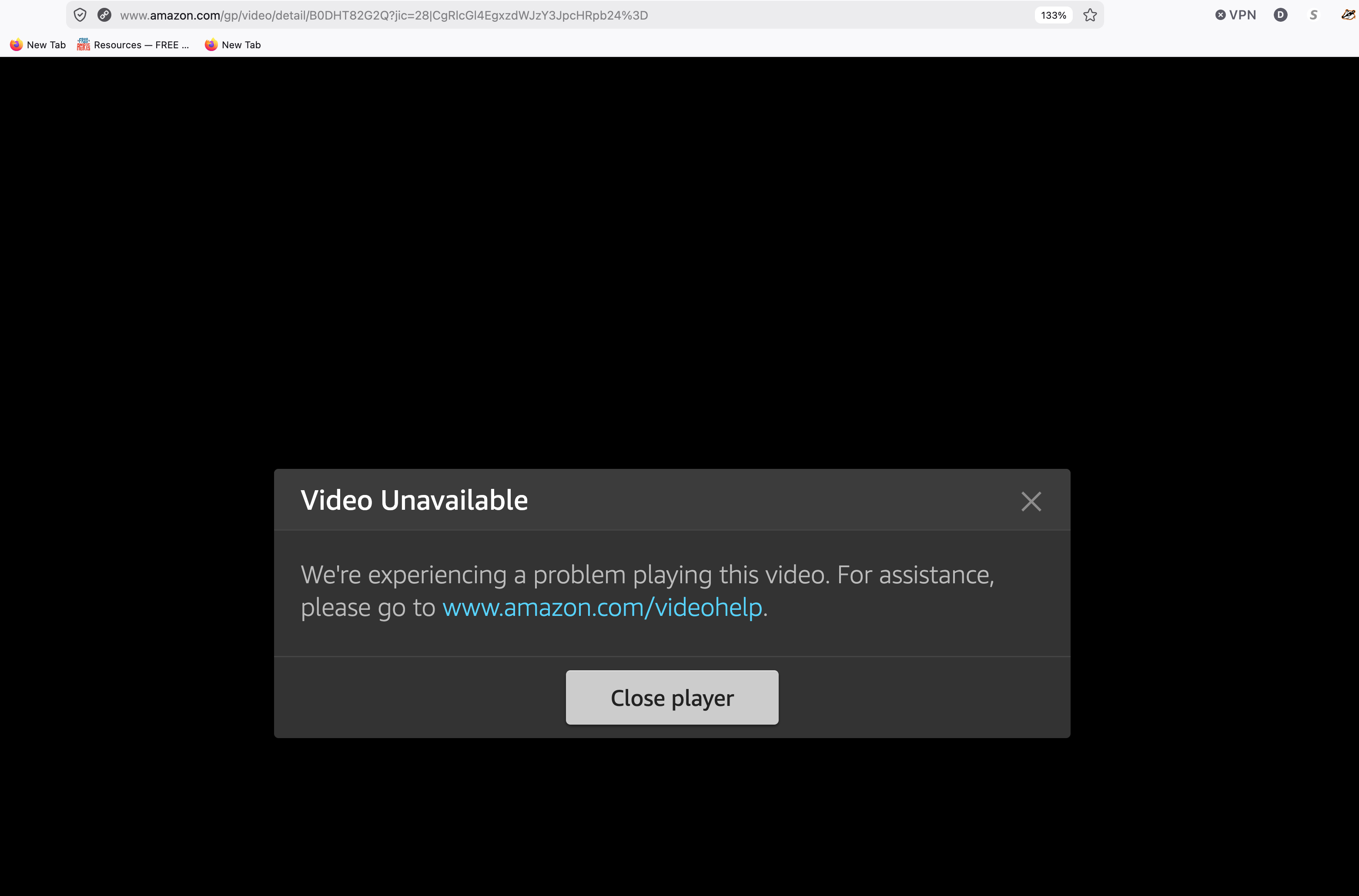
Hey Dawn, I don't think it's your VPN, from your screenshot your VPN is off (see the x next to the VPN button). There might be something wrong with the site, do you get the same error also in other browsers?
I tried playing the videos from amazon both ways. VPN clicked on and VPN clicked off. It did not work either way.
I am able to play amazon videos on Chrome just fine, so it is not the site. I believe it is some setting in firefox but after looking all over I'll be darned if I know what it is!
選擇的解決方法
Got it, if it works on Chrome, you're right it's most probably a setting on your Firefox. Let's do the following:
- Please check if you have Enhanced Tracking Protection (ETP) enabled. You can do that by clicking the shield icon in the left part of the address bar.
- If ETP is enabled, try disabling it.
- If the problem is not fixed, try clearing Firefox cache.
- If it does not help, try clearing cookies and data for the website you experience troubles with (warning: you will be logged out on this website).
- If it also does not help, try running Firefox in Troubleshoot Mode. If the problem doesn't persist, please follow the steps from this article to troubleshoot further.
- If nothing from the above helps, try creating a new Firefox profile and check if the issue persists there. If it doesn't, you can start copying files from your old profile to the new one to identify which one causes the issue. See this article on what files to copy.
- If that also doesn't help, that's a compatibility issue. Let us know here and I can open a bug for you.
Does any of the above help? Looking forward to your update on how it goes!
Thank you, Konstantina!
I went to the shield while on the amazon page, something was running to enhance security, It wasn't called ET, it was called U Block. Took me a bit to realize how to turn it off, lol as I was looking for a button to click on but it is literally just a giant symbol that you click on. I honestly clicked on it after trying everything else... figured... what the heck. lol. I turned if off for that site. Now I can play my videos on amazon using firefox again!
Thanks! Dawn
Glad it worked :) For clarity, Ublock is an addon (extension) that blocks adds. It's not something that it comes with Firefox, however it's a very popular addon that many users have (me included).