


Open
Facebook page on Firefox problem.

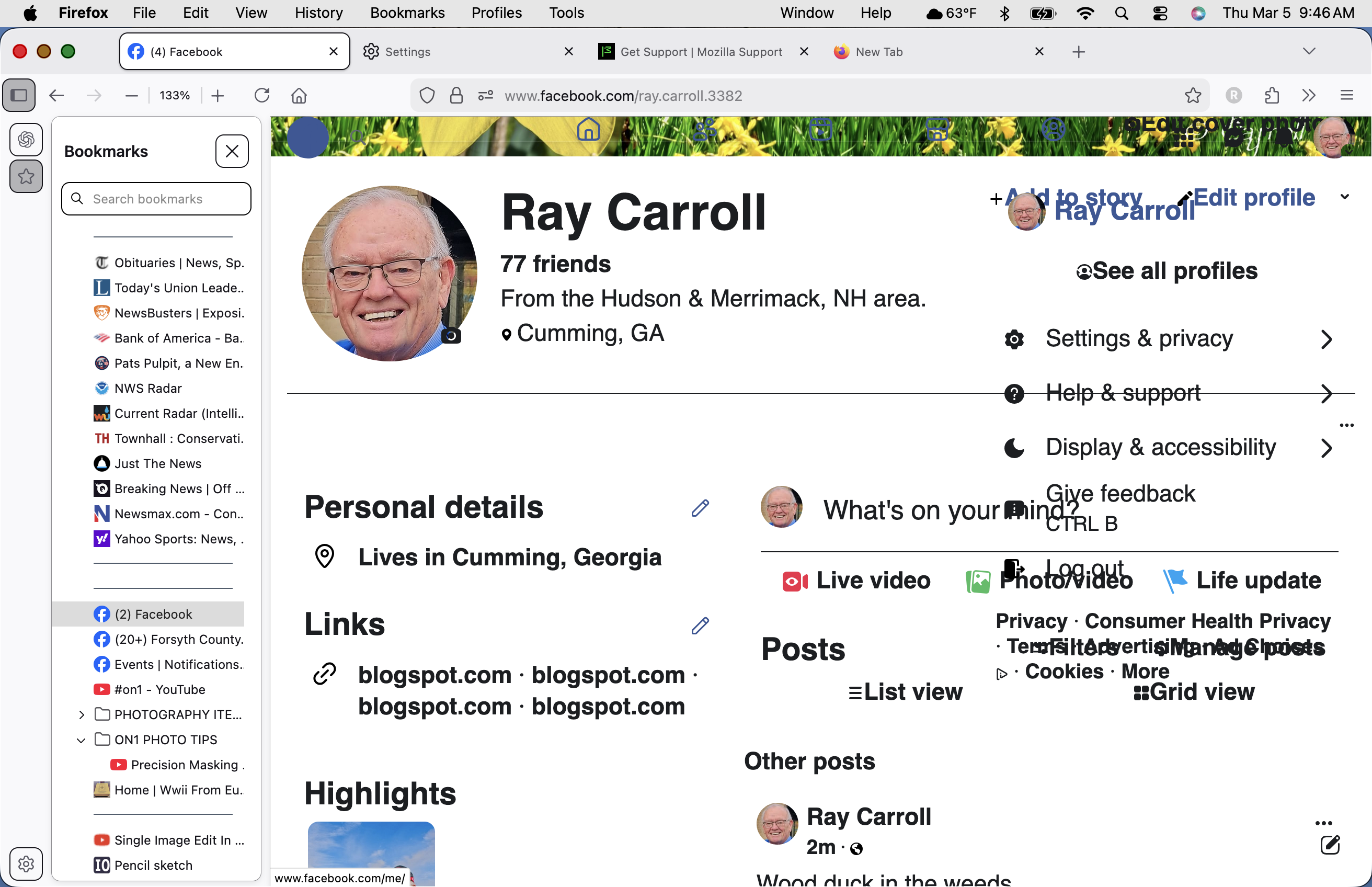
The Facebook page on Firefox has the "fly-outs' overlapping the base page instead of the 'fly-out" appearing in a separate tab. When I use Chrome, which I do not want to, the "Fly-out" pops up correctly. I do not want to switch to Chrome ... How can this be fixed? Thank you!
The Facebook page on Firefox has the "fly-outs' overlapping the base page instead of the 'fly-out" appearing in a separate tab. When I use Chrome, which I do not want to, the "Fly-out" pops up correctly.
I do not want to switch to Chrome ... How can this be fixed?
Thank you!
所有回覆 (1)

Hi Ray,
This looks like a classic case of a simple caching error. What happens if you refresh the page using Ctrl+Shift+R? (That should reload everything from Facebook, clearing any cached files.)
Regards, Balázs