

此討論串已被封存。
如果您有需要幫助,請新增一個新問題

Solved
封存
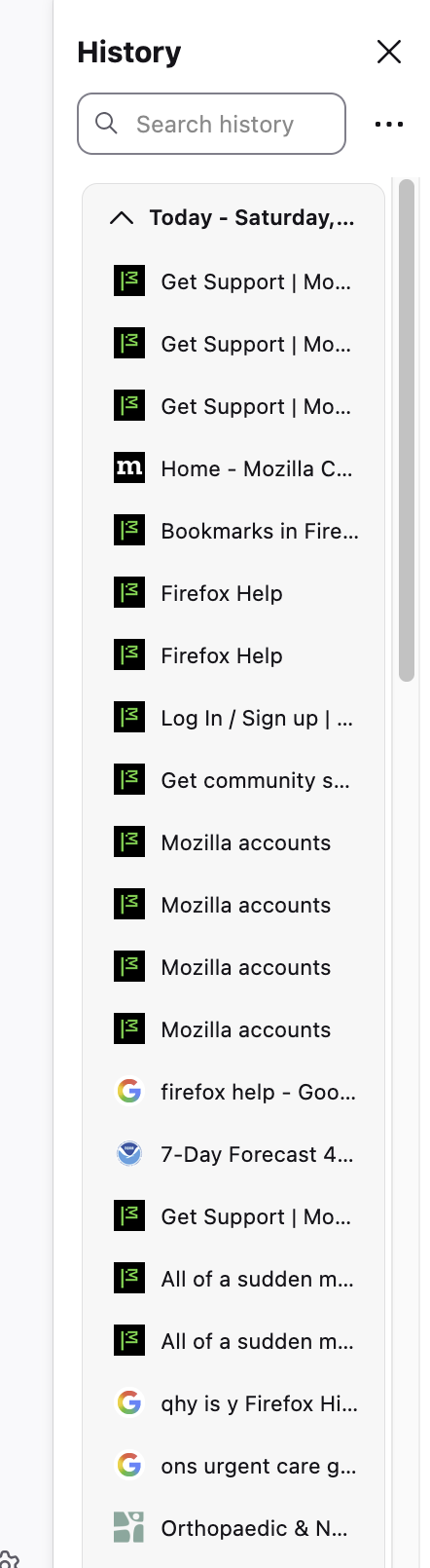
History is suddenly double spaced in FF 145.0.1 on Mac OS 5.6.1

Really odd. I tried restarting and it didn't help.
All of a sudden it was double spaced and the icons look different, too. I checked and my font selection is the same: Helvetica.
I'm attaching a screen shot.
Suggestions?
E.
Really odd. I tried restarting and it didn't help.
All of a sudden it was double spaced and the icons look different, too. I checked and my font selection is the same: Helvetica.
I'm attaching a screen shot.
Suggestions?
E.
所有回覆 (3)
Oops, that's 15.6.1.
選擇的解決方法
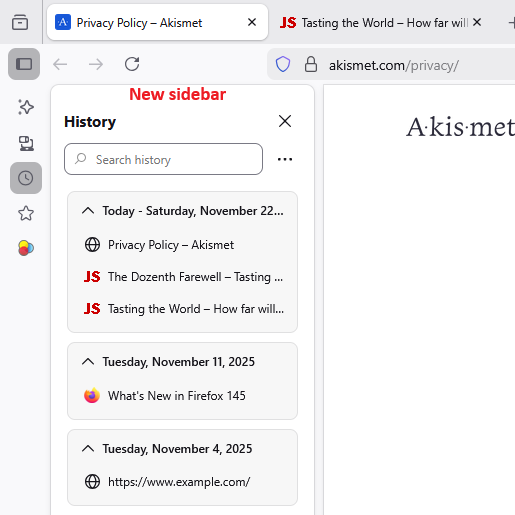
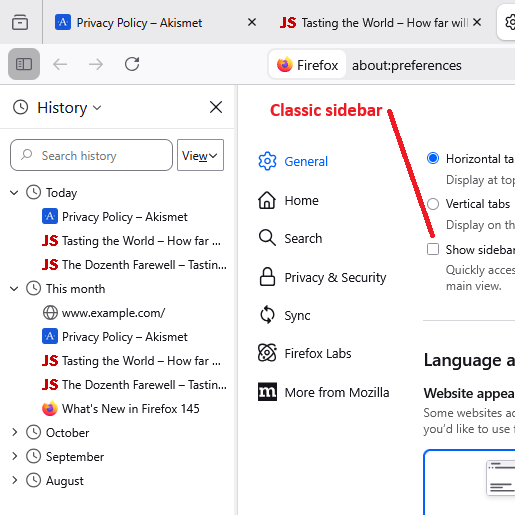
That looks pretty normal for the "new" sidebar (the one with the vertical launcher button bar at the left). Maybe up to now you were using the "classic" sidebar? A couple screenshots for comparison:
To roll back to the classic sidebar, on the Settings page (sometimes labeled Preferences), in the Browsing section, un-check the box for "Show sidebar".
Thank you very much for the solution.