


Firefox Home page replaced by dummy page
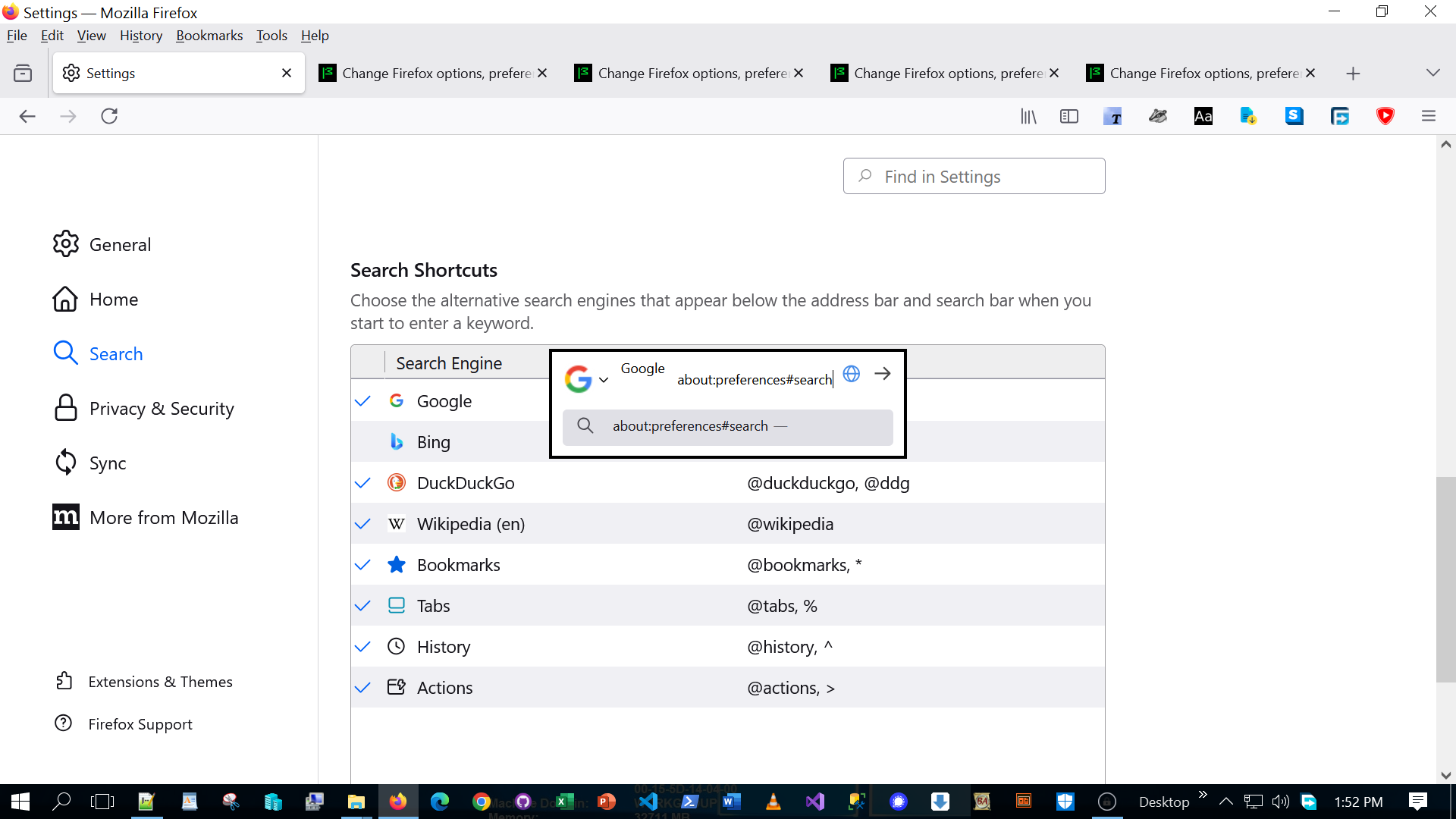
Hi After browsing a particular web site the Firefox browser froze with a single search control on the page and all items frozen. Tried to fix it through settings but no response. See attached screenshot. Refreshed Firefox from Control panel->Programs and Features->Uninstall->Refresh Firefox. This reset Firefox and fixed the problem however the Firefox browser lost several settings and add-ons which I had to manually fix. Glad it is mostly all working again!
被選擇的解決方法
Hi Jack - I hear you and I am very disappointed with the direction the internet is going in general.
There is a difference between "hardening" Firefox as in removing google as default search, removing google safebrowsing, telemetry/analytics etc and security exploits (changes to browser settings without knowledge and consent).
JavaScript would likely be the primary vehicle for security exploits. Just take a look at what the "Navigator" interface can do -> https://developer.mozilla.org/en-US/docs/Web/API/Navigator. "Modern" JavaScript gives access to system resources that might shock you such as https://developer.mozilla.org/en-US/docs/Web/API/Navigator/clipboard
The Firefox extension NoScript blocks JS entirely unless you explicitly allow a given script and something I would personally recommend.
If you really wanted to get to the bottom of what happened, you could install Firefox in a virtual box to sandbox it. Go to that "particular site" and see what changed from the defaults. You could then step through the JavaScript in the Firefox Developer tools to find out what is making the change and how.
從原來的回覆中察看解決方案 👍 2所有回覆 (3)
I don't really understand what your saying. But if refreshing Firefox fixed it, then it sounds like a browser setting was changed by the "particular web site." If that's the case, and you weren't notified and explicitly gave permission to make the change to your browser settings, then I would say there is a security vulnerability allowing websites to modify your browser without your knowledge and consent.
If these assumptions are correct, you could consider filing a security bug report on bugzilla or perhaps a CVE (Common Vulnerabilities and Exposures).
Your suggestion sound logical and you are correct in assuming that the website modified some of my Firefox setting without notifying me which I never expected. I was especially disappointed by this incident since I had recently followed most of the suggestions in the post on YouTube titled "The Ultimate Guide to Firefox Hardening!" by Techlore (URL: https://www.youtube.com/watch?v=F7-bW2y6lcI)
選擇的解決方法
Hi Jack - I hear you and I am very disappointed with the direction the internet is going in general.
There is a difference between "hardening" Firefox as in removing google as default search, removing google safebrowsing, telemetry/analytics etc and security exploits (changes to browser settings without knowledge and consent).
JavaScript would likely be the primary vehicle for security exploits. Just take a look at what the "Navigator" interface can do -> https://developer.mozilla.org/en-US/docs/Web/API/Navigator. "Modern" JavaScript gives access to system resources that might shock you such as https://developer.mozilla.org/en-US/docs/Web/API/Navigator/clipboard
The Firefox extension NoScript blocks JS entirely unless you explicitly allow a given script and something I would personally recommend.
If you really wanted to get to the bottom of what happened, you could install Firefox in a virtual box to sandbox it. Go to that "particular site" and see what changed from the defaults. You could then step through the JavaScript in the Firefox Developer tools to find out what is making the change and how.