this week audible will not play in Firefox

suddenly this week audible books will not play on firefox. Will play ok on chrome
所有回覆 (2)
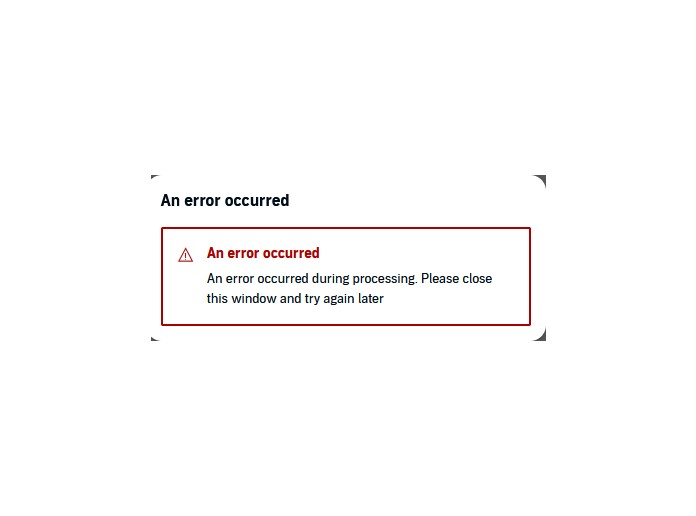
Hi, does the website show any error message related to not playing?
If a site is generally known to work in Firefox, these are standard suggestions to try when it stops working normally:
Double-check content blockers: Firefox's Tracking Protection feature, and extensions that counter ads and tracking, may break websites that embed third party content (meaning, from a secondary server).
(A) The shield icon toward the left end of the address bar usually turns a bit purplish when content is blocked. Click the icon to learn more or make an exception. See: Enhanced Tracking Protection in Firefox for desktop.
(B) Extensions such as Adblock Plus, Blur, Disconnect, DuckDuckGo Privacy Essentials, Ghostery, NoScript, Privacy Badger, uBlock Origin or uMatrix may block required elements on a site. Usually you can find a toolbar button for each add-on to manage blocked content in a page. There may or may not be a number on the icon indicating the number of blocked items; you sometimes need to click the button to see what's going on and test whether you need to make an exception for this site.
Cache and Cookies: When you have a problem with one particular site, a good "first thing to try" is clearing your Firefox cache and deleting your saved cookies for the site.
(1) Clear Firefox's Cache
See: How to clear the Firefox cache (only select "Temporary cached files and pages", don't clear other kinds of data)
If you have a large hard drive, this might take a few minutes.
(2) Remove the site's cookies (save any pending work first). While viewing a page on the site, click the lock icon at the left end of the address bar. After a moment, a "Clear Cookies and Site Data" button should appear at the bottom. Go ahead and click that. Firefox will ask you to confirm; go ahead and confirm.
Then try reloading the page. Does that help?
Testing in Firefox's Troubleshoot Mode: In this mode, Firefox temporarily deactivates extensions, hardware acceleration, any userChrome.css/userContent.css files, and some other advanced features to help you assess whether these are causing the problem.
If Firefox is running:
You can restart Firefox in Troubleshoot Mode using either:
- "3-bar" menu button > Help > Troubleshoot Mode...
- (menu bar) Help menu > Troubleshoot Mode...
and OK the restart. A small dialog should appear. Click the Open button.
If Firefox is not running:
Hold down the Shift key when starting Firefox. (On Mac, hold down the option/alt key instead of the Shift key.) A small dialog should appear. Click the Open button.
Note: Don't use the Refresh without first reviewing this article to understand what will be deleted: Refresh Firefox - reset add-ons and settings.
Any improvement?

hi,
please see attached below for error message, I followed all the steps listed above with the reset being finally option and audible still will not play. I was able to play previously - please advise what additional steps can be taken, right now I am forced to use Edge.
thanks, lrp