


Outlook Sign-in

Since the last Firefox update, I am unable to sign into my Outlook account. When I click "Sign In" it opens a new tab with the sign-in buttons. Works fine in Edge and Chrome.
所有回覆 (3)

RheaNL said
Since the last Firefox update, I am unable to sign into my Outlook account. When I click "Sign In" it opens a new tab with the sign-in buttons. Works fine in Edge and Chrome.
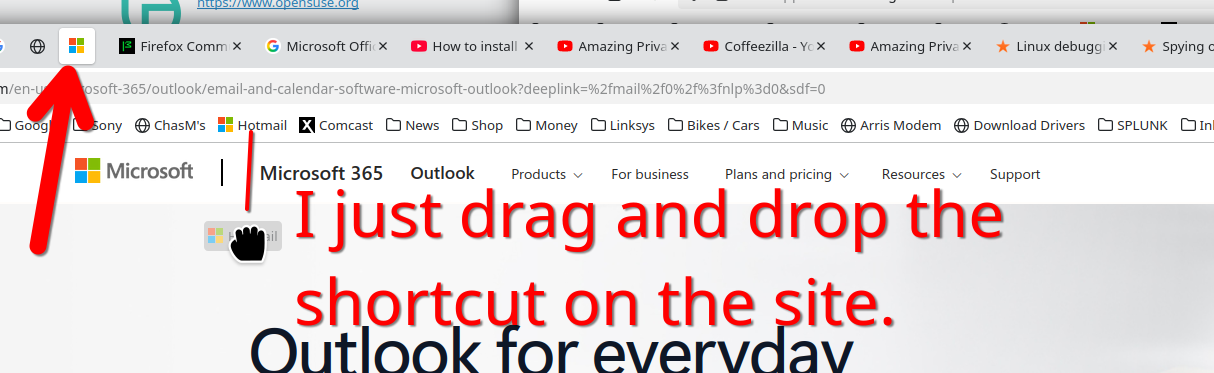
Show the issue. I keep hotmail / outlook pinned and just drag the shortcut from the bookmark bar and then drop on the site. This prevents opening a new tab. see screenshot I'm able to login with no issues. What OS? If windows, home or pro? If windows, are you running any security software besides MS Defender? What version of Firefox? Did you try with Firefox in Troubleshoot Mode? https://support.mozilla.org/en-US/kb/diagnose-firefox-issues-using-troubleshoot-mode#w_how-to-start-firefox-in-4troubleshoot-modesf5safe-modesf
RheaNL said
Since the last Firefox update, I am unable to sign into my Outlook account. When I click "Sign In" it opens a new tab with the sign-in buttons. Works fine in Edge and Chrome.
Try clearing your cache and cookies in Firefox or try opening in Private Browsing mode. Sometimes updates mess with saved data. If that doesn’t work, check if any extensions are blocking the sign-in process. You could also try disabling them temporarily and see if that helps!
Since three months have passed since the original report, I assume you have resolved this by now. If not, please give us an update.