


Unable to restore tabs when firefox crashed

Even though my settings in Firefox are set to restore open tabs when restarting, and Firefox is my default browser, I was unable to restore my open tabs when my Firefox browser just closed on me. I went up to the menu > History > Recently closed tabs > Reopen all tabs and nothing happened. Is there anything else I can do? Thanks for your help!
所有回覆 (14)

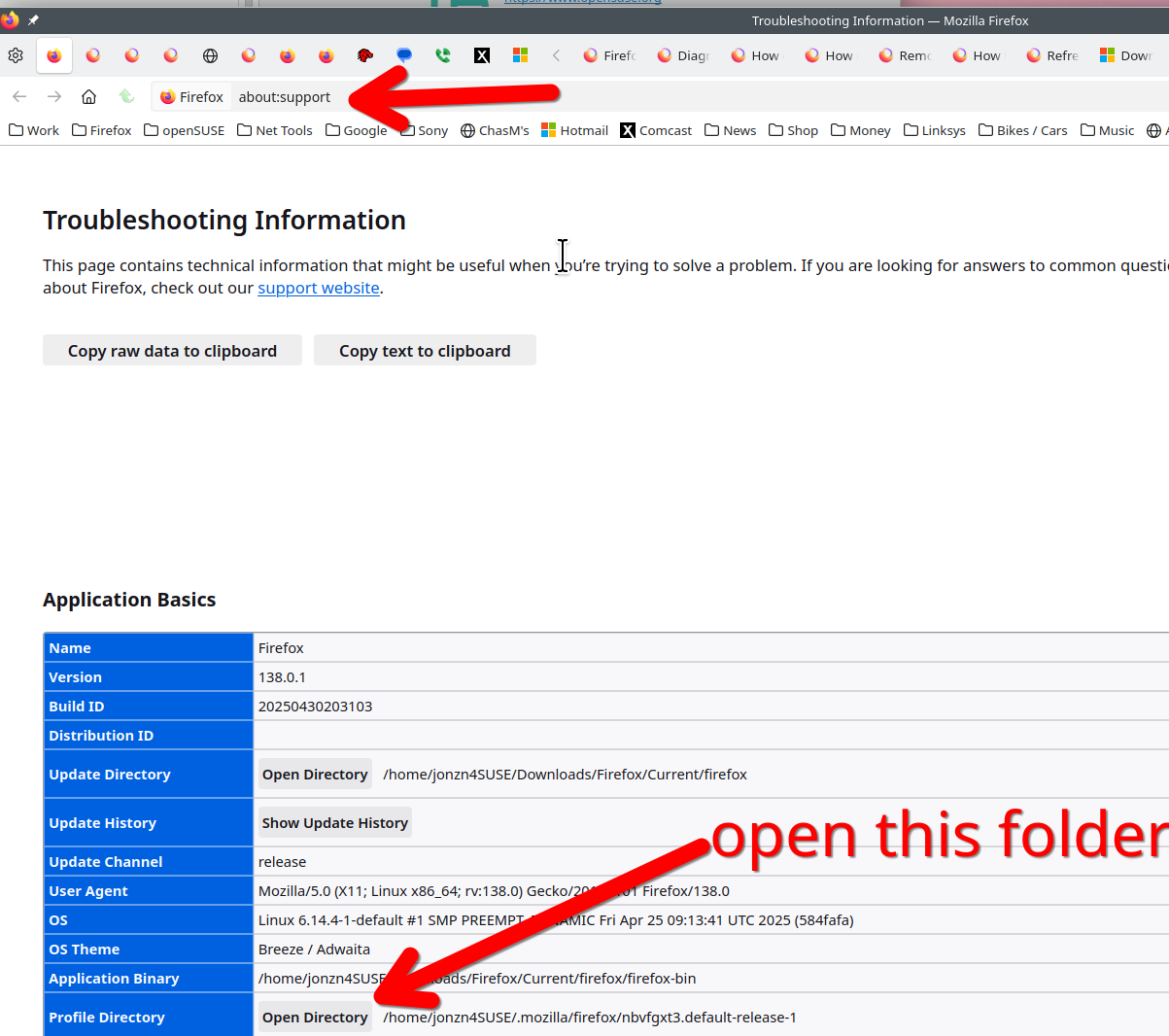
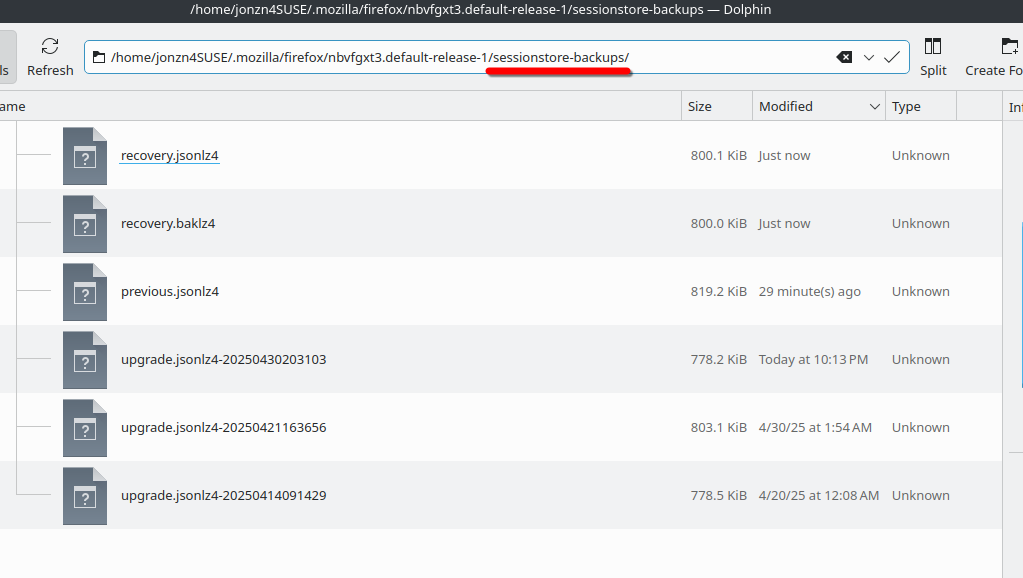
Go to about:support. see screenshots Then open the profile folder. Then go into the sessionstore-backups folder and post a screenshot. see my example. What date the the tabs not come back?
由 jonzn4SUSE 於 修改
I don't have "Profile Directory". I have Profile Folder: See screenshot below.
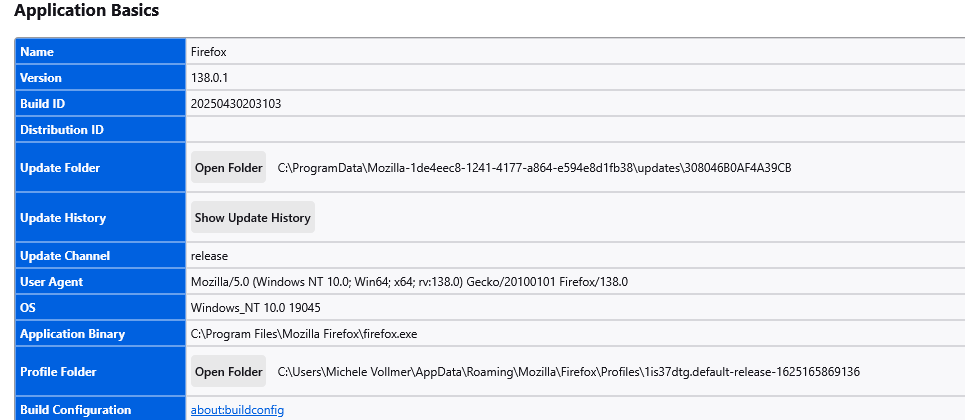
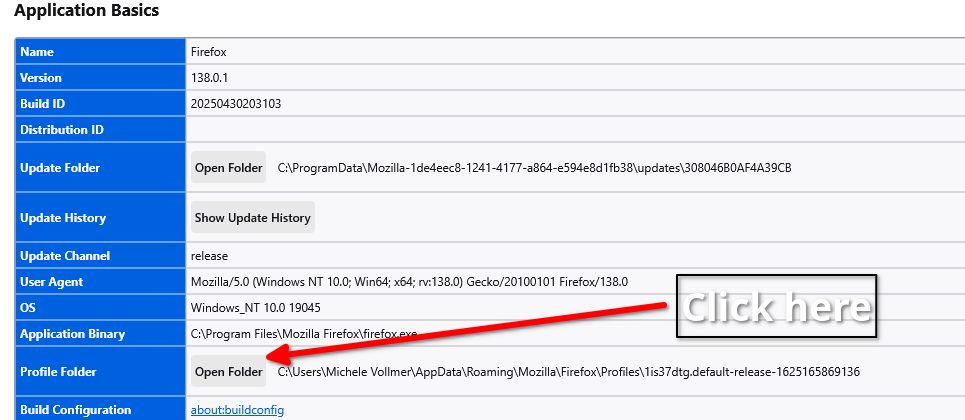
Using your screenshot... Click the Open Folder button. Then go into the sessionstore-backups folder and post a screenshot. see my example above. What date the the tabs not come back?
由 jonzn4SUSE 於 修改

I have the same issue. When I go to sessionstore-backups, here is what I get.
Not sure how I open the June file which I hope would have my old tabs.
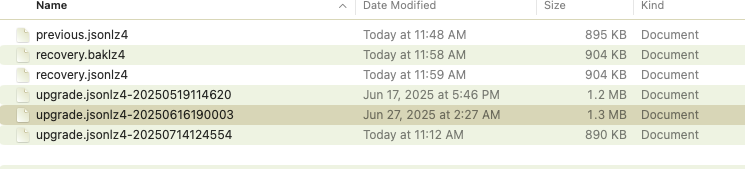
Once you know, it's easy. Close Firefox. Then you will see a files called sessionstore.jsonlz4 in your profile folder. Move it to the trash Then make copy of one of the files from June 17 or 27th. Then name it sessionstore.jsonlz4. Now move that file into your profile folder and then open Firefox and it should restore your tabs from that session. If the file from the 27th is not it, then make a copy of the file from the 17th and try the same steps This why I make a new copy of the sessionstore-backups folder every now and then, but always before an update. see screenshot
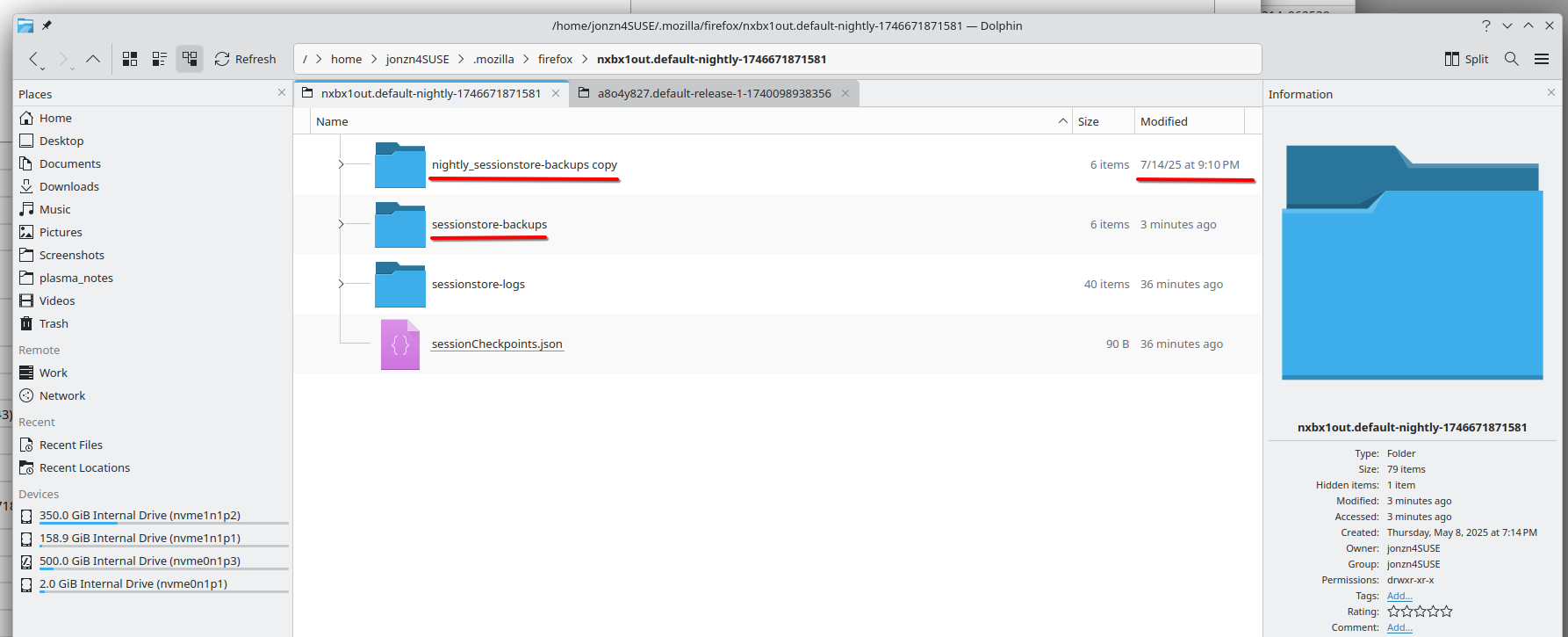
File info...
You will normally find these files in the sessionstore-backups folder:
- previous.jsonlz4 (cleanBackup: copy of sessionstore.jsonlz4 from previous session that was loaded successfully)
- recovery.jsonlz4 (latest version of sessionstore.jsonlz4 written during runtime)
- recovery.baklz4 (previous version of sessionstore.jsonlz4 written during runtime)
- upgrade.jsonlz4-<build_id> (backup created during an upgrade of Firefox)
Seems like it's a common issue. I like Mozilla, but this is just too much too tolerate.
I think that I'll change browsers - can anyone recommend a good one?

Here is the screenshot. Thank you
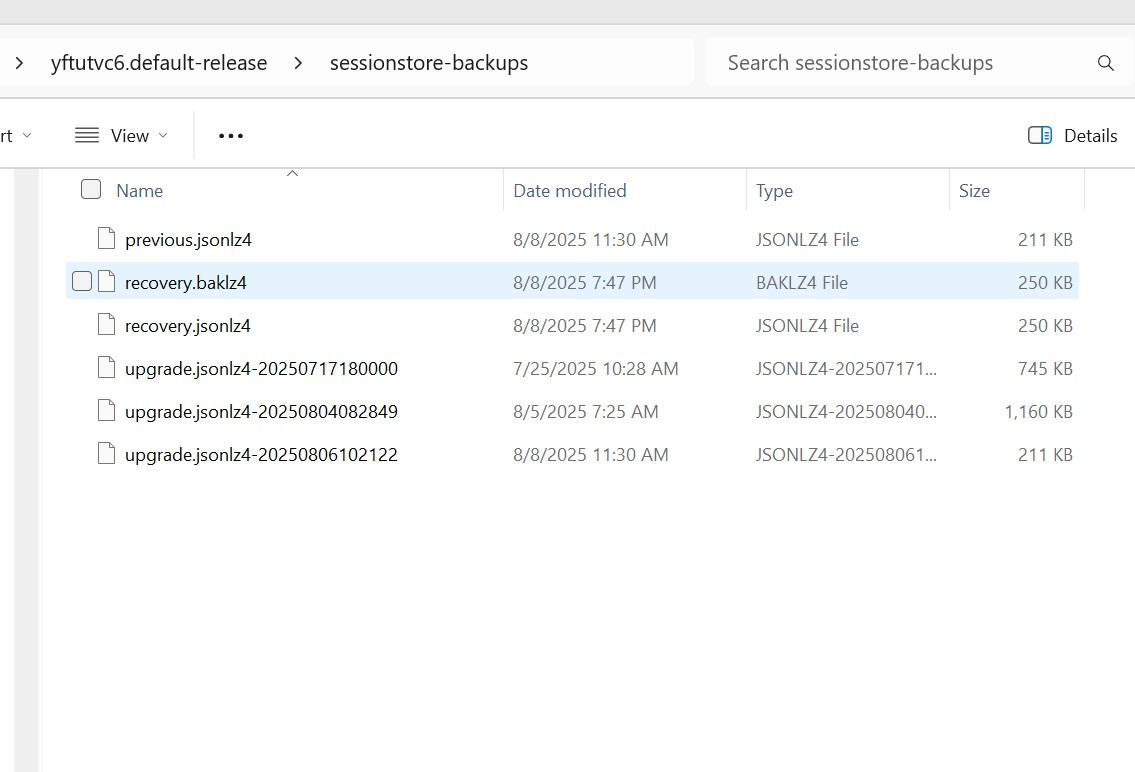
The steps do not restore the previous session. At this stage, I would like for it to stop losing the tabs each time I close it now. How do I get to start rememnering the previous session again?
Thank You
CherylPhD said
The steps do not restore the previous session. At this stage, I would like for it to stop losing the tabs each time I close it now. How do I get to start rememnering the previous session again? Thank You
Did you use this file from your screenshot in the square. That file clearly has more data the 3 new files that I numbered. see screenshot
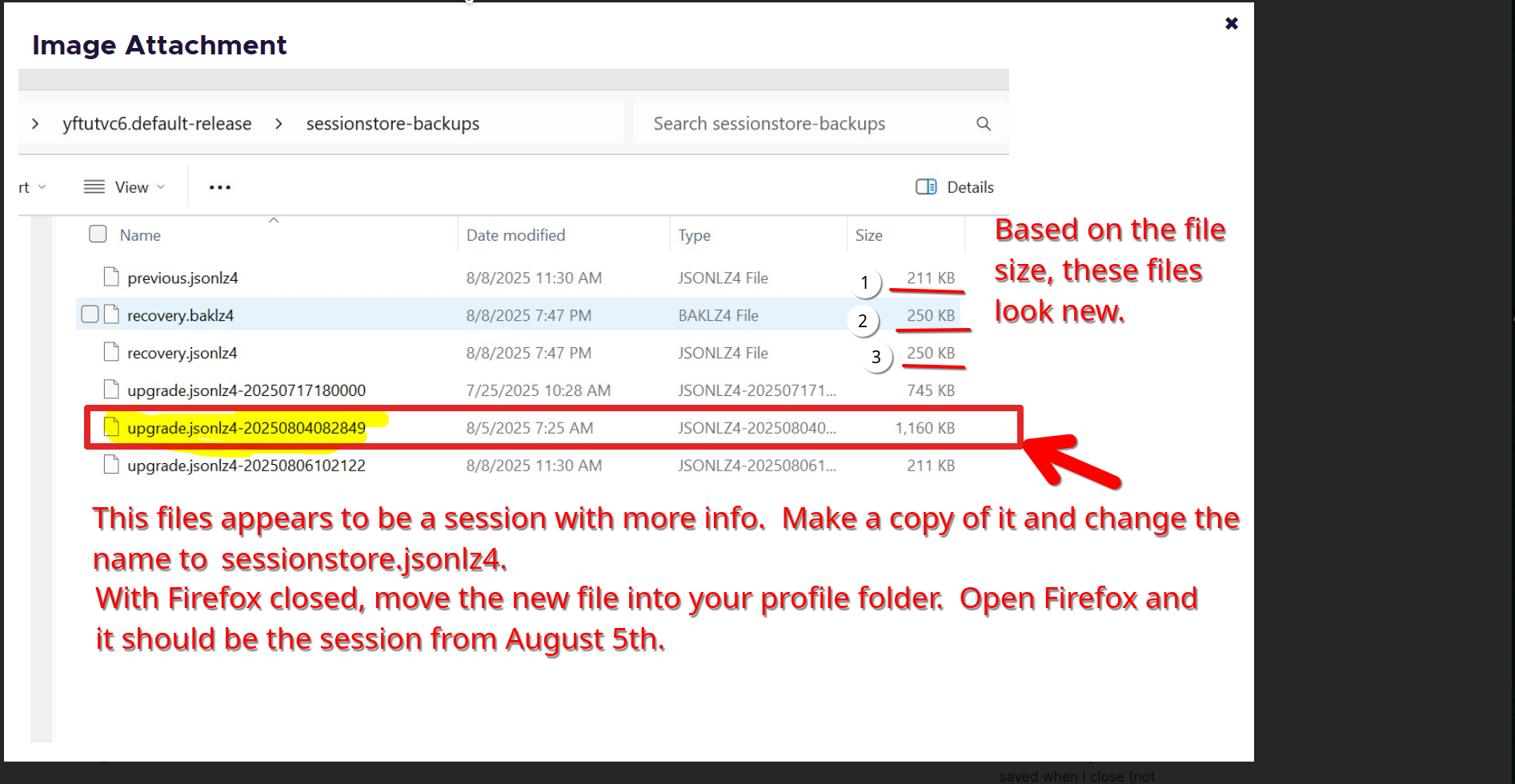
Yes, I found steps to correct it. Refresh Firefox under Help. It backs up everything and refreshes the install and when it finishes it asks what you want to restore. Everything worked as expected after that.
CherylPhD said
Yes, I found steps to correct it. Refresh Firefox under Help. It backs up everything and refreshes the install and when it finishes it asks what you want to restore. Everything worked as expected after that.
michele.vollmer said
I don't have "Profile Directory". I have Profile Folder: See screenshot below.
Michele....

@jonzn4SUSE
Brilliant!! Thank you!! This saved my butt.
So, I recently "attempted" to Close Firefox, which is not always immediate. Not sure I have this right, but I think that I closed Firefox, but after a bit there were still 3 windows open, so I closed them (again). When I reopened Firefox, only the last 3 Windows opened.
Any clue why it did not close completely, or was I impatient (I think not, but?).
I choose to restore the file of the largest size, which was a upgrade.* file (3877kb, yea, lots of stuff & lots of ram so I can, mostly). My recovery.* file was only about 248KB (the 3 windows)
Regarding the: File info...
You will normally find these files in the sessionstore-backups folder:
previous.jsonlz4 (cleanBackup: copy of sessionstore.jsonlz4 from previous session that was loaded successfully) recovery.jsonlz4 (latest version of sessionstore.jsonlz4 written during runtime) recovery.baklz4 (previous version of sessionstore.jsonlz4 written during runtime) upgrade.jsonlz4-<build_id> (backup created during an upgrade of Firefox)
1 - Is it fair to say that the best candidate to restore is probably the previous.jsonlz4? When Firefox is closed the recovery* files would, if I understand your comments, represent the "problem" window set? 2 - are the recovery.baklz4 and recovery.jsonlz4 suppose to be identical, at least when Firefox is closed. I have a 1 byte diff in size. 3 - How many backs are retained. I have 3. 4 - I have a previous.js file in this folder, is that suppose to be there? it's 118kb and 5 years old. Probably when I installed Mozilla??
I'll add one more item for others. Copy the entire "sessionstore-backups" folder elsewhere and work from there. The previous* and recovery* will change once you reopen Firefox, and thus may overwrite one of the restore possibilities.
Thank you
RangerZ