


After update to 121.0.1 tabs barely visible

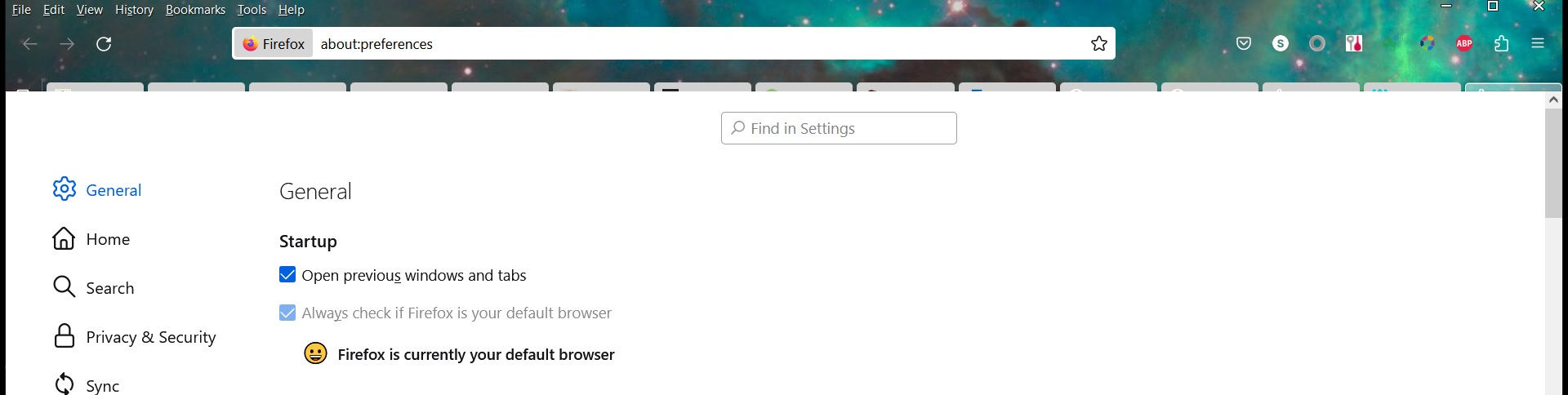
Since updating to 121.0.1, only the top edge of the tabs in my menu bar are visible (see image). I tried reinstalling, restarting, and switching to a different theme. Any thoughts on why this is or how to fix it? Thanks in advance!
Since updating to 121.0.1, only the top edge of the tabs in my menu bar are visible (see image). I tried reinstalling, restarting, and switching to a different theme. Any thoughts on why this is or how to fix it? Thanks in advance!
所有回覆 (1)
Are you using code in userChrome.css in the chrome folder in the Firefox profile folder that needs an update ?