


My main pc won't share opened tabs with my phone and laptop
I do not know what I'm doing wrong but my main pc won't sync it's tabs to my other devices. It just says "no open tabs".
I'm able to see all the tabs open on my other devices but not my main pc's
所有回覆 (5)
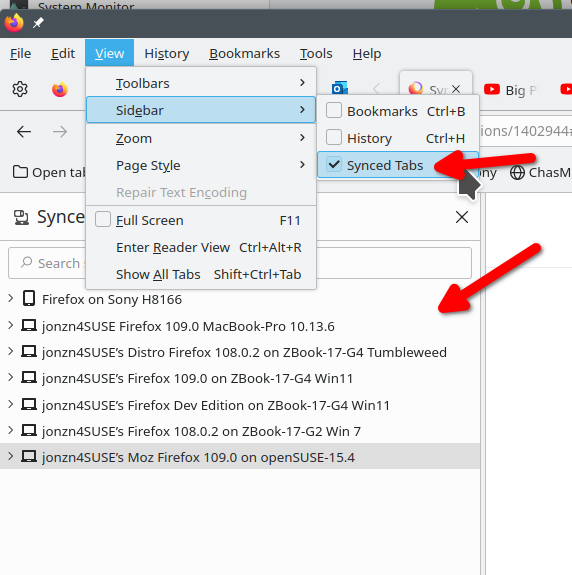
On your laptop (which I hope you're signed in to sync) open the sync tab and verify you can see the tabs from the other devices. see screenshot If you can, then you should be able to open the tabs from the other devices.
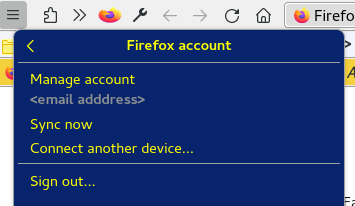
You can open the "3-bar" Firefox menu button drop-down list and click the email address to open its Sync panel and click "Sync now" in this panel.
由 cor-el 於 修改
The sync now doesn't do anything. The tabs just refuse to show.

You can open about:sync-log via the location bar to see if recent Sync logs are available. You can upload the file to a website like Pastesite if you can't post the content of the file in a reply.