


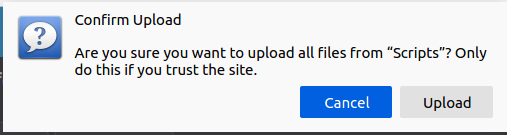
Disable "Confirm Upload" dialog

I would like to disable the "Confirm Upload" dialog when uploading files on a web page. I need to do a lot of uploading and confirming every time is really hampering my work flow, especially since I can't even confirm with a keystroke.
Is there a config setting or option to disable this on a per site or global manner? I can't find any info in all my searches.
Thanks
I would like to disable the "Confirm Upload" dialog when uploading files on a web page. I need to do a lot of uploading and confirming every time is really hampering my work flow, especially since I can't even confirm with a keystroke.
Is there a config setting or option to disable this on a per site or global manner? I can't find any info in all my searches.
Thanks
所有回覆 (1)
I don't think it can be disabled.