


Website malfunction

While using Yahoo email I tried to access the 'Notepad' page and get a message saying to Download a new version of Firefox to see the 'Calendar' even though I was trying for the 'Notepad' not the 'Calendar'. If I try for the 'Calendar' I initially get the small right-sidebar version fine but if I ask for the full page version I get the error message again. This does not happen if I access Yahoo through Chrome-browser. I have repeatedly done the download to no avail. (I have version 99.0.1). I am attaching a screenshot of the error message. Thanks for any help. No rush.
所有回覆 (4)

Whenever you get a message / popup that software / files need to be updated;
DO NOT USE ANY OF PROVIDED LINKS
While this may be a legitimate message, it could also be Malware or a Virus. Anytime you want or need to check for upgrades, go to the website of the True Owner of the program in question. For example, to check out Firefox, go to https://www.mozilla.org
You can report such a site at;
http://www.google.com/safebrowsing/report_phish/
Google Report Phishing Page
which is the same when done while on site by going to
Help > Report Web Forgery
http://www.mozilla.org/en-US/legal/fraud-report/ Help us safeguard Mozilla’s trademarks by reporting misuse
https://support.mozilla.org/en-US/kb/avoid-and-report-mozilla-tech-support-scams
Tried the advice of going straight to the Mozilla website for a FireFox download and still have the problem. Screenshot should have attached this time. I have a PC with W10-Edu 21H2 .
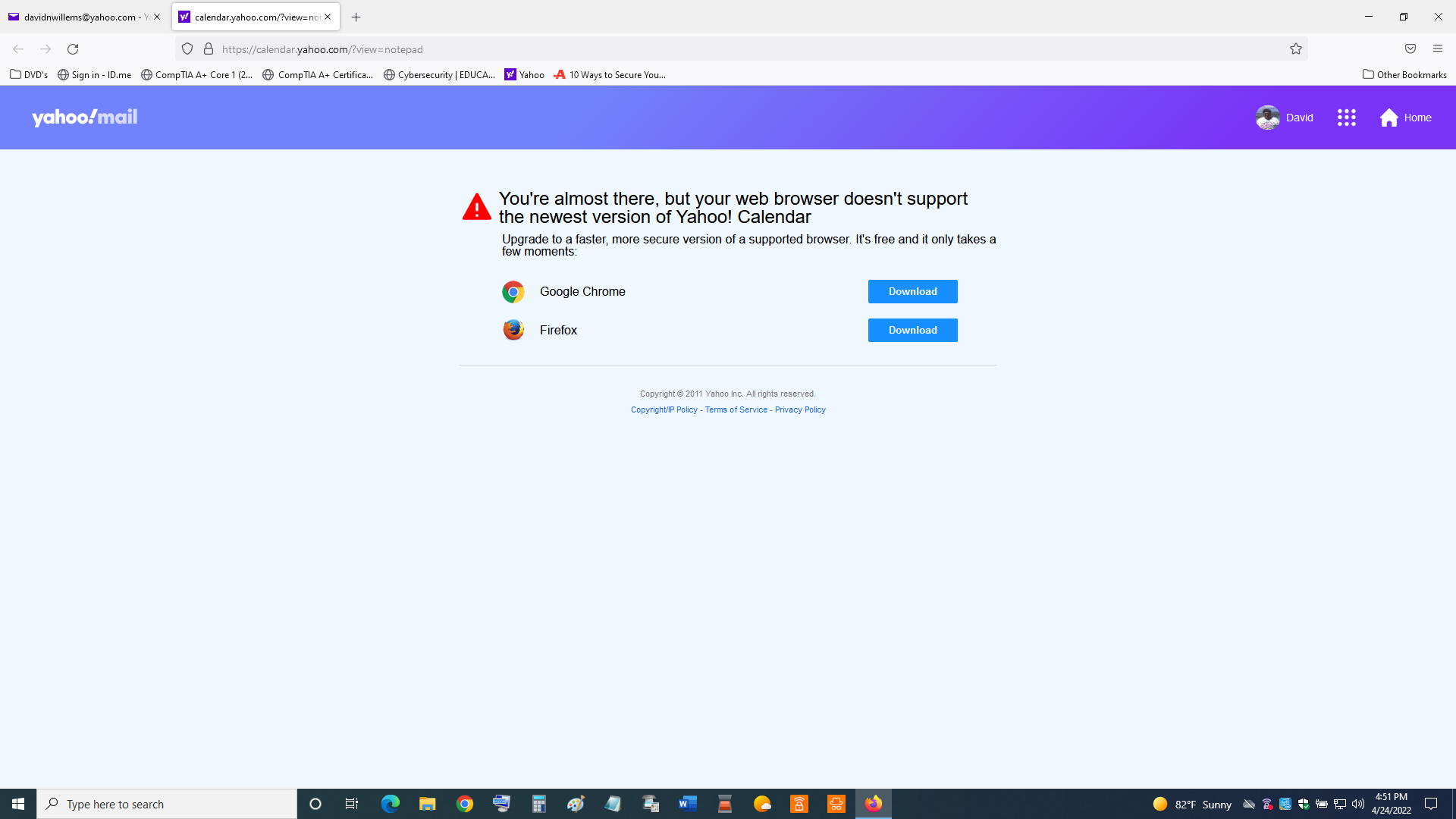
I called for more help.
Could be that the website is confused by the user agent that has a trailing "Trailer/96.3.9862.63" appended.
- Mozilla/5.0 (Windows NT 10.0; Win64; x64; rv:99.0) Gecko/20100101 Firefox/99.0 Trailer/96.3.9862.63
See:
- https://support.mozilla.org/en-US/kb/how-reset-default-user-agent-firefox
- https://support.mozilla.org/en-US/kb/Finding+your+Firefox+version
Start Firefox in Troubleshoot Mode to check if one of the extensions ("3-bar" menu button or Tools -> Add-ons -> Extensions) or if hardware acceleration or userChrome.css is causing the problem.
- switch to the DEFAULT theme: "3-bar" menu button or Tools -> Add-ons -> Themes
- do NOT click the "Refresh Firefox" button on the Troubleshoot Mode start window