


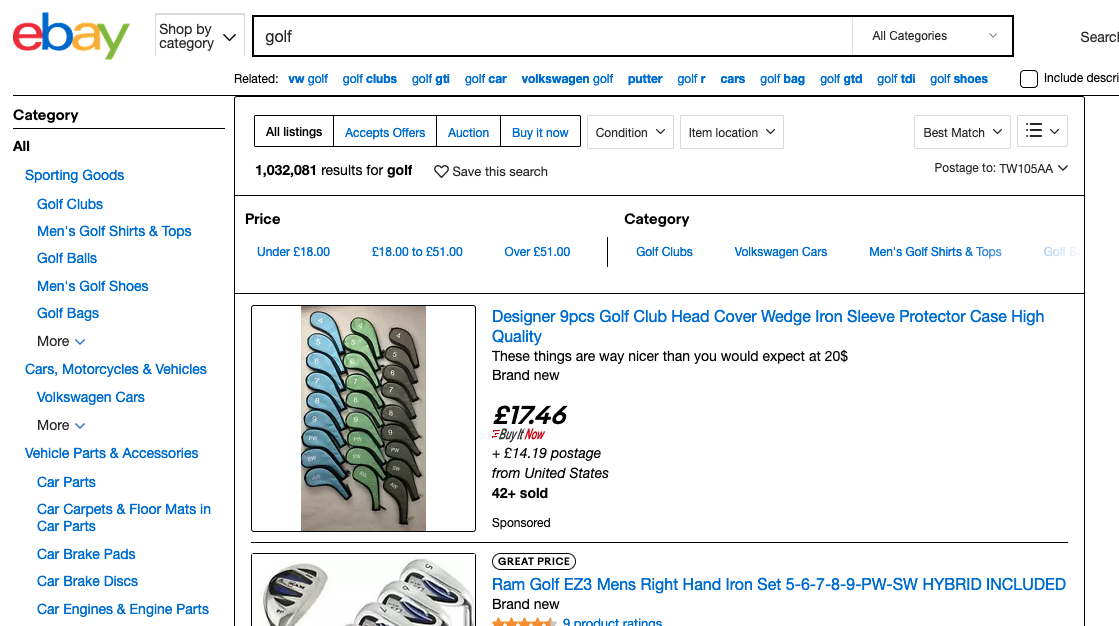
Firefox browser is in black and white, with black borders around each web element

Recently my firefox browser had been displaying webpages in strange way - it looks very basic
- White boxes around clickable elements, with some of the text whited out.
- Black borders around each web element, and no colour on websites.
I have attached pics of e.g. eBay with the borders and white back ground problem And a second pic of a guitar website, with the video volume controls and slider whited out
I have re-installed Firefox, run safe mode (it still happens), refreshed firefox settings(still happens)
All help appreciated
Thanks
Sean

由 seanbridgman 於 修改
所有回覆 (2)
Hi Sean, Firefox 91 now automatically enables High Contrast Mode when "Increase Contrast" is checked on MacOS. (release notes)
Is it possible you have that setting?
If so, please try one or both of these two options:
(1) Turn off the system-level setting. This appears to be the most effective workaround.
(2) Disable High Contrast mode in Firefox. See: Disable high contrast mode in Firefox.
For both changes, you might need to Quit Firefox and start it up again to see the normal display.
Any difference?
選擇的解決方法
You my friend, are a genius. Thank you for the quick reply. I would NEVER have found that