


Since last update v64.0, I cannot send SMS anymore in Huawei's dashboard (URL 192.168.8.1)

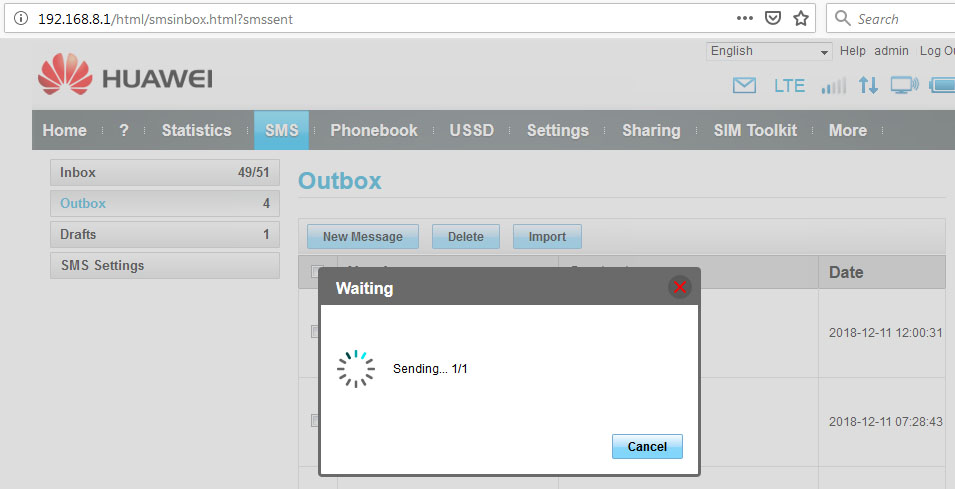
Opening Huawei E5577 mifi's dashboard in Firefox Quantum v64.0 64 bit, when sending SMS it's never completed, forever "waiting", and the SMS is never sent. I tried in Chrome browser it works fine, and previously it works fine in older Firefox versions. URL = 192.168.8.1 Also sometimes having trouble sending USSD code. I did not install any new add-ons, I only updated Firefox to latest v64.0 version. OS Windows 7.
所有回覆 (3)
I tried with new FF profile with no add-ons at all, it's just the same, there's problem with FF v64. So I give up with FF, thanks anyway.
Unfortunately that is a login site issue so you would have to contact and ask them about it.
WestEnd said
Unfortunately that is a login site issue so you would have to contact and ask them about it.
It's a localhost (192.168.8.1), not a remote website. So I can control my Huawei MIFI in browser by opening http://192.168.8.1. I don't understand who should I contact to? And btw it works fine in Chrome browser.
由 herbang 於 修改