


Fonts on YouTube looks different

Hi, guys,
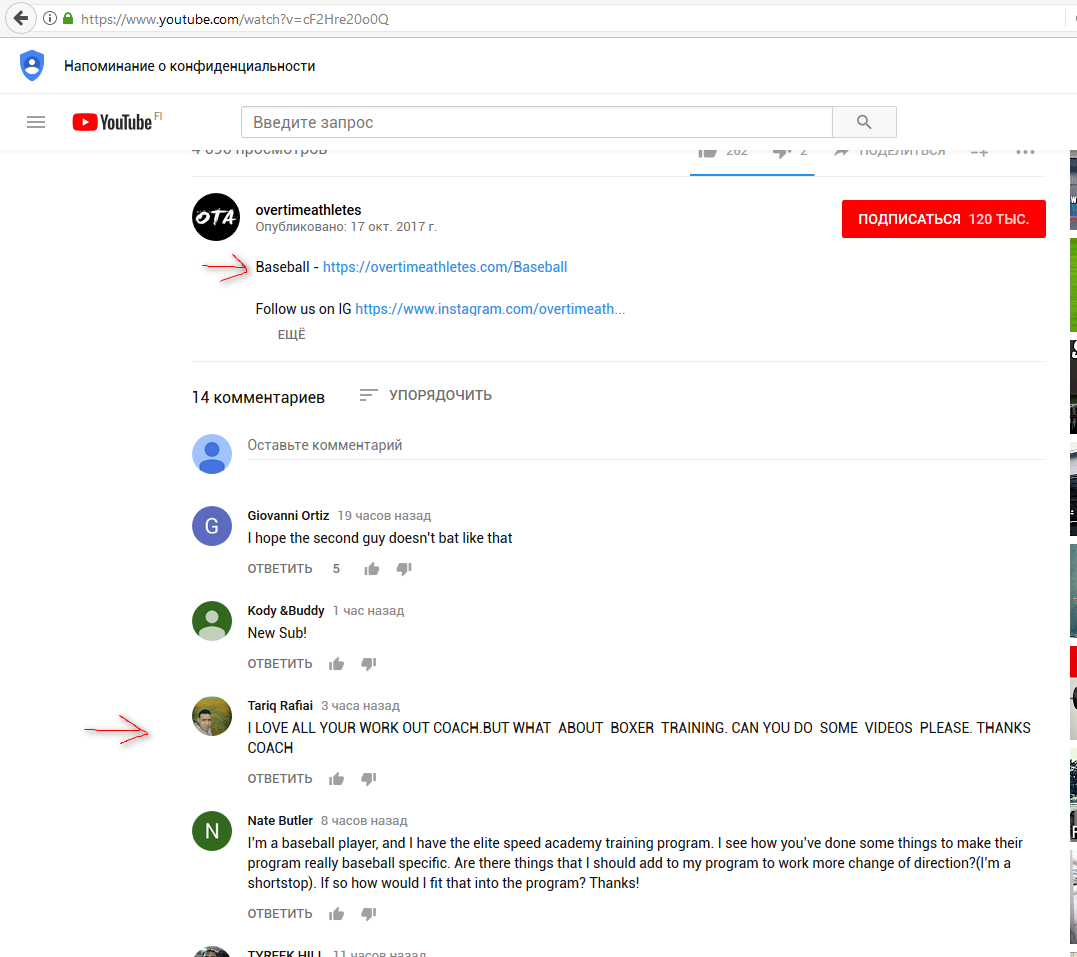
Recently FireFox is rendering Roboto font differently on YouTube. Everything used to look okay. I am using Windows 10. In other browsers everything looks fine. I tried to reinstall FireFox, but it didn't help. No addons are in use.
Any idea how to fix it? It is really annoying.
All Replies (29)
Here is screenshot
Using latest FF version
Hi !
Would you please take a look at this and see if that's any help :
https://www.tenforums.com/tutorials/80598-turn-off-cleartype-windows-10-a.html
And also : https://www.reddit.com/r/firefox/comments/71pgin/why_doesnt_firefox_use_roboto_font_in_pages_like/
Happy112 moo ko soppali ci
Hi, tried cleartype before didn't help.
Post from reddit didn't help either :( But thank you.
niksu said
Hi, tried cleartype before didn't help. Post from reddit didn't help either :(
Bummer !
'Been searching and finally found this :
https://www.youtube.com/watch?v=nPEcf1o-lK0
Any good ?
Nope :(
Can you confirm that Firefox actually uses the Roboto font?
You can right-click and select "Inspect Element" to open the builtin Inspector with this element selected. You can check the font used for selected text in the Font tab in the right pane of the Inspector. Note that you may have to click the little arrow in case Font is not visible.
cor-el moo ko soppali ci
cor-el said
Can you confirm that Firefox actually uses the Roboto font? You can right-click and select "Inspect Element" to open the builtin Inspector with this element selected. You can check the font used for selected text in the Font tab in the right pane of the Inspector. Note that you may have to click the little arrow in case Font is not visible.
Sure. I also did download different Roboto fonts, didn't help. Old versions and new ones. I am using right now Roboto from Google fonts. In other browsers, everything looks fine.
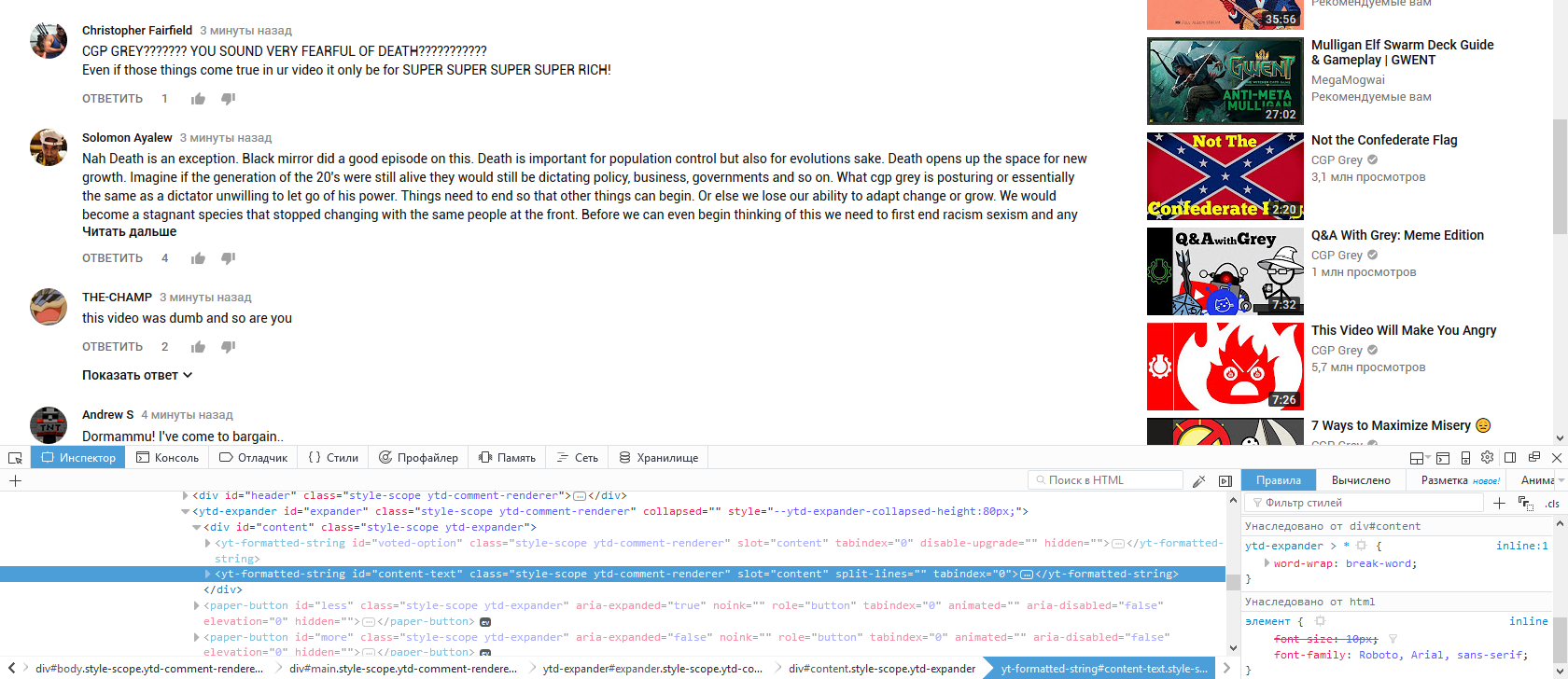
Would you take a look at this :
Happy112 said
Would you take a look at this : https://github.com/Dogfalo/materialize/issues/4493
Tried to replace it with https://github.com/FontFaceKit/roboto/tree/gh-pages/fonts, didn't help :(
Giving it one more shot (you'll have to scroll down some) :
https://stackoverflow.com/questions/24590251/roboto-font-doesnt-work-in-firefox
There is no answer :/
niksu said
There is no answer :/
Wanna bet ? Somebody else, with better working braincells than mine, will come up with the perfect solution for you - just you wait and see !
niksu said
Did you even read that post on Stackoverflow?
Yes of course I did - why else would I give you that link ? Well, I haven't been any help to you, but that doesn't mean there's no solution - somebody's bound to come up with one (fingers crossed).
The screenshot you posted shows the Rules tab and doesn't show the Fonts Tab like I requested. The Fonts tab shows what font is actually used and may differ from the specified font.
cor-el said
The screenshot you posted shows the Rules tab and doesn't show the Fonts Tab like I requested. The Fonts tab shows what font is actually used and may differ from the specified font.
Sorry. Here we go. Second font is Segoe UI.
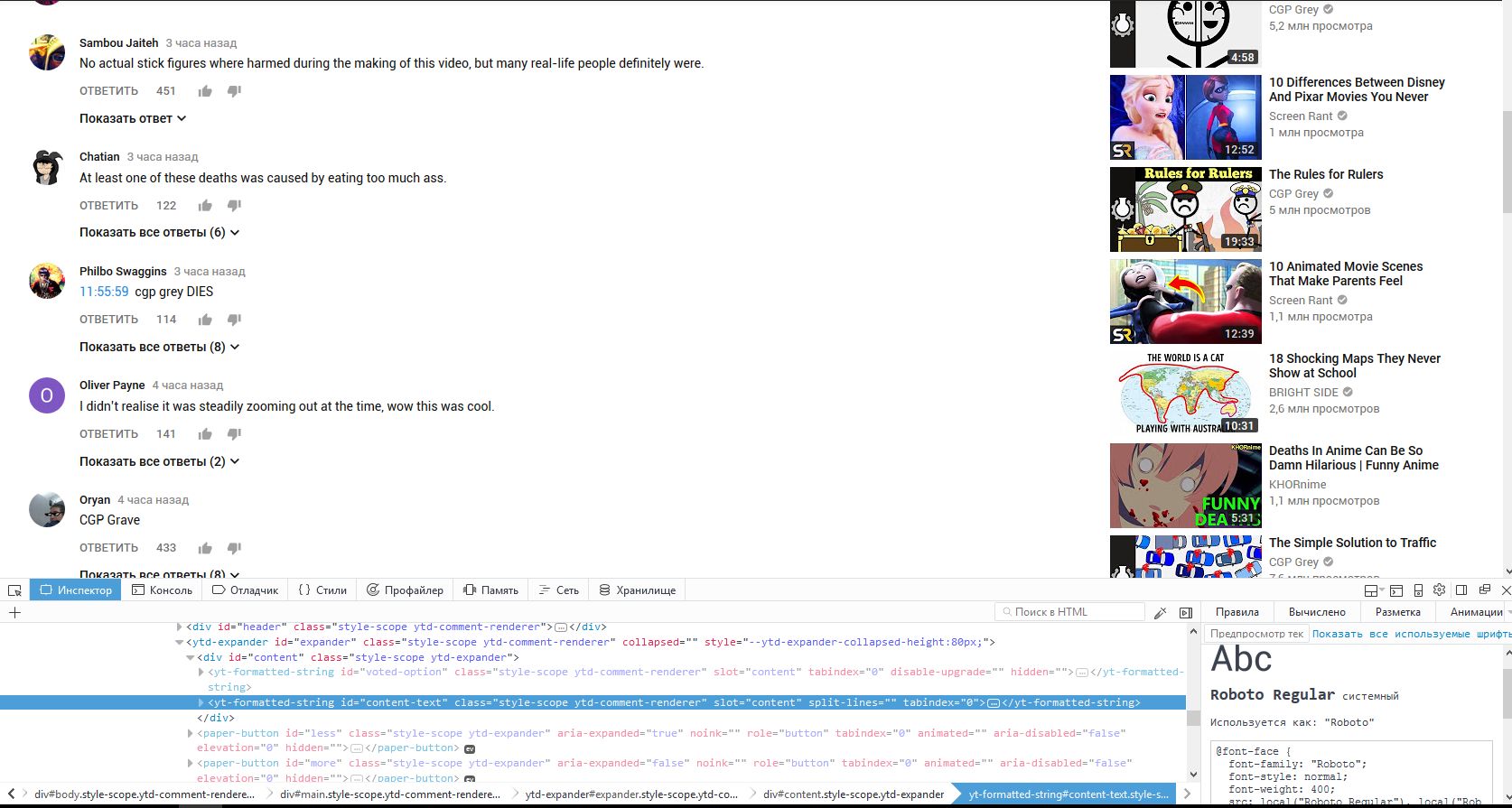
Any ideas?
Bump....
Bump :(