


Vpn does not workr wahatsoever. does not turn onn!!!

Fix it if possi, please! otherwise different browser....! :(
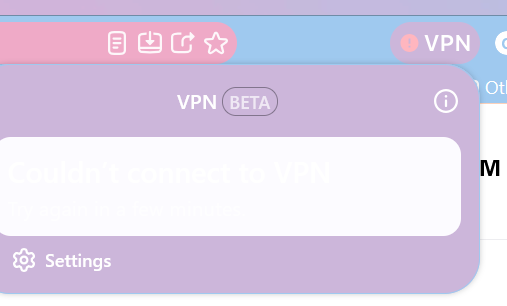
All Replies (2)
Hello,
First, try disabling your theme. Custom themes can override custom settings and cause the icons to appear nonexistent.
If the VPN icon is fully nonexistent even with the theme disabled, you can try to force it to auto-start. To make it auto start, go to about:config, search for browser.ipProtection.features.autoStart and change it from false to true. After that, restart Firefox and try again.
Next, if your device is managed by an enterprise system, it is possibly blocked in policies. You can check this by going to about:policies and checking if IPProtectionAvailable is blocked. If so, you cannot use that feature.
Next, try signing in and out again to force a refresh.
If that doesn't work, you might be opted into a study to disable it. To disable it, go to about:studies, and go to VPN - MVP Beta Holdback and remove it.
Bonjour
Take a look at https://support.mozilla.org/en-US/questions/1611646