

This thread was archived.
Please ask a new question if you need help.

Solved
Archived
Bookmarks Toolbar "Only Show on New Tab" option not working
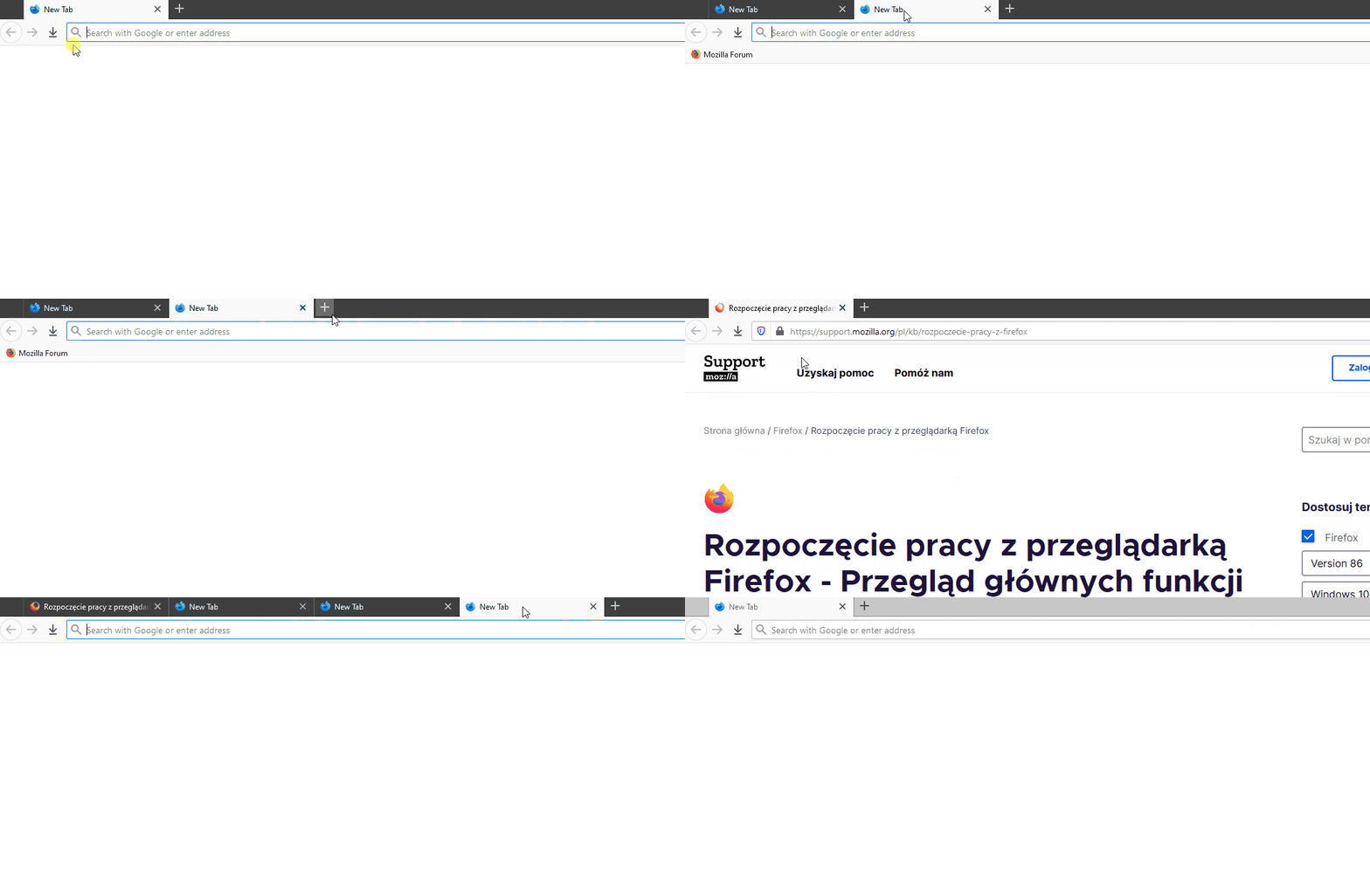
If i set Bookmarks Toolbar option to Always Show, everything works fine, the toolbar is displayed all the time. Now, if i set Bookmarks Toolbar option to Only Show on New Tab the toolbar is not displayed anywhere. You can't see it in the new tab or the current tab.
I tested it with FF 85.0.2 (64-bit) and with FF Developer Editition 86.0b9 (64-bit)
I am attaching a VideoGIF to show the problem
If i set Bookmarks Toolbar option to '''Always Show''', everything works fine, the toolbar is displayed all the time.
Now, if i set Bookmarks Toolbar option to '''Only Show on New Tab''' the toolbar is not displayed anywhere. You can't see it in the new tab or the current tab.
I tested it with FF 85.0.2 (64-bit) and with FF Developer Editition 86.0b9 (64-bit)
I am attaching a VideoGIF to show the problem
All Replies (2)
Chosen Solution
It looks like your New tab page is set to Blank Page in Options. This feature works only for Firefox Home (Default).
Thanks for the solution @ TyDraniu