

This thread was archived.
Please ask a new question if you need help.

Archived
How Eliminate TOP SITES ...
I see them PINNED but I never go to them, and never will. How do I get RID OF THEM? (Why does Firefox privilege them? Is there a big pot of money involved?)
I see them PINNED but I never go to them, and never will. How do I get RID OF THEM? (Why does Firefox privilege them? Is there a big pot of money involved?)
All Replies (1)
Hi,
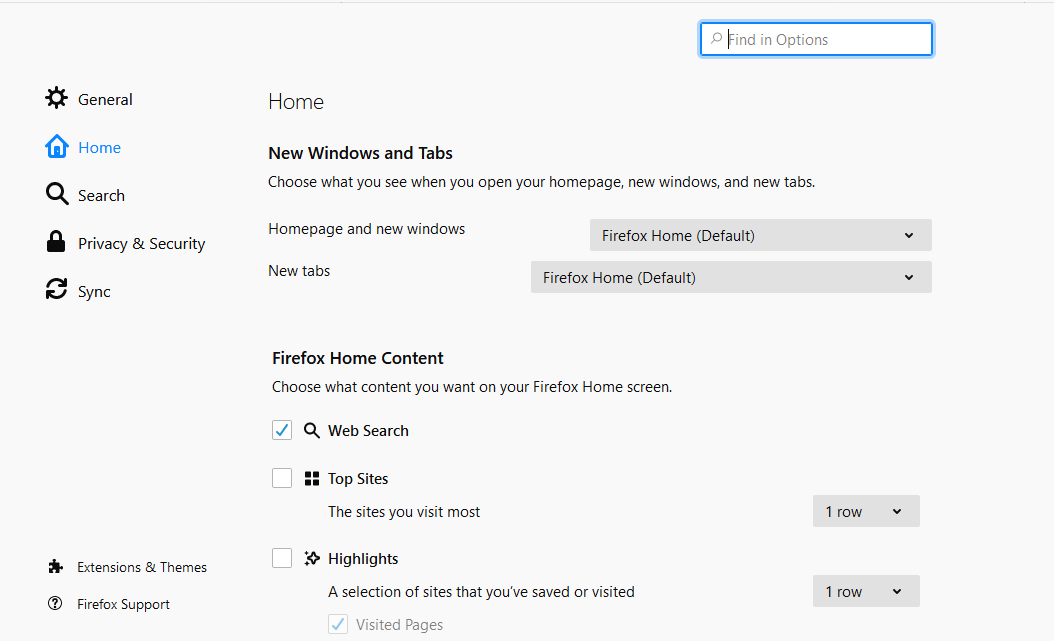
You can just Eliminate the Top sites by unchecking it from settings
1. Go to - about:preferences#home 2. Uncheck the Top sites option under Firefox Home Content
Modified by Kamalesh Joy