Firefox browser
Hello, Since I've got an update of Windows, 2 days ago, I've got Microsoft Edge. I like to have my Firefox as my standard browser but I can't choose anymore. I have tried it by the link of options but the choose is only Internet Explorer or Edge. I also followed your video instruction but I can't find the firefox.
Hope you can help me. Sorry for my english. I'm Dutch................ Thanks.
Chosen solution
All Replies (4)
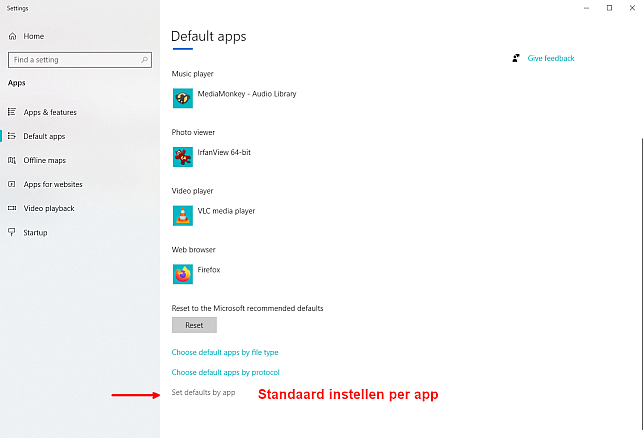
If you're using Windows 10, please follow the following instructions:
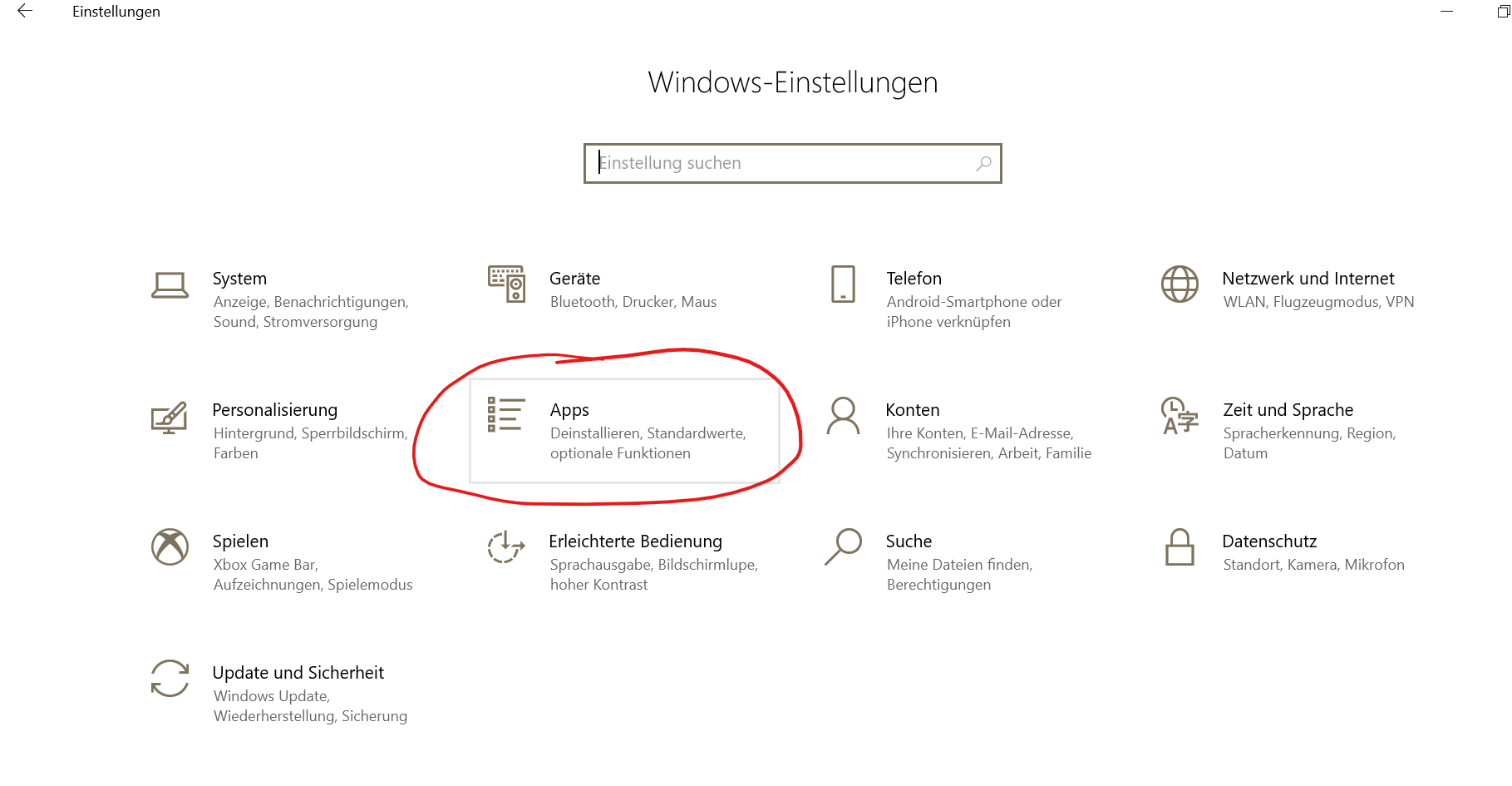
- open the Win settings
- choose Apps
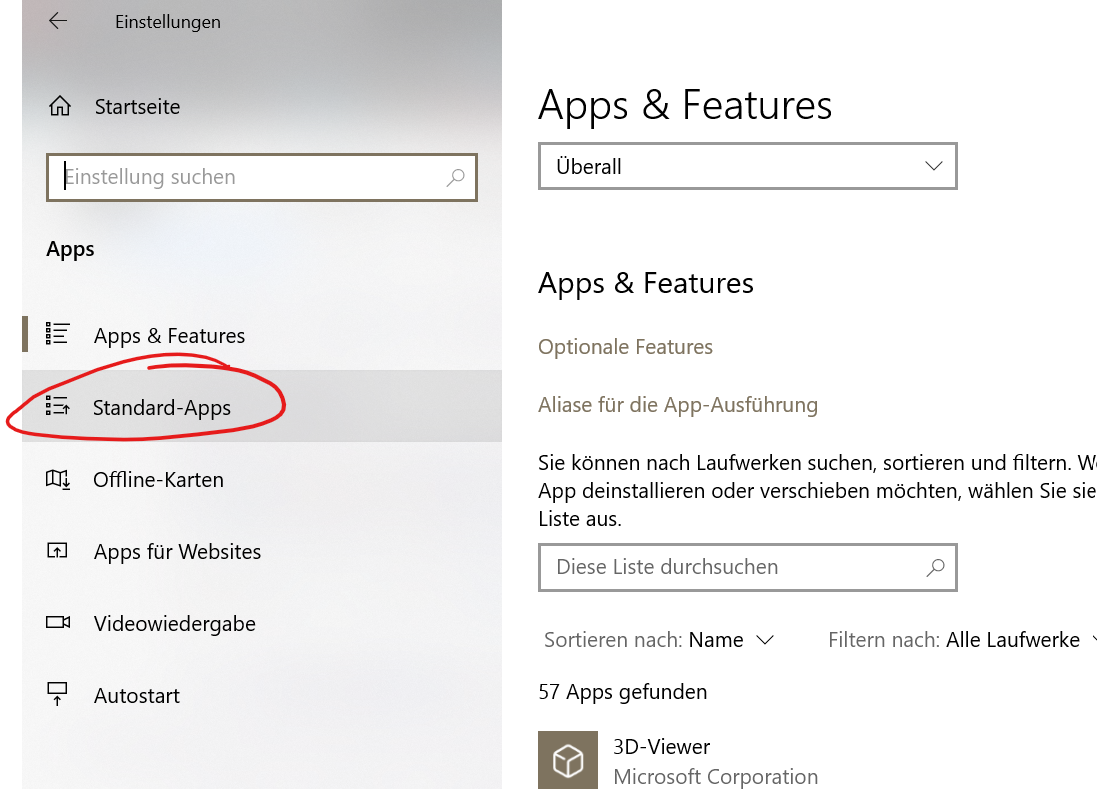
- click on the second card at the left side (standard Apps)
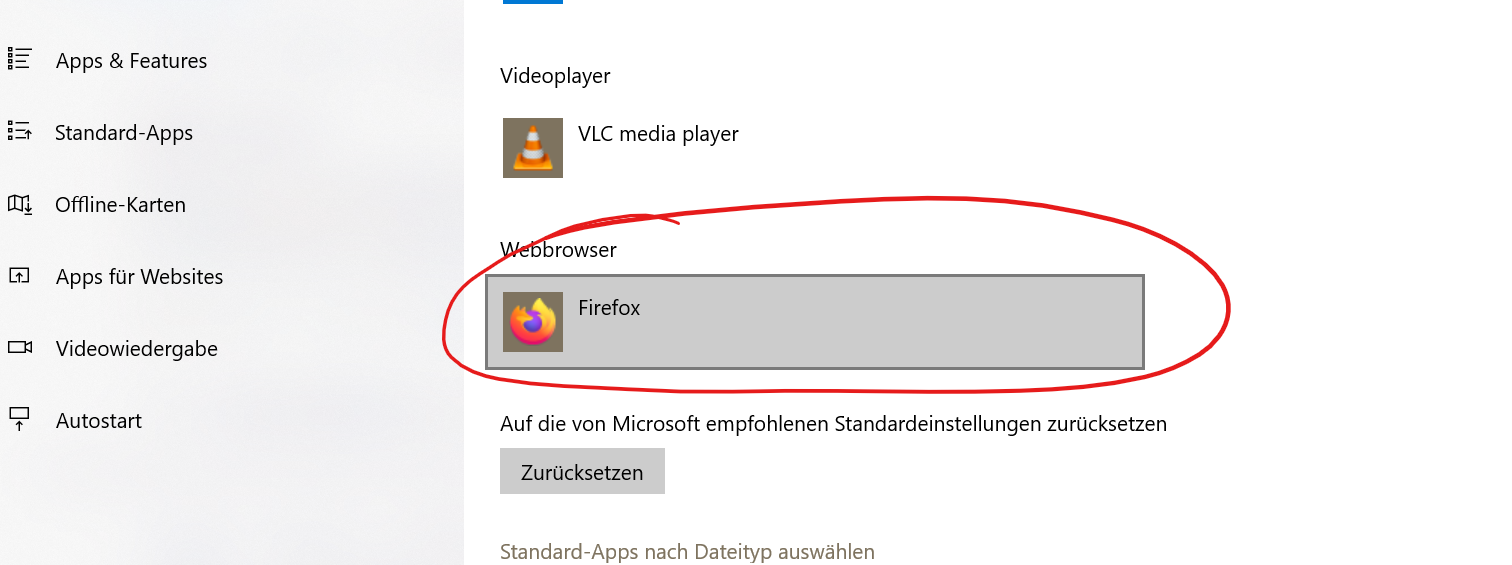
- choose Webbrowser
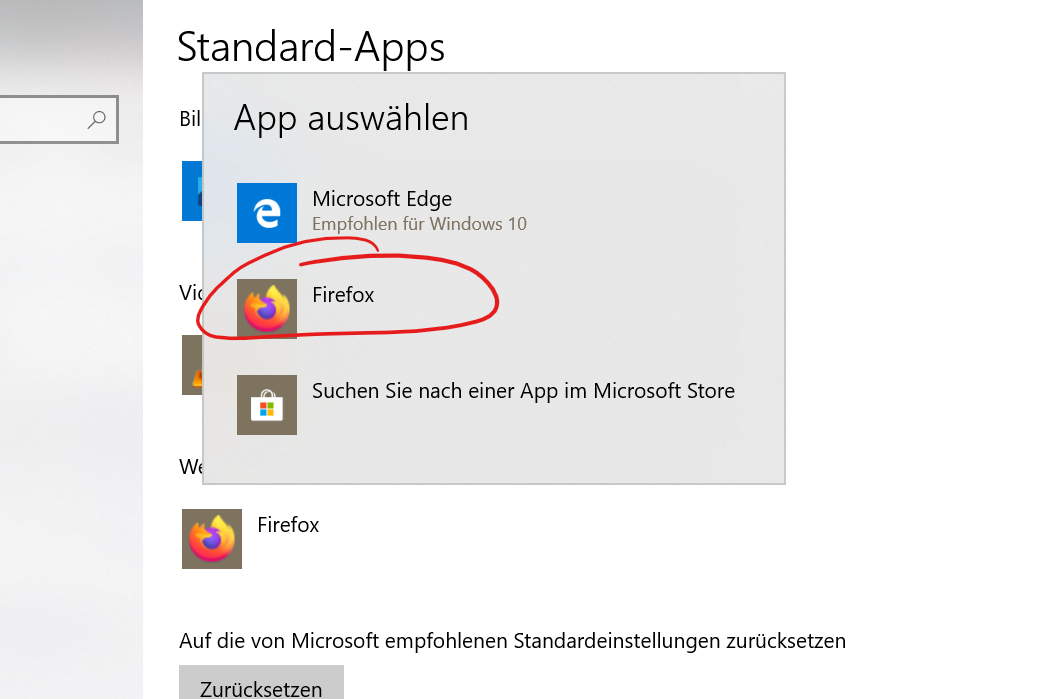
- choose firefox
(see the added screenshots)
I hope I could help you, JS
Modified by schnrl
Thanks for answering back but unfortunally it didn't help. On the last step I only can choose Windows Edge or Internet Explorer. I don't have any other choice. Maybe you have another idea for me? Thanks anyway.
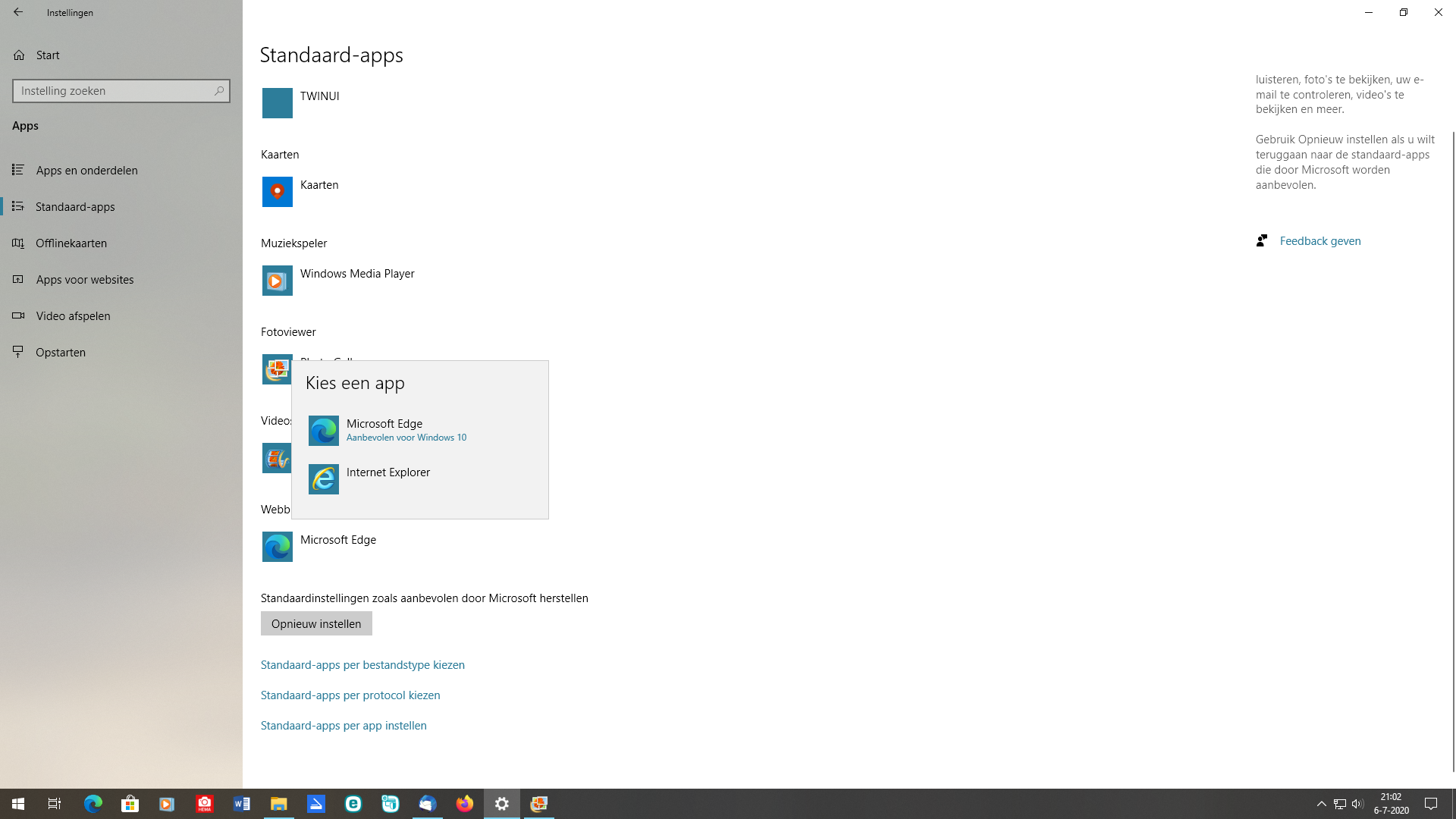
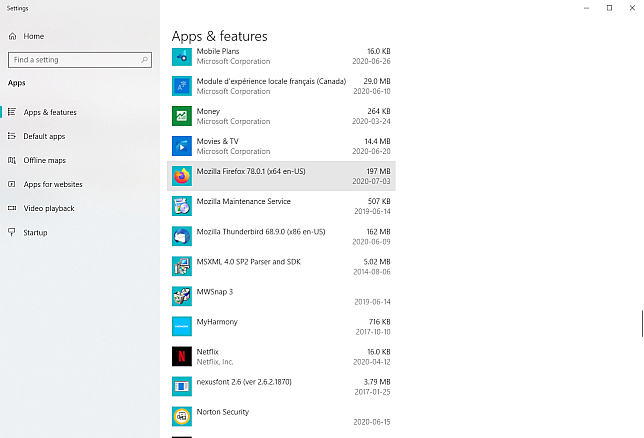
Does your windows 10 recognize that Firefox is installed? Mozilla Firefox should show in the app list in Settings --> Apps --> Apps and Features?
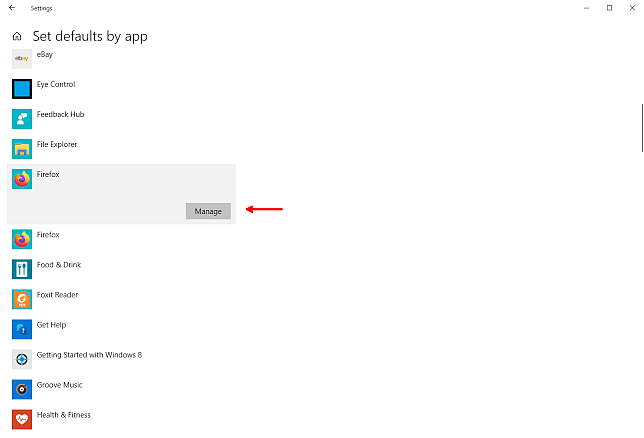
If the entry exists, System --> Apps --> Default apps -- near the bottom -- Set defaults by app (standaardwaarden instellen per app)
Select Firefox -- Manage
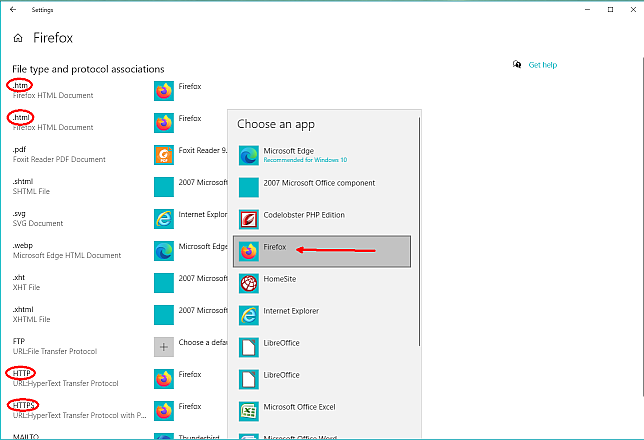
set .htm, .html, HTTP, and HTTPS to Firefox