


Browser hacked?

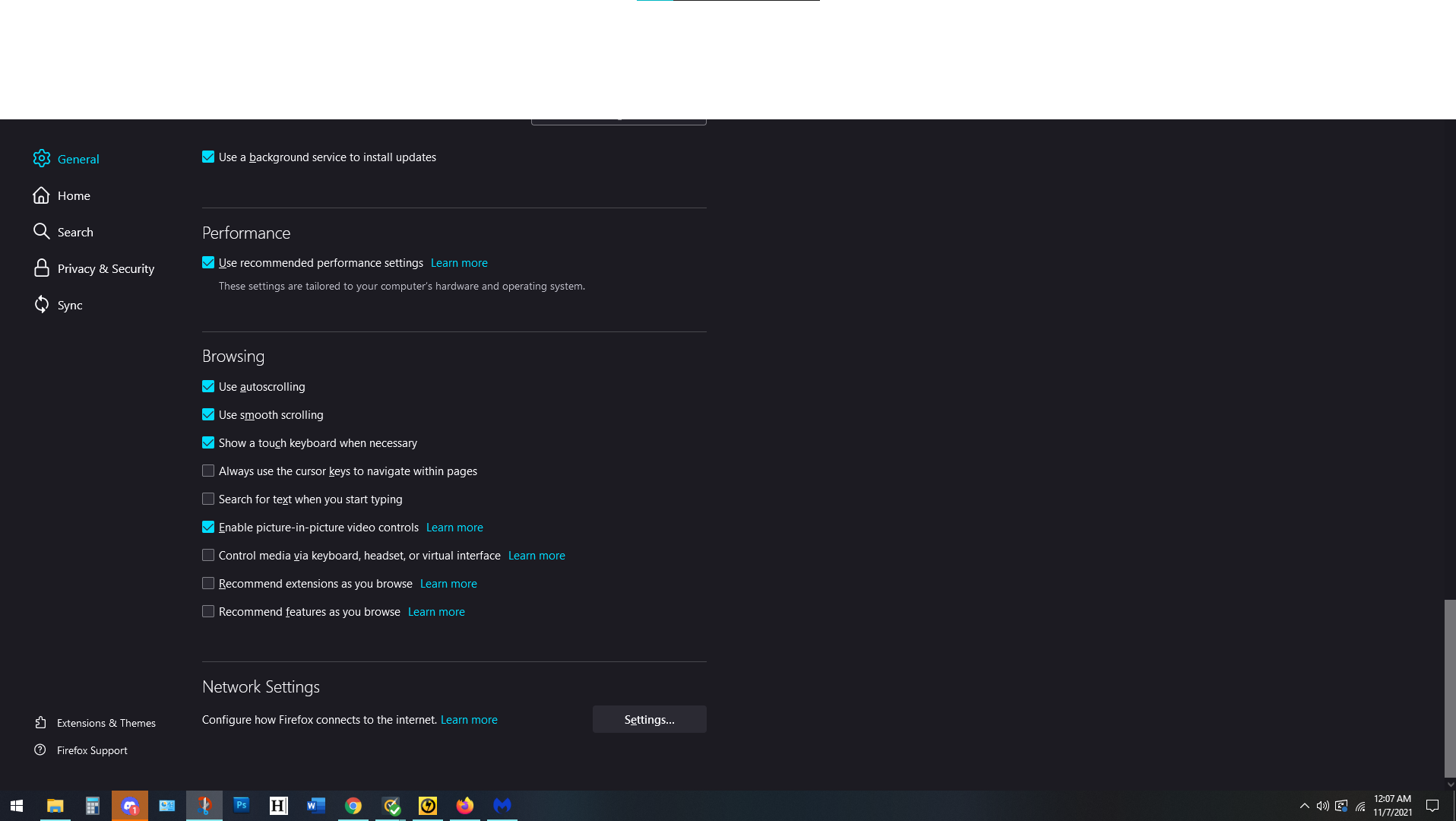
So I was reading manga and the top fifth of my monitor went white. Full white. Non-interactable. Almost like it's not there. I can't access task menus or bars. No tabs. No search. Nothing. Uninstalled and Reinstalled and problem persists. Cleared cache and cookies.
OS Info: Edition: Windows 10 Home Version: 20H2 Installed: 8/1/2021 OS build: 19042.1288 Experience: Windows Feature Experience Pack 120.2212.3920.0
Device Info: Processor: 11th Gen Intel(R) Core(TM) i7-11700KF @ 3.60GHz 3.60 GHz Installed RAM: 16.0 GB (15.7 GB usable) System type: 64-bit operating system, x64-based processor
Mozilla Info: Up to date. Checked for updates by using keyboard commands (Ctrl+Alt+A).
วิธีแก้ปัญหาที่เลือก
Start Firefox using Troubleshoot(Safe) Mode {web link}
A small dialog should appear. Click Start In Troubleshoot(Safe) Mode (not Refresh). Is the problem still there?
อ่านคำตอบนี้ในบริบท 👍 1การตอบกลับทั้งหมด (2)
Note: It's ONLY Firefox. Everything else works fine.

วิธีแก้ปัญหาที่เลือก
Start Firefox using Troubleshoot(Safe) Mode {web link}
A small dialog should appear. Click Start In Troubleshoot(Safe) Mode (not Refresh). Is the problem still there?