


Delete English dialects from spelling
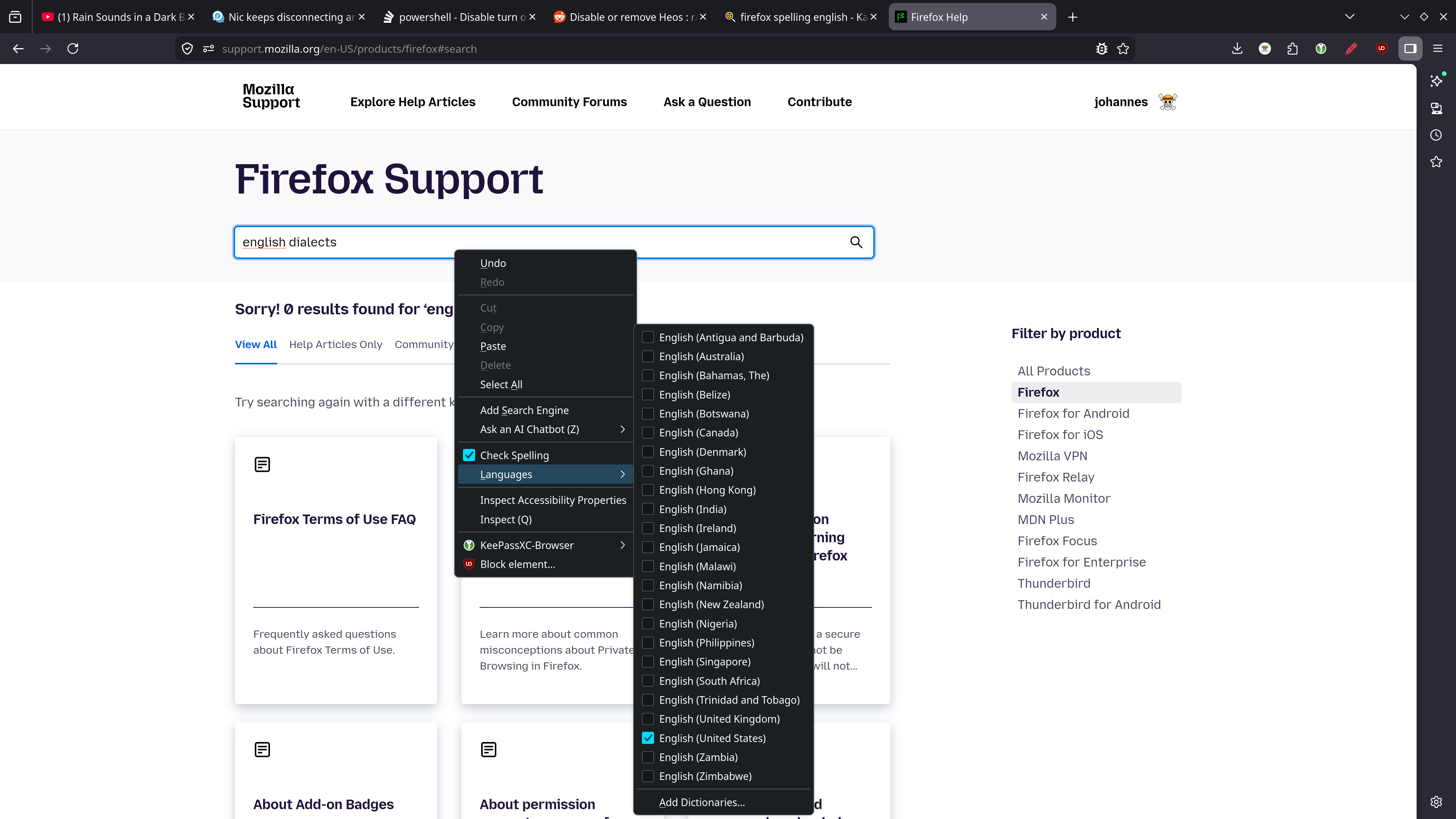
How do I remove the dialects from the long list of english spelchecing. I'm only interested in the origianl (British) englis.
தீர்வு தேர்ந்தெடுக்கப்பட்டது
This is likely because your Linux distro has installed dictionaries for all those languages and Firefox has detected them and offers them. You would have to remove/uninstall them from Linux to prevent Firefox from detecting them.
You can check these locations for globally installed dictionaries:
- /usr/share/hunspell/
- /usr/share/myspell/
See also the DICPATH environment variable. Some of these dictionaries can have a underscore (en_US) instead of a dash (en-US) in the language selector.
Read this answer in context 👍 0All Replies (5)
Hi
You can go to Menu > Settings > General and scroll down to Language
In the drop-down menu click "Select more languages to add..." and
Use the Move Up and Move Down buttons to Remove a language from the list
Click OK to save your changes
George Kitsoukakis மூலமாக திருத்தப்பட்டது
தீர்வு தேர்ந்தெடுக்கப்பட்டது
This is likely because your Linux distro has installed dictionaries for all those languages and Firefox has detected them and offers them. You would have to remove/uninstall them from Linux to prevent Firefox from detecting them.
You can check these locations for globally installed dictionaries:
- /usr/share/hunspell/
- /usr/share/myspell/
See also the DICPATH environment variable. Some of these dictionaries can have a underscore (en_US) instead of a dash (en-US) in the language selector.
Note that dictionaries you add appear in Settings under "Dictionaries", under Languages you find installed language packs that provide translations for strings in the user interface.
Thanks, yeah that was it. I remember being here before but Mozille still has not fixed this. Interestingly in /usr/share/hunspell I see:
total 2180 -rw-r--r--. 1 root root 3091 24. Jul 2025 en_AU.aff -rw-r--r--. 1 root root 554536 24. Jul 2025 en_AU.dic -rw-r--r--. 1 root root 3091 24. Jul 2025 en_CA.aff -rw-r--r--. 1 root root 551783 24. Jul 2025 en_CA.dic -rw-r--r--. 1 root root 27471 24. Jul 2025 en_GB.aff -rw-r--r--. 1 root root 527341 24. Jul 2025 en_GB.dic -rw-r--r--. 1 root root 3091 24. Jul 2025 en_US.aff -rw-r--r--. 1 root root 551962 24. Jul 2025 en_US.dic
and in spell check I see:
- English (Australia)
- English (Canada)
- English (United Kingdom)
- English (United States)
- Add Dictionaries..
SO the dic and the aff files are something different?
The .dic files are the actual dictionaries with the words. The .aff files store the affixes that specify the possible variations of the words. So they both form a pair and both are needed to make a dictionary work properly.