


தீர்வுற்றது
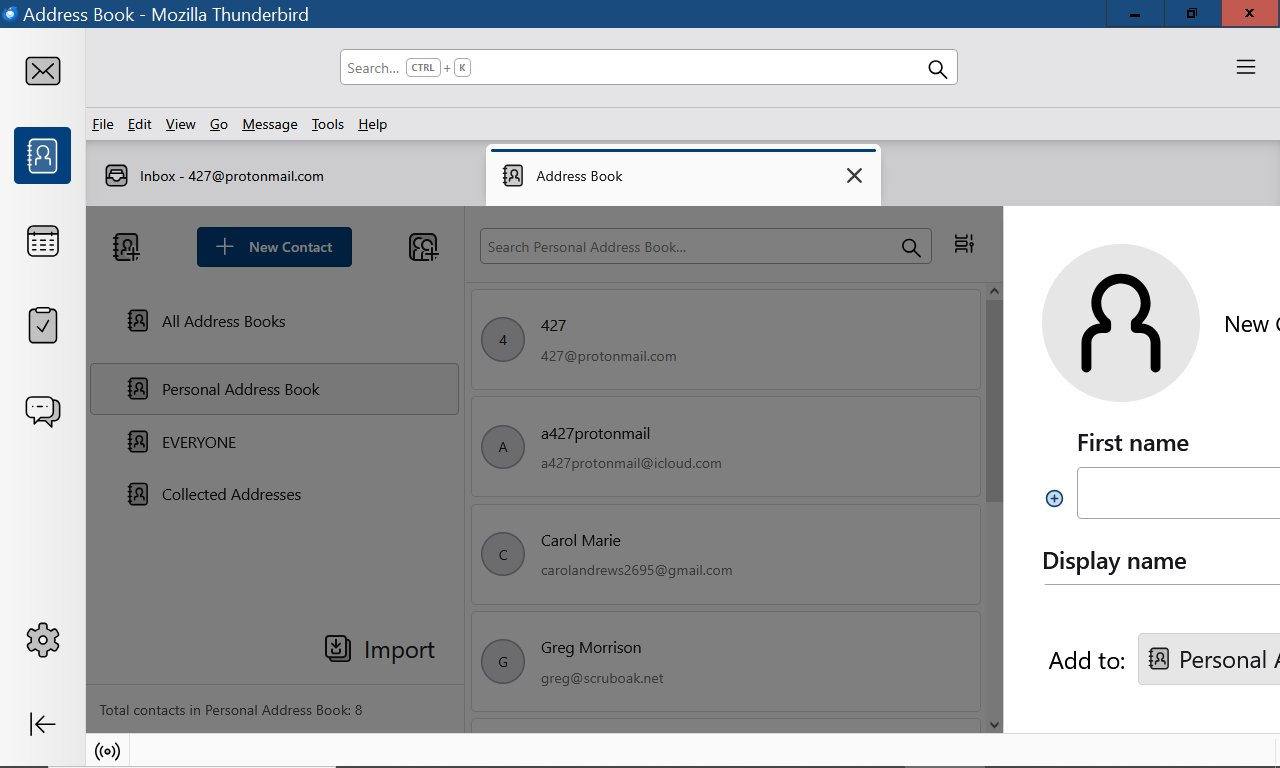
When I try to add a new contact the box is 3/4 off the screen to the right

When I try to add a new contact the box is 3/4 off the screen to the right. there is a opaque square where the box should be, Ive tried the alt/space/m/arrow thing but that's not working, also tried every suggestion from chatgpt, nothing working, reinstalled with No change Win10
When I try to add a new contact the box is 3/4 off the screen to the right. there is a opaque square where the box should be, Ive tried the alt/space/m/arrow thing but that's not working, also tried every suggestion from chatgpt, nothing working, reinstalled with No change
Win10
All Replies (3)
தீர்வு தேர்ந்தெடுக்கப்பட்டது
click the small icon to the right of the search box in addressbook pane. Click 'table layout'
Thank you very much that fixed the problem, I almost abandoned TBird, thank again !!
You're very welcome. :)