


CC field on Android limited to 1 recipient?

Functionality and usability issue: I use the Thunderbird for Android app as an adjunct to my desktop installation. Recently I had occasion to reply to an email in Android to one "to" recipient and needed to add two "cc" recipients, but found no way to add the cc recipients without deleting the existing cc recipients and having to input the entire (dynamic) group again, but then was also stymied by that. How best to handle this issue?
Other than that issue, the lack of desktop contacts synching, and the lack of spam filtering, Thunderbird for Android has been a huge help, so thanks to the developers for their dedication and hard work.
Suluhisho teule
Hi Platform34, yes that does work, as I just found out when one of the project contributors posted that solution about 40 minutes ago on Github. Their specific instructions are:
"If you tap on the label of the address field (To, Cc, Bcc) the cursor should focus on the field itself. We have that specifically to allow quick focus on the field, no matter how busy or filled with long addresses it gets. Tapping on the label should focus the field."
All Replies (9)
To add more recipients, you must separate them with a comma "," or press enter when you enter the address to "lock" it.

Hi mq9
I couldn't replicate the issue you describe. I was able to successfully add and append multiple email addresses in the CC field on both reply and compose screens.
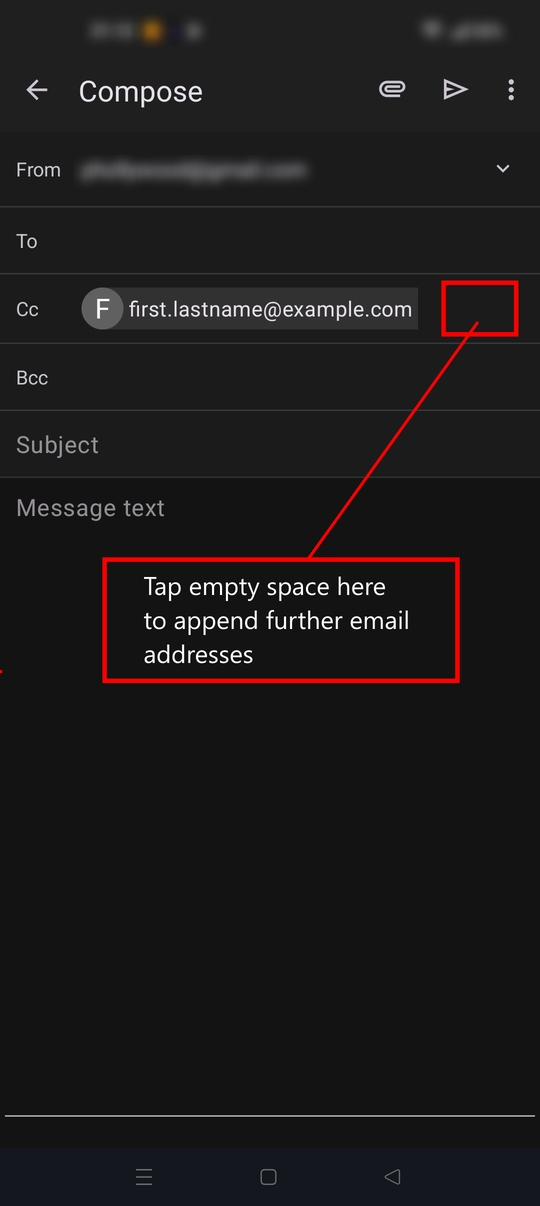
To append an address, tap in the empty space after any tokenised addresses. Type each additional address followed by a separating comma or semicolon.
N.B Tapping directly on an email address shows a box with more info and a delete button. If you tap it accidentally, tap again within the message text area to close the box, then try again.
I this doesn't work or I've misunderstood the issue, feel free to respond and clarify.
Modified by Platform34
@George: yes commas and semicolons work when constructing a list outside of the cc field and then pasting the list into the field, but doesn't solve the problem of the field with existing cc recipients not accepting more cc recipients because of a lack of UI space. The field itself is accommodating but the GUI prevents using it for adding more addresses.
@platform34: the issue appears to be UI space available for mobile in that there is no empty touch space after a cc recipient to add more recipients. I think it's likely an accessibility issue for any device that has font sizes larger than stock device defaults.
For now, the only way around it is to copy each existing cc recipient, paste into the message body, add more comma-separated recipients to that pasted block, then copy and paste the block into the cc field. Very kludgy.
It would not seem to be a terribly difficult fix to add a "+" button to the drop-down menu when selecting the recipient showing in the field (and taking up all the space) so that the user is able to add more recipients when empty space after the last address is not visible.
The mobile device is a Moto G with a not huge but still standard-size screen, so should be among the resolutions tested for most mobile apps.
Hi mq9
I've attached a screen shot for comparison which will help confirm we're on the same page. If the first address is short e.g xy@aol.com, is there empty space to test appending a second one?
If the root issue (accessibility) is confirmed, I'd recommend creating a new bug report on github. https://github.com/thunderbird/thunderbird-android/issues
Hi Platform34,
It does appear to be an accessibility issue, as the space after a cc addressee is so small that even the phone's stylus can't access it. Screenshot attached. This is on a Moto G Stylus (2021) running Android 11, Thunderbird 21.1
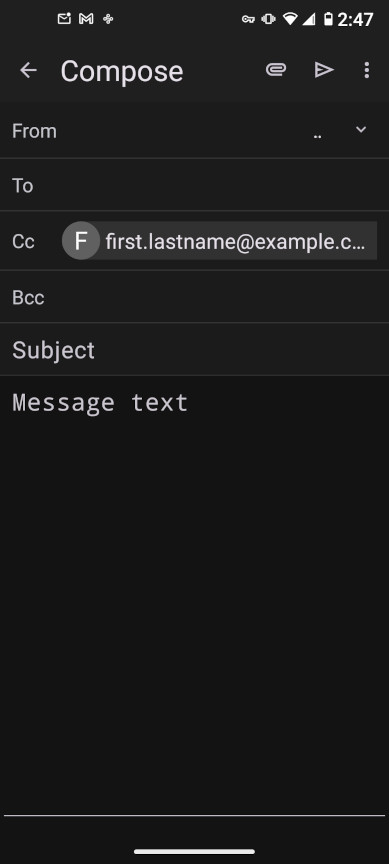
As per discussion with Platform 34, this appears to be an accessibility issue that is tied to the user's system font size and the GUI implementation of the address fields.
Bug report opened at: https://github.com/thunderbird/thunderbird-android/issues/11388
A last thought on this: even without tappable space, one can use the "add from contacts" function from the 3-dot menu to add saved contacts from the user's contacts app. However, that option is not helpful when replying to an email from a colleague who cc'd others that one does not have or want in their own contacts, nor does it allow for manual entry of an address, which is quite often the choice one wants for people not in and not wanted in a contacts app.
A "+" button for adding an address manually would solve this issue.
As the issue is unresolved until addressed by the developers, I wouldn't mark this as solved, but rather as bug reported. Thank you to the contributors who tried to assist, your input is valued and appreciated.
I have found a way during experimentation that should hopefully work for you.
- Tap on the To or CC label immediately before the first email address.
- The cursor is placed at the end of the email address (but not visible to you).
- Start typing an email address. The text commences on the next line.
Suluhisho teule
Hi Platform34, yes that does work, as I just found out when one of the project contributors posted that solution about 40 minutes ago on Github. Their specific instructions are:
"If you tap on the label of the address field (To, Cc, Bcc) the cursor should focus on the field itself. We have that specifically to allow quick focus on the field, no matter how busy or filled with long addresses it gets. Tapping on the label should focus the field."