


drafts being sent when switching to another app

I believe I found a bug. When drafting an email and switching away from Thunderbird the draft email gets sent but still remains in the drafts folder.
I created two emails today and had to switch away multiple times to get some information to paste into the emails. Thunderbird evidently sent out the draft in its current format whenever I switched away from the app.
All Replies (3)

Hi Jeffrey
I haven't been able to replicate the issue you've highlighted.
While composing a draft email with my own email assigned, I press back and return to the launcher/another app. When I switch back to Thunderbird, I'm returned to the same draft email. No email was mailed or received and nothing is listed in the outbox or sent item folder.
Can you confirm what version of the app your using and steps to reproduce.
Thanks for getting back to me.
Thunderbird ver 14.0 Android 16 via Google Pixel My email address is a Google workspace account sent via SMTP.
When I switch away from Thunderbird I'm actually swiping back and forth between the apps.
I can't swear by it but I think the partially written drafts didn't appear until I sent the final.
Another weird and related thing, I have numerous unknown sender emails that showed up. Completely empty, no headed, no sender, etc. quite literally blank.
Maybe I should just try a reinstall??
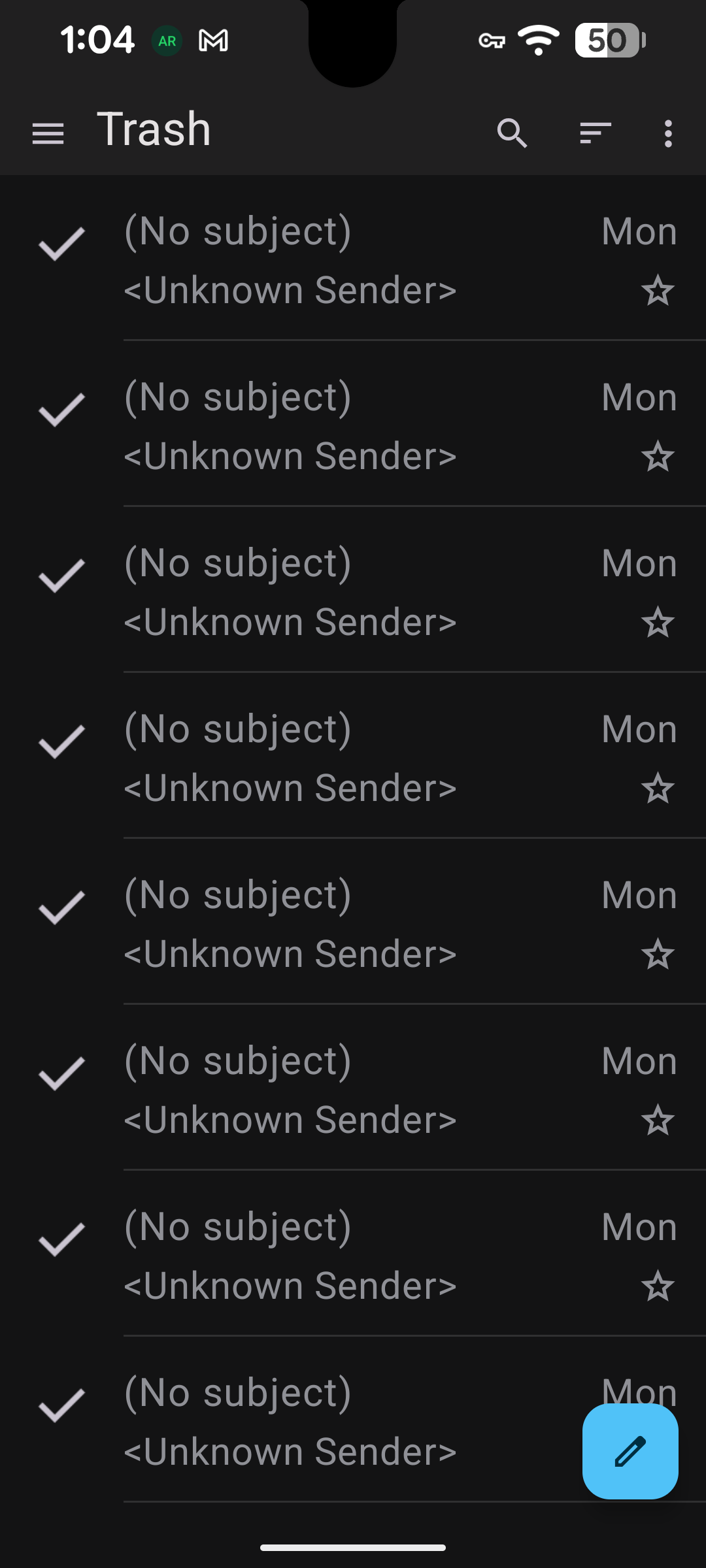
Hi Jeffrey
Reinstalling the app from a trusted source would be prudent. The trashed emails are a bit suspicious. You might also think about any other apps you've recently installed.
If the issue continues after reinstalling, I'd suggest enabling debug logging in the app settings. This should provide more detail about what's happening. You can find instructions linked below.
I'd recommend raising a git hub ticket with the log attached. The developers can offer greater analysis. You should redact any sensitive information before attaching.