

This thread was archived.
Please ask a new question if you need help.

Archived
How can I save same login and password for different Top Level Domains of same website ?

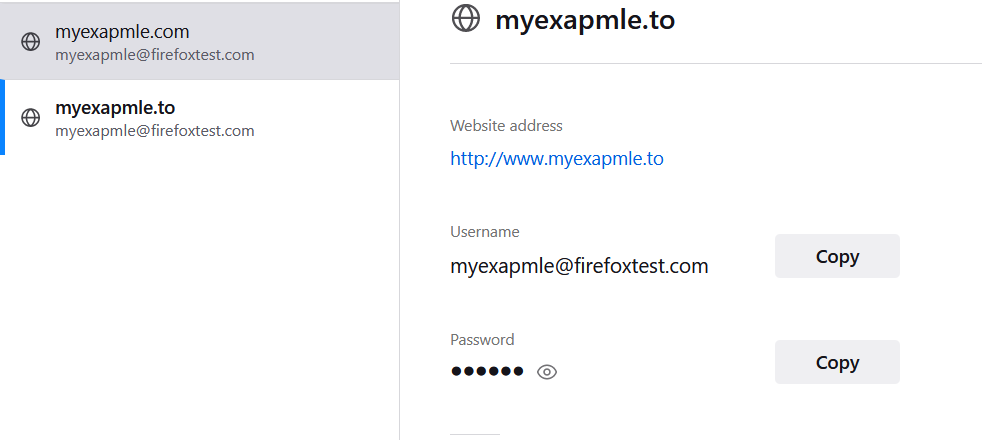
Hi! I need some help combining/saving passwords for sites with different top level domains as shown in picture or
For example if I have site as follows
And it changes it TLD
Then saved passwords for the .com doesn't work for .to . I need to manually add them to the about:logins for it work.
Any help regarding this would be appreciated.
Hi!
I need some help combining/saving passwords for sites with different top level domains as shown in picture or
For example if I have site as follows
http://www.myexapmle.com/
And it changes it TLD
http://www.myexapmle.to/
Then saved passwords for the .com doesn't work for .to . I need to manually add them to the about:logins for it work.
Any help regarding this would be appreciated.
All Replies (1)
That is not possible as far as I know, so you will have to create a separate login for each top level domain. Note that it is not very likely that all such top level domains belong to the same company, so using/sharing the same login would be a security risk if you would accidentally type the wrong domain.