


Windows 10 reached EOS (end of support) on October 14, 2025. If you are on Windows 10, see this article.

Sök i support

Akta dig för supportbedrägerier: Vi kommer aldrig att be dig att ringa eller skicka ett sms till ett telefonnummer eller dela personlig information. Rapportera misstänkt aktivitet med alternativet "Rapportera missbruk".

Läs mer
Denna tråd har arkiverats. Ställ en ny fråga om du behöver hjälp.
Arkiverad

Firefox: Saved credentials are no longer suggested

guenter.thaler

Hello Firefox helpers!

I save my login details for various websites in Firefox version 144.0.2. Normally, I navigate to the login area of a website, and Firefox suggests the right username and password, and I just have to select the correct username.

For the past few days, I have had to enter my username and password manually to log in. The functionality for saving usernames and passwords is no longer working correctly.

In the settings dialogue some check boxes are greyed out. See attached screenshot.

What is wrong with my firefox?

Best regards Günter
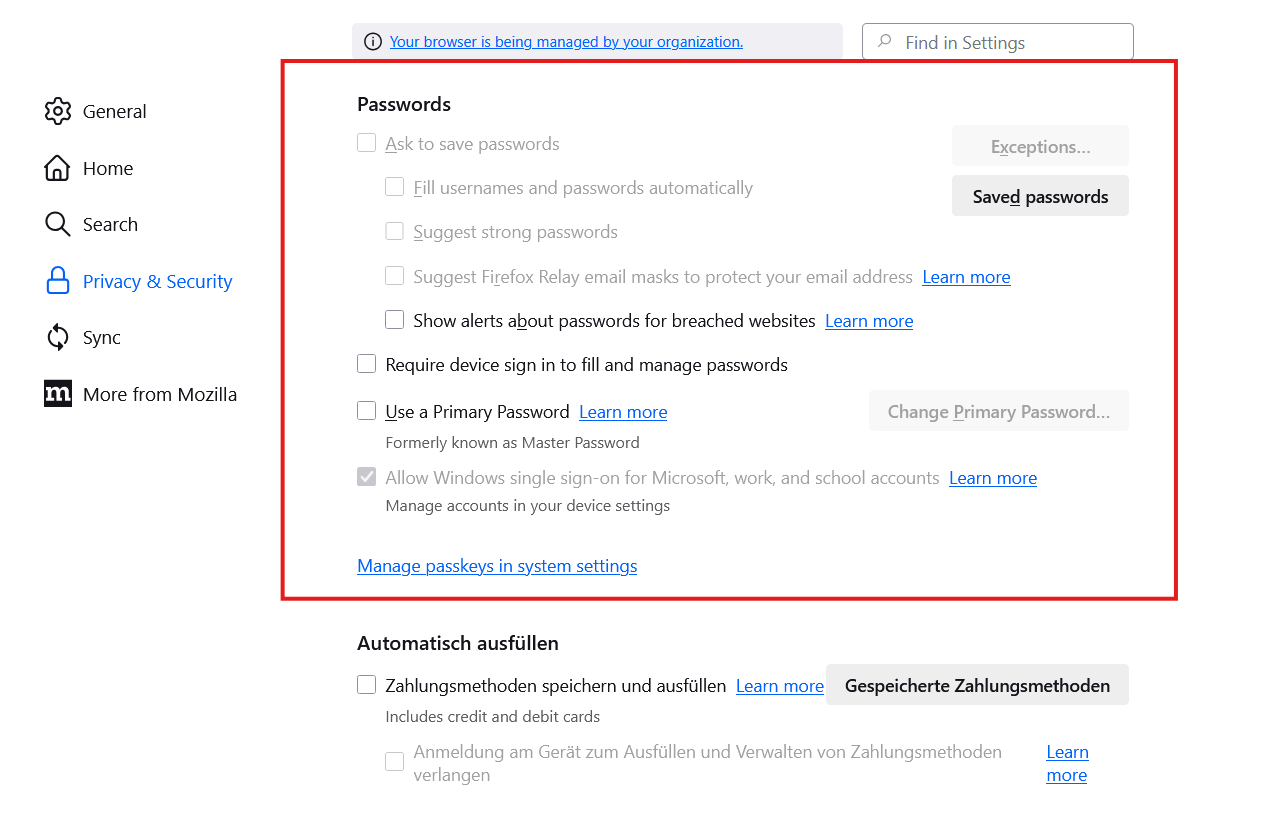
Hello Firefox helpers! I save my login details for various websites in Firefox version 144.0.2. Normally, I navigate to the login area of a website, and Firefox suggests the right username and password, and I just have to select the correct username. For the past few days, I have had to enter my username and password manually to log in. The functionality for saving usernames and passwords is no longer working correctly. In the settings dialogue some check boxes are greyed out. See attached screenshot. What is wrong with my firefox? Best regards Günter
Bifogade skärmdumpar

Alla svar (1)

Did you notice in your screenshot that your browser is being managed. What OS? What security software are you running? If windows, it looks like whatever security software you're running is the cause of those items being grayed out. https://winaero.com/remove-your-browser-is-being-managed-by-your-organization-from-firefox/

Ändrad av jonzn4SUSE