


The disabled feature still has a picture in the picture when unchecked.

The disabled feature still has a picture in the picture when unchecked. How do I stop picture-in-picture for videos playing in Firefox? Yes, went into settings and unchecked picture in picture, yes, the problem still exists.
Vald lösning
SOLUTION: open new tab, enter about:config enter "media.videocontrols.picture-in-picture.enable-when-switching-tabs.enabled" and toggle to FALSE
media.videocontrols.picture-in-picture.enable-when-switching-tabs.enabled = FALSE
Mine was media.videocontrols.picture-in-picture.enable-when-switching-tabs.enabled = TRUE, and I have no clue why it was stuck. But that fixed it. THANK YOU EVERYONE!!!!
Alla svar (5)
That's unlikely. Can you attach a screenshot?
A screenshot of the unchecked box and video playing
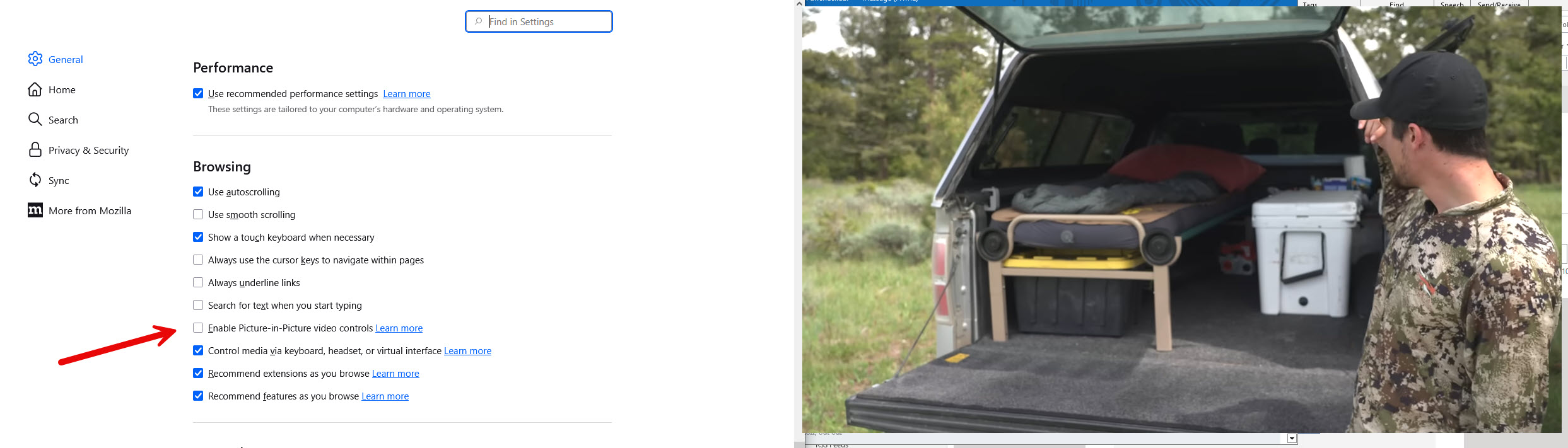
Firefox browser 143.0.4 (64-bit), Windows 11 Pro
Hello
Is it this subject. https://support.mozilla.org/en-US/questions/1530752
Try 1 - Go to Configuration Editor for Firefox https://support.mozilla.org/en-US/kb/about-config-editor-firefox 2 - Enter a search term media.videocontrols.picture-in-picture.enable-when-switching-tabs.enabled To change a boolean preference's value, double-click on the preference.
Vald lösning
SOLUTION: open new tab, enter about:config enter "media.videocontrols.picture-in-picture.enable-when-switching-tabs.enabled" and toggle to FALSE
media.videocontrols.picture-in-picture.enable-when-switching-tabs.enabled = FALSE
Mine was media.videocontrols.picture-in-picture.enable-when-switching-tabs.enabled = TRUE, and I have no clue why it was stuck. But that fixed it. THANK YOU EVERYONE!!!!