


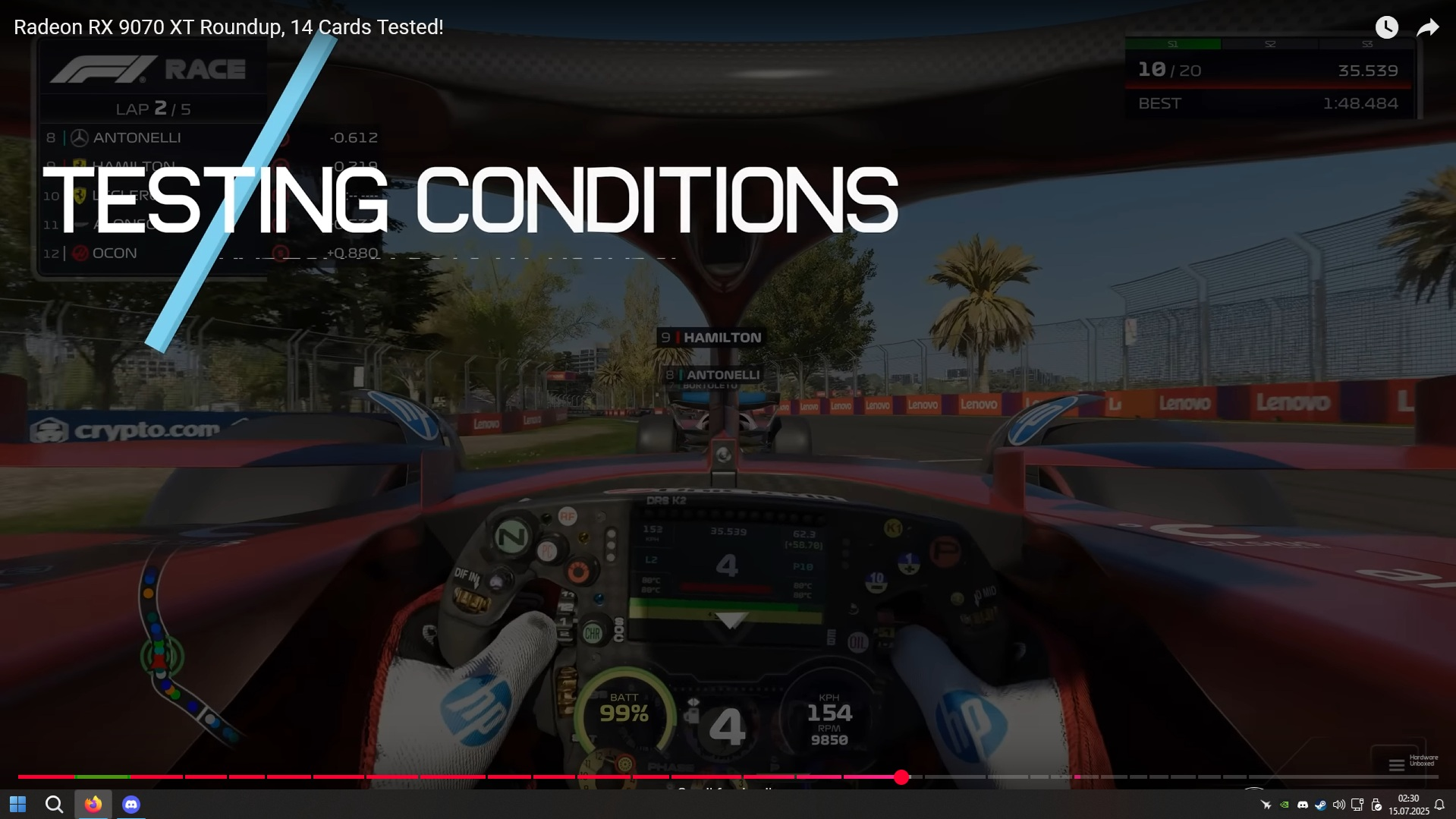
Windows 11 taskbar is covering fulscreen videos in Firefox. Not happening in other browsers.

Basically what the title says. I don't use any addons and it still happens. Any tips on how to fix that? Yes i tried restarting my PC and restarting explorer.exe
Vald lösning
Please also note, that this issue should be fixed completely in Firefox 141, which will be released on July, 22. I'll post a reminder here when the update is released, so that you can test it and confirm (or not) the fix.
Läs svaret i sitt sammanhang 👍 1Alla svar (4)
Hello,
Try changing widget.windows.fullscreen_marking_method Firefox preference to 1, 2 or 3 in the Configuration Editor:
- Type about:config in the address bar and press Enter.
- A warning page may appear. Click "Accept the Risk and Continue" to go to the about:config page.
- Enter widget.windows.fullscreen_marking_method in the Search preference name box.
- Set the widget.windows.fullscreen_marking_method preference (named exactly like that) to 1, 2 and then 3 by clicking the Edit
 button (or just double-clicking on the preference), every time checking if the problem persists.
For reference, see this discussion and the corresponding bug.
Looking forward to your update on how it goes!
Vald lösning
Please also note, that this issue should be fixed completely in Firefox 141, which will be released on July, 22. I'll post a reminder here when the update is released, so that you can test it and confirm (or not) the fix.
Denys powiedział
Please also note, that this issue should be fixed completely in Firefox 141, which will be released on July, 22. I'll post a reminder here when the update is released, so that you can test it and confirm (or not) the fix.
Thank you this update fixed the issue.
Great! Glad to hear that!