


Bookmarks

How do I delete a single bookmark? The instructions in your help file do not work. I click on the blue star in the top right corner, hit "Delete bookmark," but the bookmark does not delete. I have tried shutting down Firefox and restarting after giving the delete command, but no dice. The bookmark seems immortal! Using Mac OS 10.13.6.
Alla svar (1)
Delete a single bookmark
refer to below link link: https://www.apeaksoft.com/mac-cleanup/how-to-delete-bookmarks-on-mac.html
Have a nice day
Ändrad av BigFish
Delete single bookmark
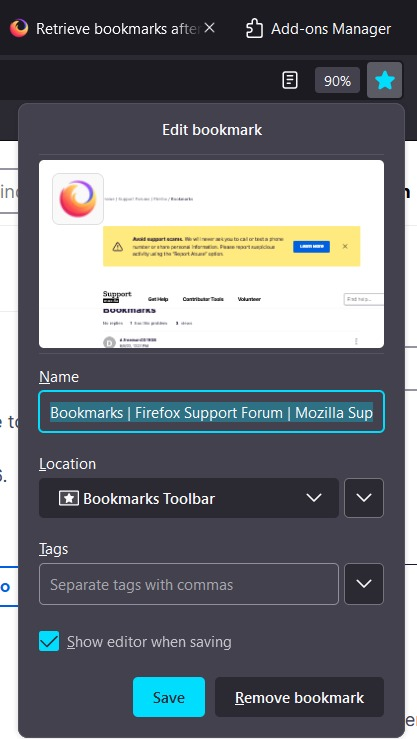
Options 1: 1. use moose to point on the website that you want to remove in toolbar 2. right click 3. select "delete bookmark"
Options 2: 1. go to page in your bookmarks that you want to remove 2. click on the star icon on the right of search bar 3. click remove bookmark link: https://support.mozilla.org/en-US/kb/how-do-i-delete-bookmark#w_deleting-a-single-bookmark
Options 3:
refer to below link
link: https://www.apeaksoft.com/mac-cleanup/how-to-delete-bookmarks-on-mac.html
This question has been locked because the original author has deleted their account. While you can no longer post new replies, the existing content remains available for reference.