


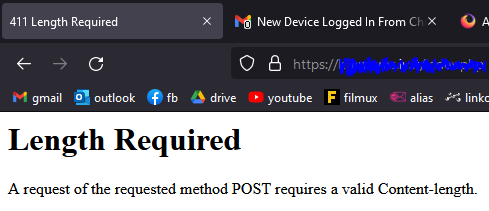
411 Length Required
In some SSL enabled websites I see "411 Length Required" error. When I change browser everything works great. It seems, that only Firefox has this issue. Additional text showed in error page:
Length Required A request of the requested method POST requires a valid Content-length.
How to fix this issue? Any ideas?

Vald lösning
Your system details show that you have Bitdefender installed.
Another user reported that disabling Bitdefender solved the problem. They then disabled protection and re-enabled it; problem solved.
Worth a try .....
Alla svar (5)

See if this helps; https://www.bing.com/search?q=411+Length+Required
Sounds that the servers is possibly misconfigured and sends incomplete HTTP response headers.
Can you post a link to a publicly accessible page (i.e. no authentication or signing on required)?
Start Firefox in Troubleshoot Mode to check if one of the extensions ("3-bar" menu button or Tools -> Add-ons -> Extensions) or if hardware acceleration or userChrome.css is causing the problem.
- switch to the DEFAULT theme: "3-bar" menu button or Tools -> Add-ons -> Themes
- do NOT click the "Refresh Firefox" button on the Troubleshoot Mode start window
Vald lösning
Your system details show that you have Bitdefender installed.
Another user reported that disabling Bitdefender solved the problem. They then disabled protection and re-enabled it; problem solved.
Worth a try .....
Disabling Bitdefenders security helped me, but if i re-enable issue comes back. Anyway, thank you for your help :)
patrikas23 said
Disabling Bitdefenders security helped me, but if i re-enable issue comes back. Anyway, thank you for your help :)
You could contact their support:
Hello,
I am glad to hear that your problem has been resolved. If you haven't already, please select the answer that solves the problem. This will help other users with similar problems find the solution.
Thank you for contacting Mozilla Support.