


white borders around the browser
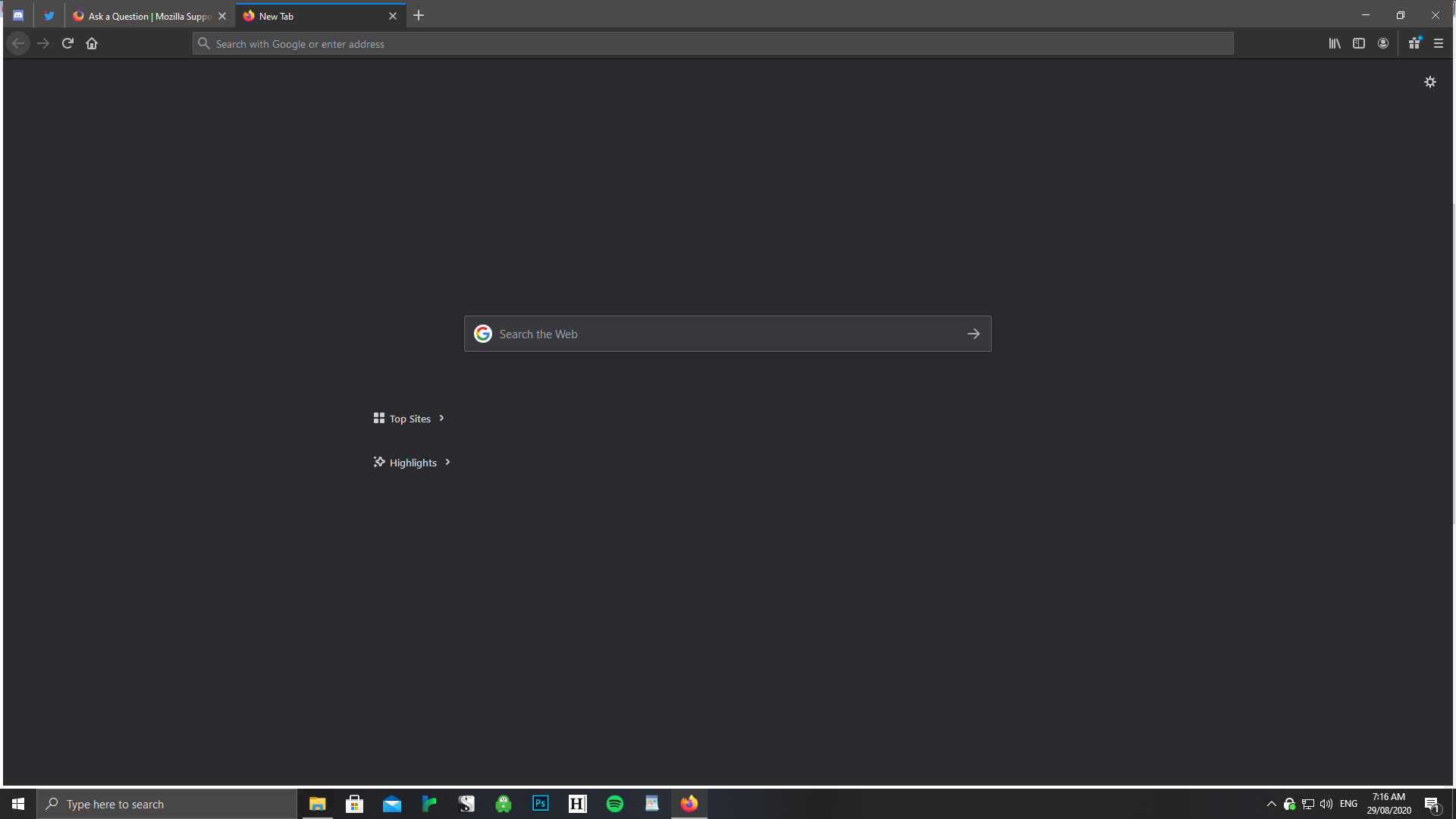
Since a sudden power outage, when I use firefox maximized (not f11) there's a white border around 3 of the 4 edges - not including the top. It's about 2mm thick, and only goes away if I press f11.
I've tried uninstalling, cleaning out all the old files and reinstalling firefox; I've tried disabling and re-enabling add-ons; I've tried changing my screen resolution to something else and switching back. All to no effect.
This has never happened before, and my monitor is at 100% resolution. Can anyone suggest what else I could try?
Vald lösning
I seem to have found a solution to this problem, and I haven't seen this mentioned before. Here's what I did in case someone else is having this problem.
In the Firefox menu, go to 'Customize...'. Then, on the customization screen that comes up, in the bottom left it says 'title bar', with a check box next to it. Check the check box to turn on the title bar. Worked for me!
Thanks for all the suggestions so far. Hopefully if anyone else has this problem, that will fix it for them! :)
Läs svaret i sitt sammanhang 👍 0Alla svar (5)
hi kisakiayena, is it of any help changing the accent colour through your windows 10 system panel > personalization section?
No, makes no difference, sadly. :(
Boot the computer in Windows Safe Mode with network support to see if that has effect.
Vald lösning
I seem to have found a solution to this problem, and I haven't seen this mentioned before. Here's what I did in case someone else is having this problem.
In the Firefox menu, go to 'Customize...'. Then, on the customization screen that comes up, in the bottom left it says 'title bar', with a check box next to it. Check the check box to turn on the title bar. Worked for me!
Thanks for all the suggestions so far. Hopefully if anyone else has this problem, that will fix it for them! :)
another thing you could try is to right-click the firefox desktop shortcut, go to properties > compatibility and disable any compatibility settings there...