


Firefox 32.0.3 keeps crashing every few minutes - how do I fix this?

I'm running Mozilla firefox 32.0.3 (most updated version) on a desktop with Windows 7 Ultimate 64 bit. During the past few weeks, firefox has been running slow and crashing every 5 minutes (literally, not an exaggeration). I already reset my browser to the default settings but that did not solve the issue. What can be causing the problem?
Vald lösning
the crash report you've submitted indicates that you have a ATI Radeon 4200 HD card though with an outdated driver present.
Alla svar (9)
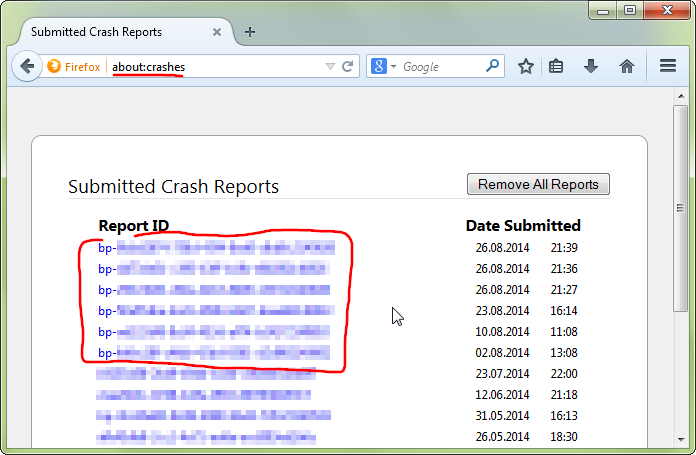
hello, could you provide your latest few submitted crash reports? please enter about:crashes into the location bar, copy the latest few report ids from there starting with bp- & paste them here into a forum reply. this will give us a better understanding what may be triggering those crashes.
bp-bc8a1bad-b490-46e1-b510-54eb92141002
That is the most recent one. When I went to the crash page, I saw that almost none of my crashes were reported, since there is literally a crash every few minutes.
hey, unfortunately that was just a hang of the adobe flash plugin that probably won't be connected to the other crashes.
one thing you could try is to update the graphics driver on your system: http://support.amd.com/en-us/download/desktop/legacy?product=legacy2&os=Windows%207%20-%2064
My desktop has integrated graphics, no dedicated graphics card. I already downloaded the latest drivers for it a while back from the motherboard website.
Vald lösning
the crash report you've submitted indicates that you have a ATI Radeon 4200 HD card though with an outdated driver present.
The Radeon 4200 is inegrated into the motherboard, but I'm in the process of downloading the driver you listed right now. It will be finished downloading in about 20 minutes. I will let you know if the issue persists or if it keeps going. If the issue persists would it be helpful if I took a few screenshots of my desktop?
The driver update solved the issue, thanks.
I have the same problem. I'm on Windows 8 on a Lenovo ultrabook. Here is my crash report: bp-d88b1489-9f4b-4f61-812c-c9eef2141013
Ändrad av butterpieman
hello butterpieman, the symptoms might be the same, but your crash report is very different than the problem that was originally discussed here. in order to get better help, please open a new question for your issue at https://support.mozilla.org/en-US/questions/new/desktop/fix-problems/form?search=Firefox+crashes&step=aaq-question
thank you!